How to do an expense issue or return
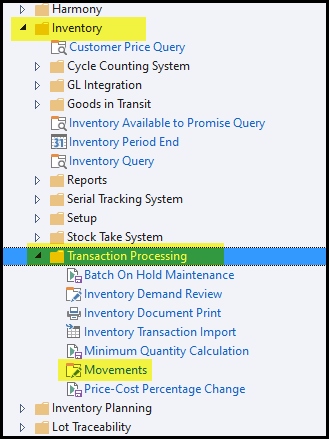
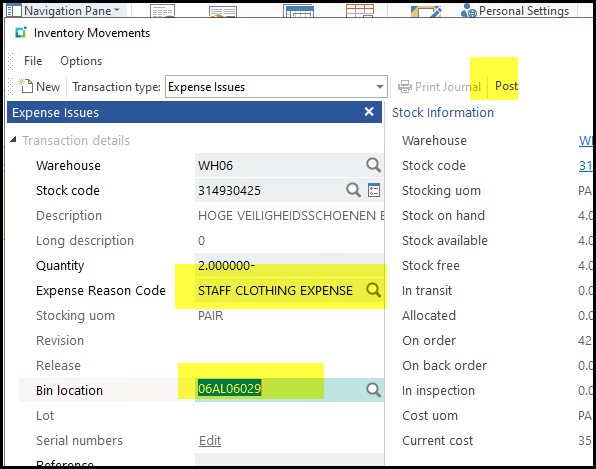
1. Go to Inventory>Transaction Processing>Movements
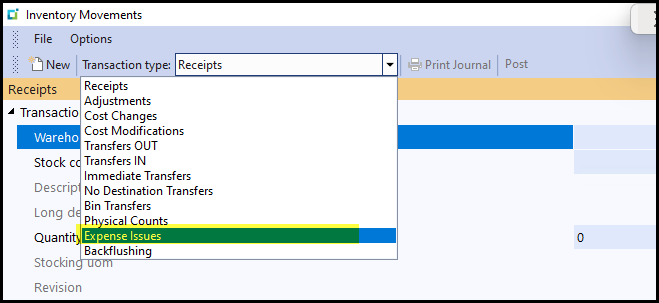
2. Select expense issues
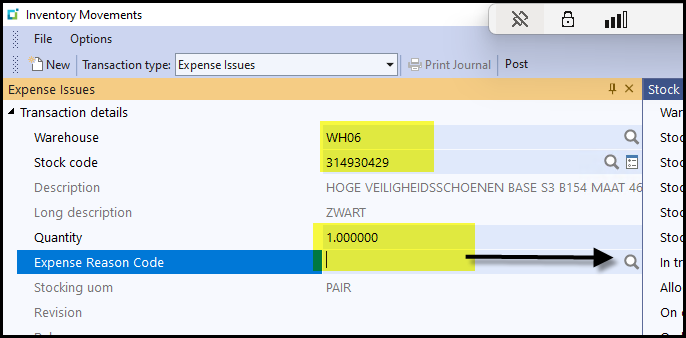
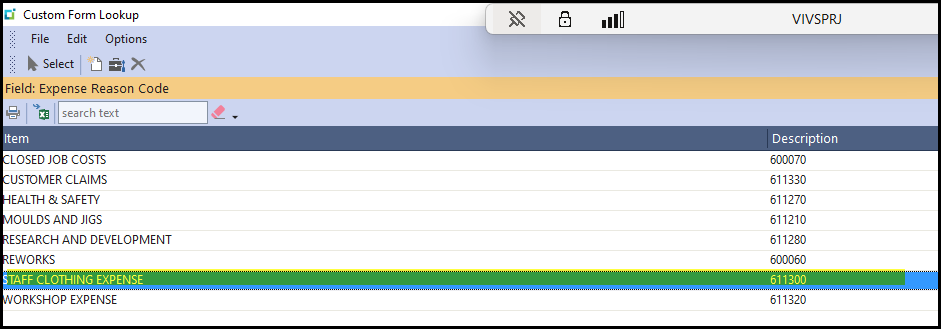
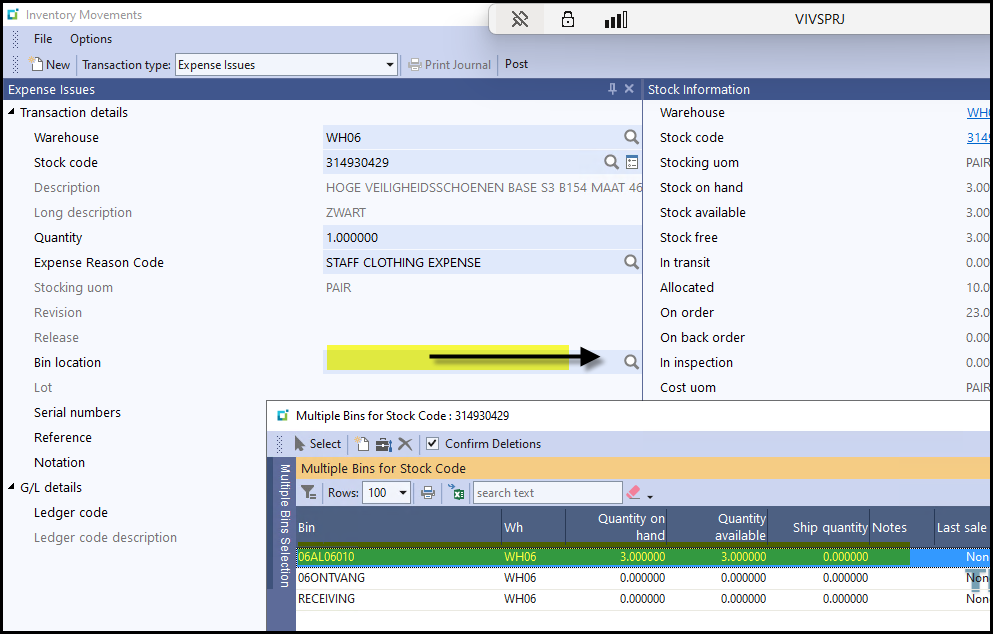
3. Select your warehouse, stock code, quantity and expense reason code - make sure before you select the
expense that it is the correct reason code.
4. Select the bin where the stock is.
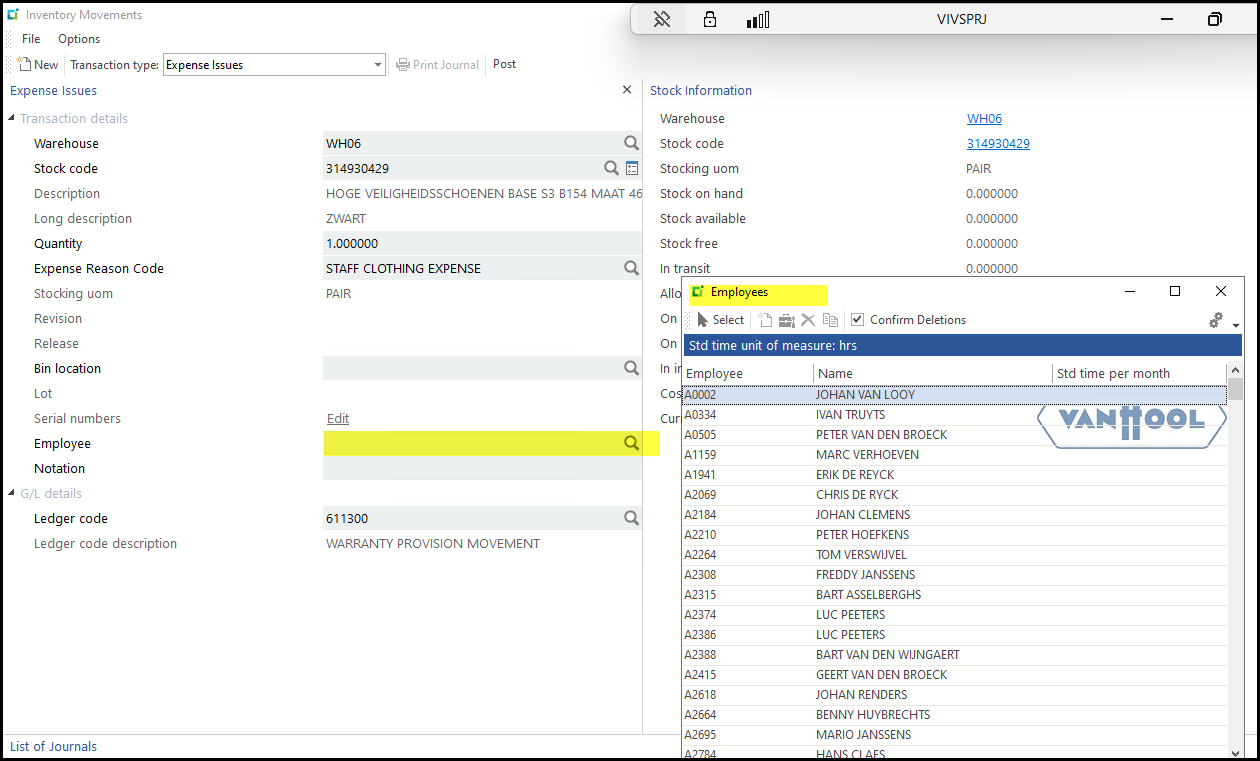
5. Type in the employee taking the goods and his department - this will change(the developers are working
on this) to a search button with a drop down list. You can use Ctrl+F and type the first name of the employee.
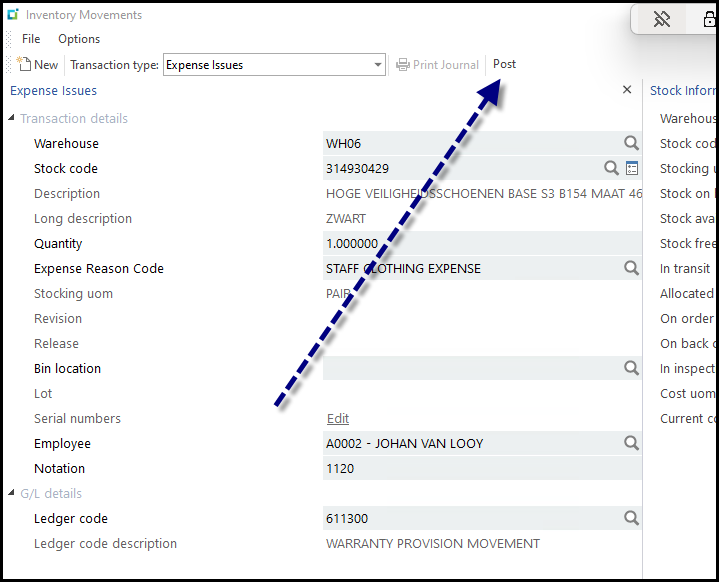
6. Click on Post
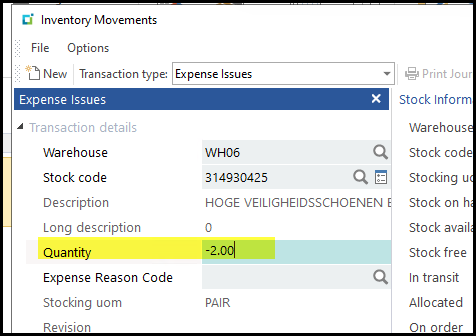
7. Do do a expense return. Add a negative value to the Quantity field, and select the expense and BIN you want to add it to.
Created with the Personal Edition of HelpNDoc: Powerful and User-Friendly Help Authoring Tool for Markdown Documents