How to create a requisition
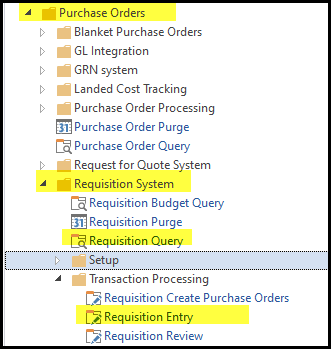
1. Go to Purchase orders > Requisition System - Requisition Query (to view requisitions)
2. Requisition System > Transaction Processing> Requisition Entry (to create new req)
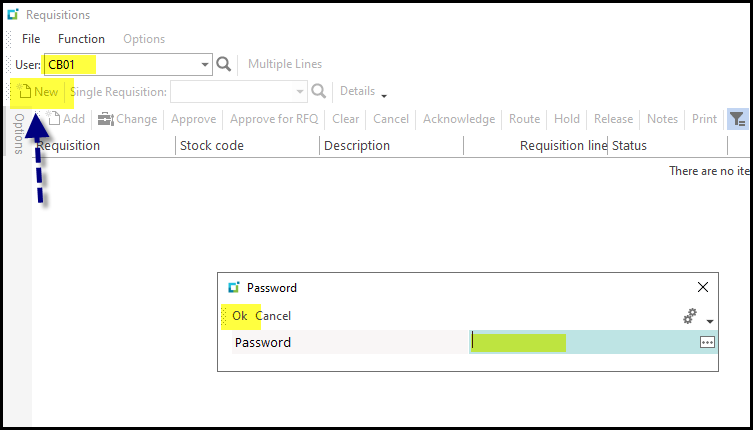
3. If it does not default to your user code (employee code) fill it in and 'tab'.
Password screen will pop-up. (Get Req password from Carmen)
Enter password and click on OK.
'New' will be open to click on.
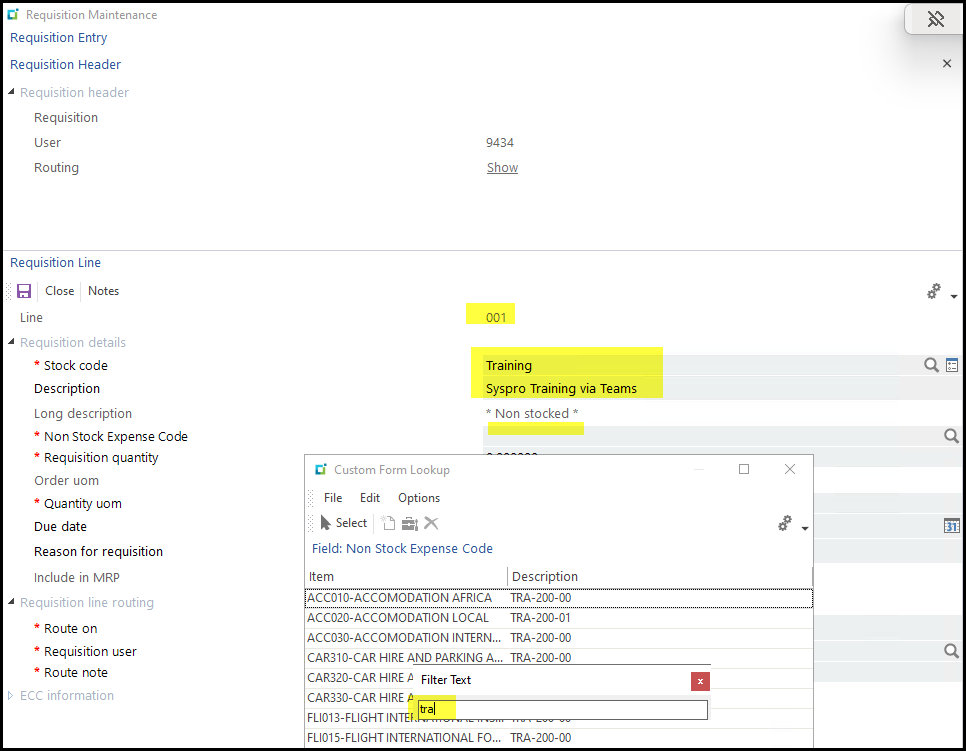
4. This will open the requisition maintenance screen.
Stock code - you will use for non-stock requisitions. This is a open field to enter any info, make it short.
Description - more descriptive message
Non-stock - is custom fields where you add the specific expense type. I you want to add something new to the list contact - Carmen
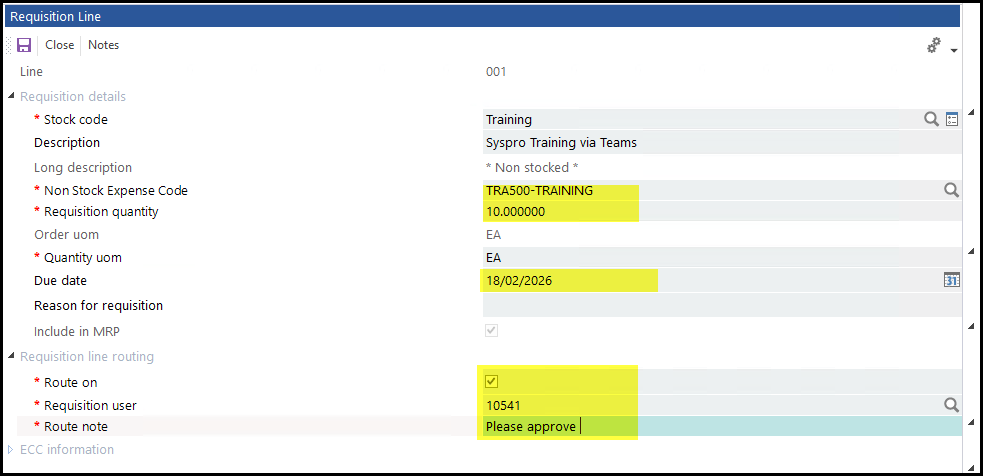
5. Add Qty, due date, Route on will be automatically your supervisor.
Route note - is compulsory, you can even just add a dot just to trigger the field or you can add message for the approver.
6. Add supplier.
For adhoc payments we will use the following suppliers:
ONC001 - Once off Supplier ZAR
ONC002 - Once off Supplier USD
Add your price per UOM
Add Buyer if you want.
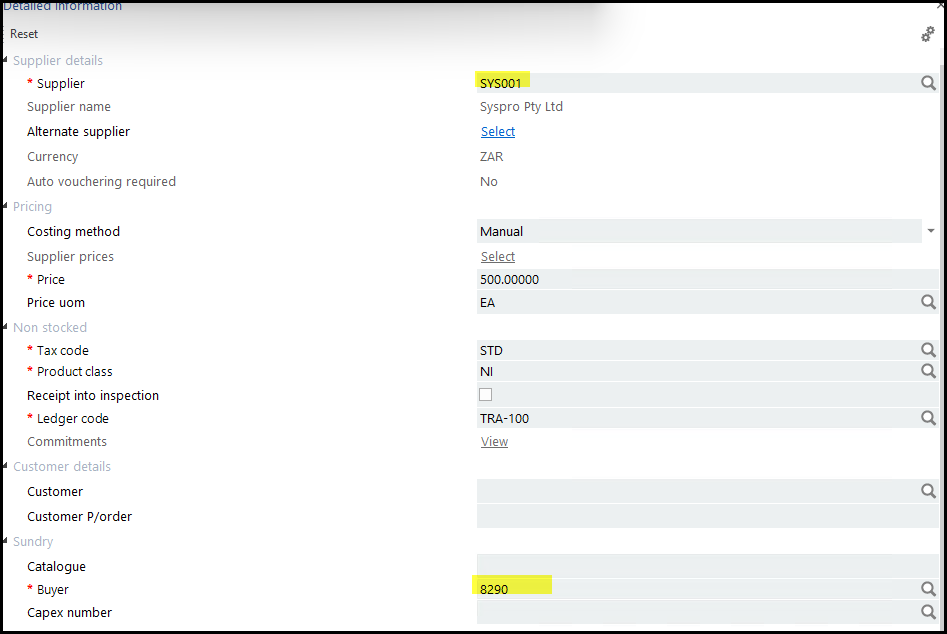
7. Save the line or Ctrl+S
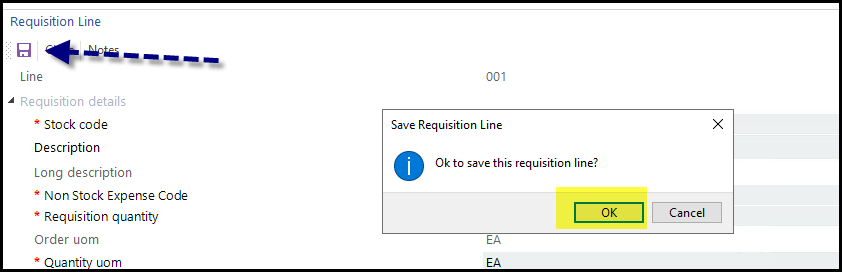
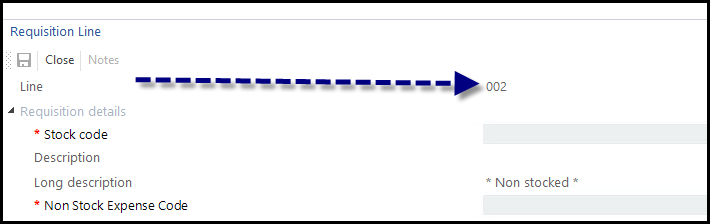
8. It will then add a next line.
Add your new line's info some info will copy from the previous line.
9. You can use different supplier and authorisor but I will not recommend that just to keep it simple.
10. When done click on close or X.
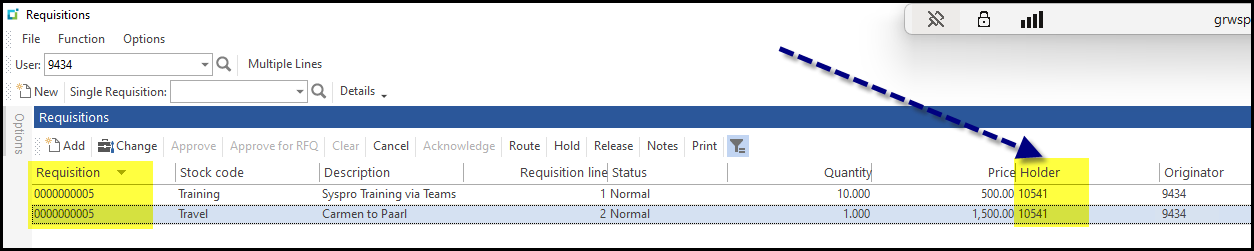
11. It will jump to the requisition view to see all your requisitions.
Created with the Personal Edition of HelpNDoc: HelpNDoc's Project Analyzer: Incredible documentation assistant