How to add reason code to custom field
1. Go to Custom Forms

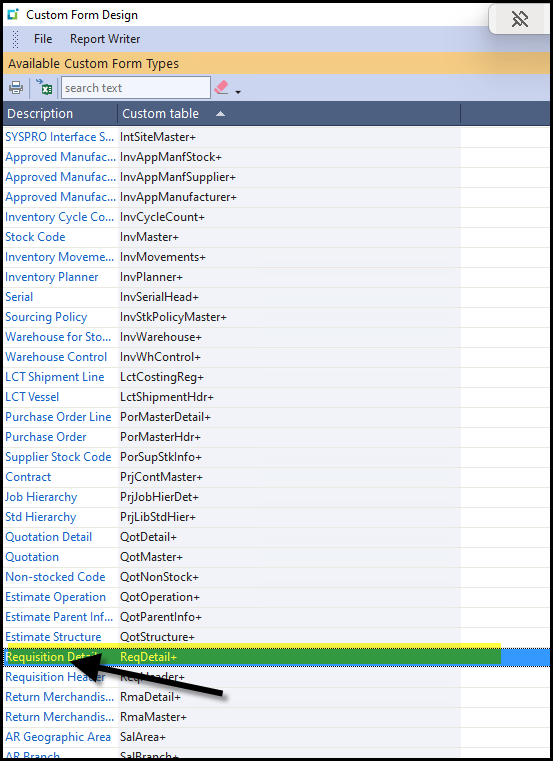
2. Search you custom field you want to edit.
Click in the left on the 'blue' font of the description column, this will open the editor.
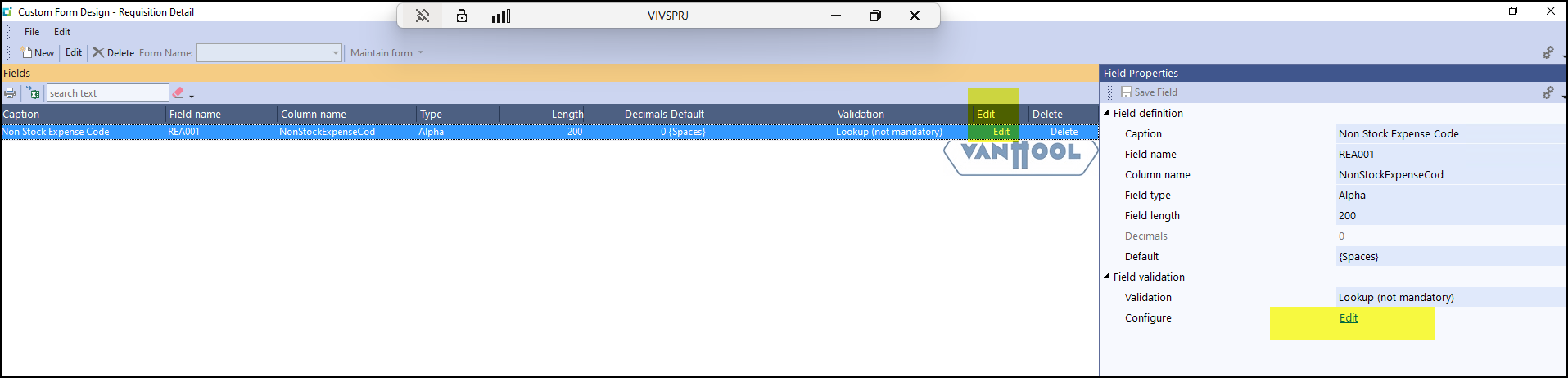
3. Click on edit, edit.
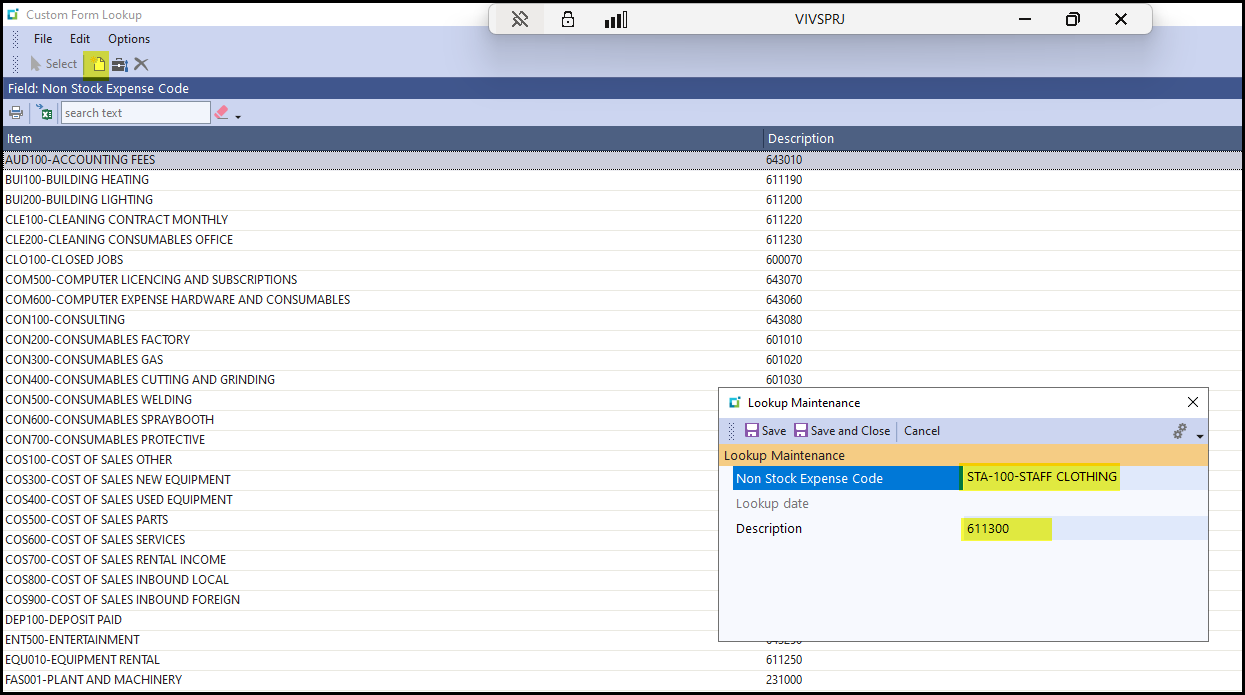
4. Click on New and add the complete the fields - please check before hand that you are consistent in entering the new values.
SAVE and Close
5.
Created with the Personal Edition of HelpNDoc: Revolutionize Your Documentation Output with a Help Authoring Tool