How does freight landed cost transactions works
1. This is how the PO receipt is done.
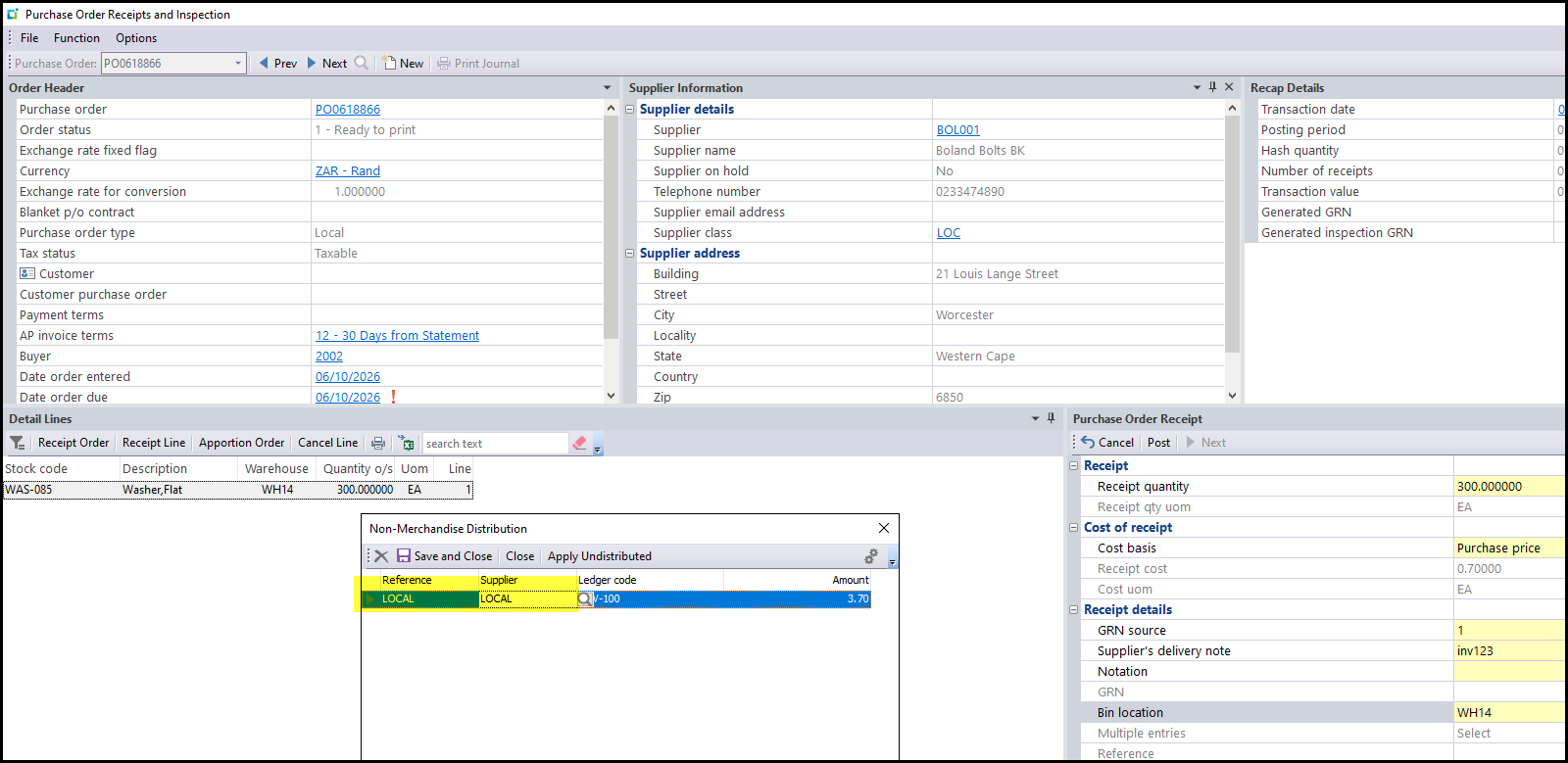
2. We will use PRO-120-23 to do the provision against.
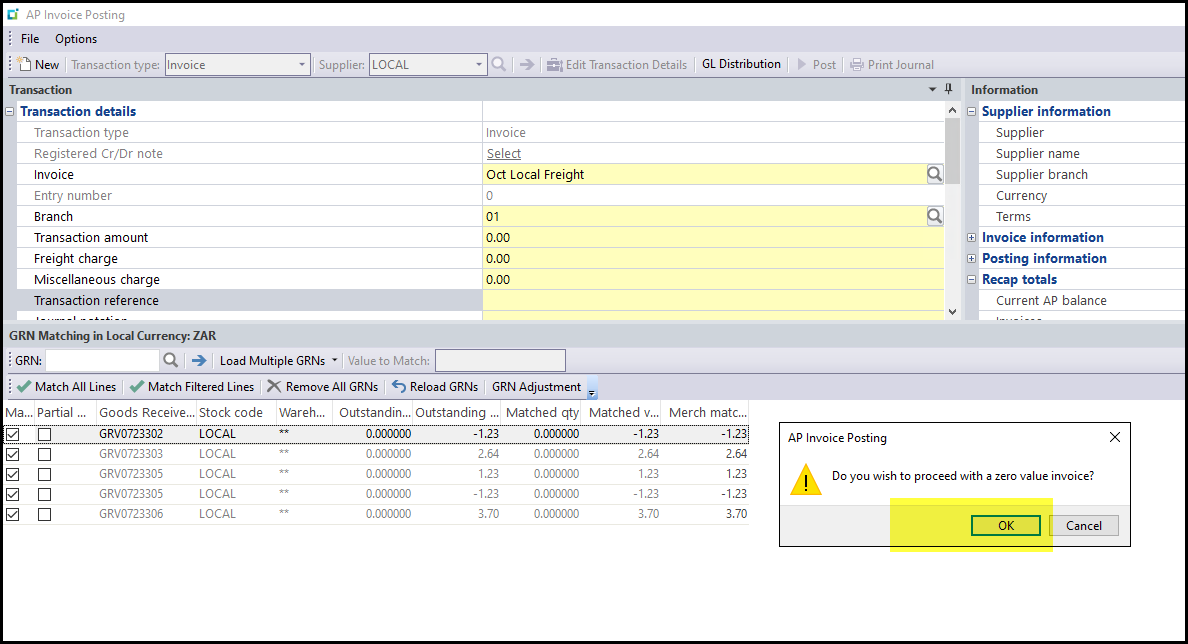
On the end of every month you will post all the GRN against the LOCAL supplier as zero. See below.
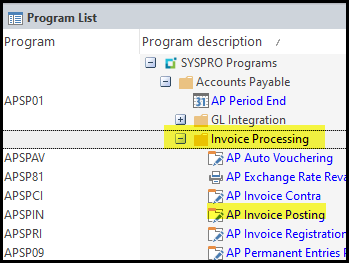
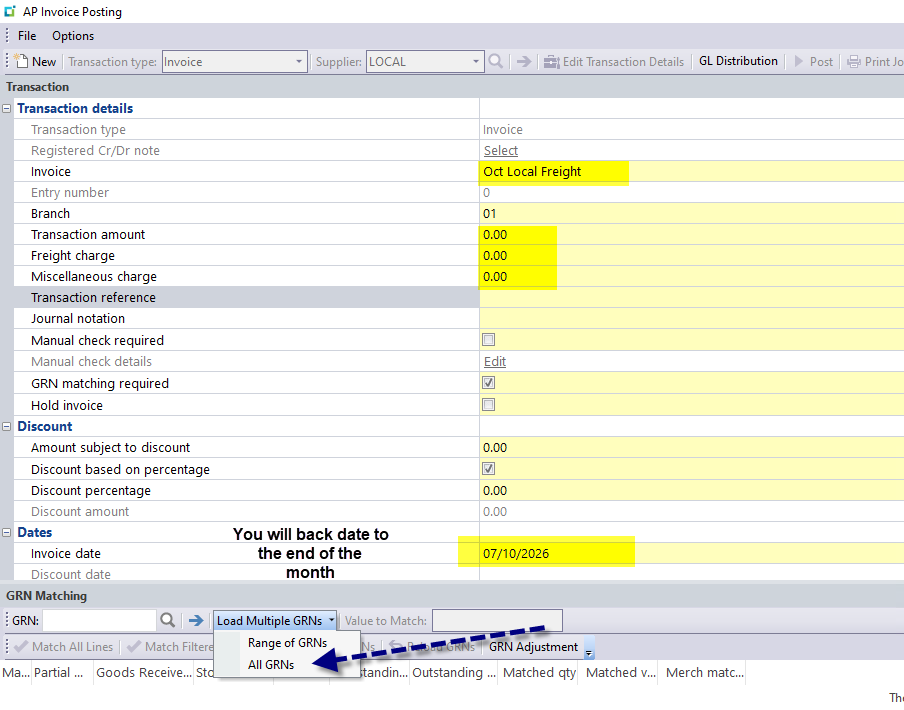
Select Match All Lines
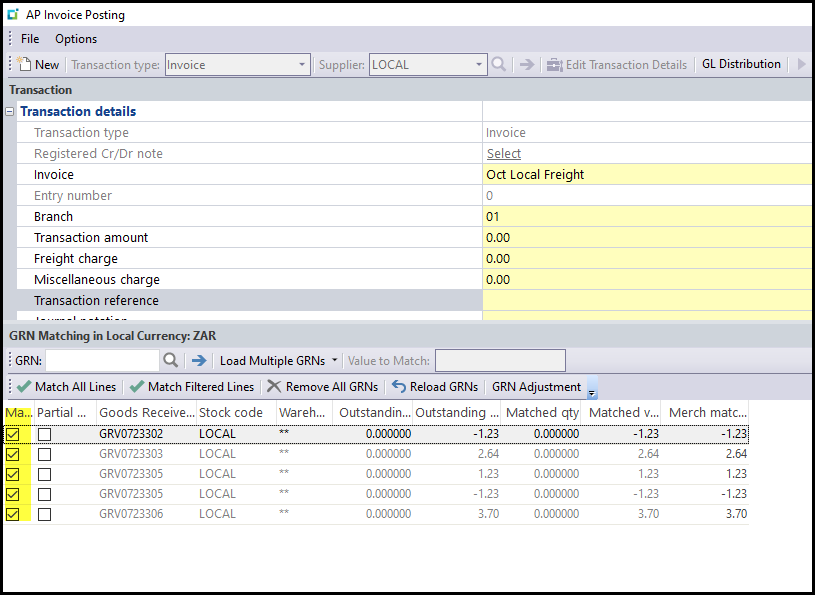
Click OK you are posting a zero transaction
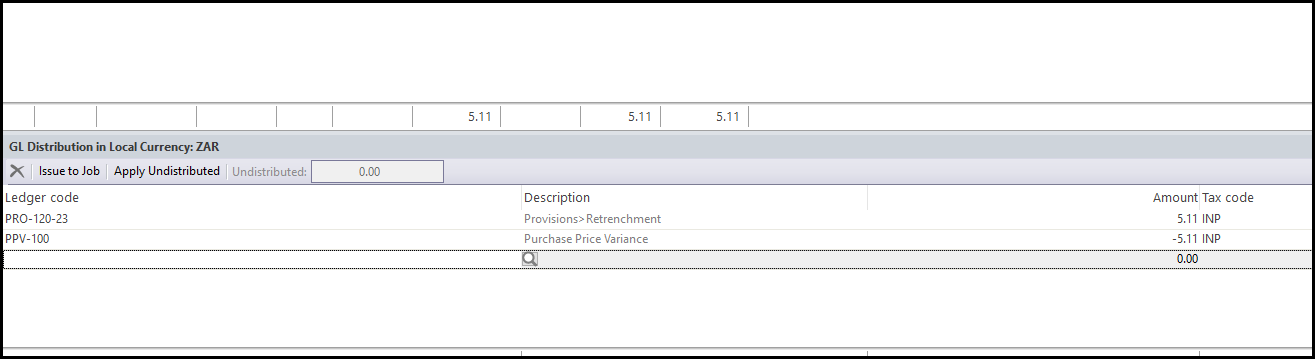
Click on 'GL distribution' on the top menu, this screen will pop-up. Change PPV-100 also to PRO-120-23.
So it is an in and out to PRO-120-23.
POST
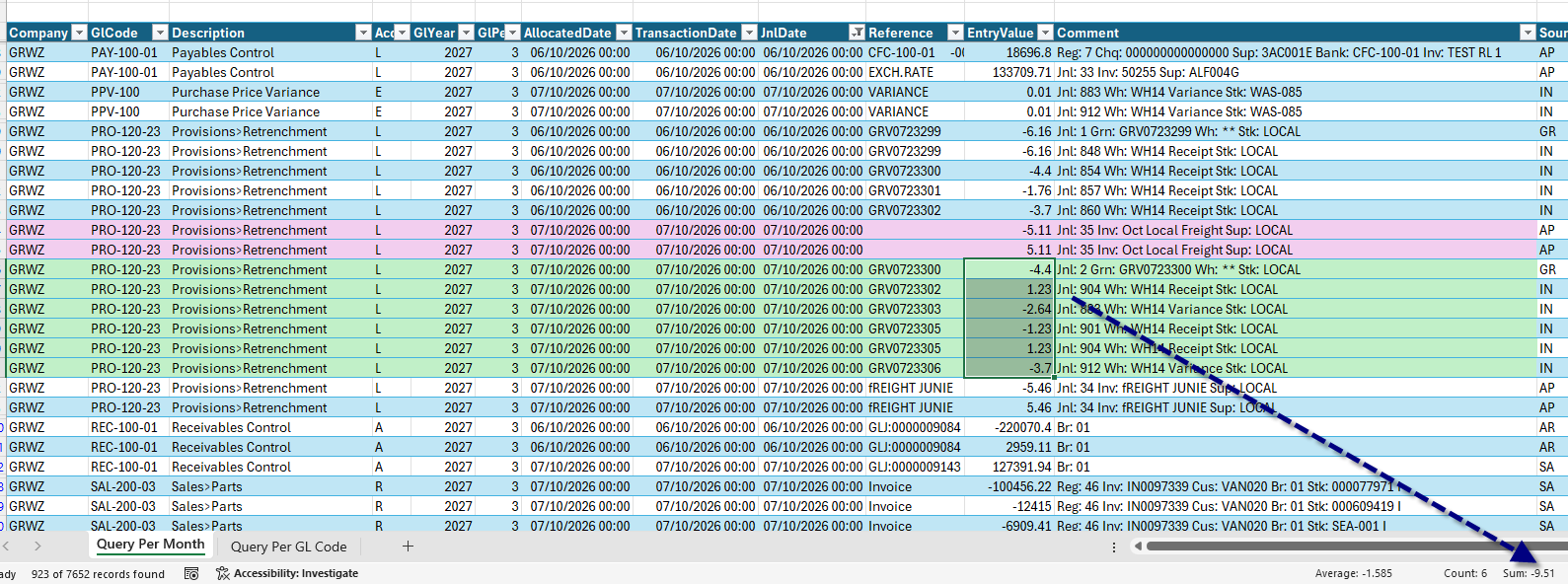
See below the ledger accounts affected -
The AP posting in purple and in green all the month GRN's
Your actual Freight Local companies invoices will all be posted in Traild against the non-stock - PRO-120-23.
The finance manager can then monitor PRO-120-23 if our provision is on track or needs to increase.
Created with the Personal Edition of HelpNDoc: Upgrade Your Documentation Process with a Help Authoring Tool