MRP Run
Start an MRP run manually
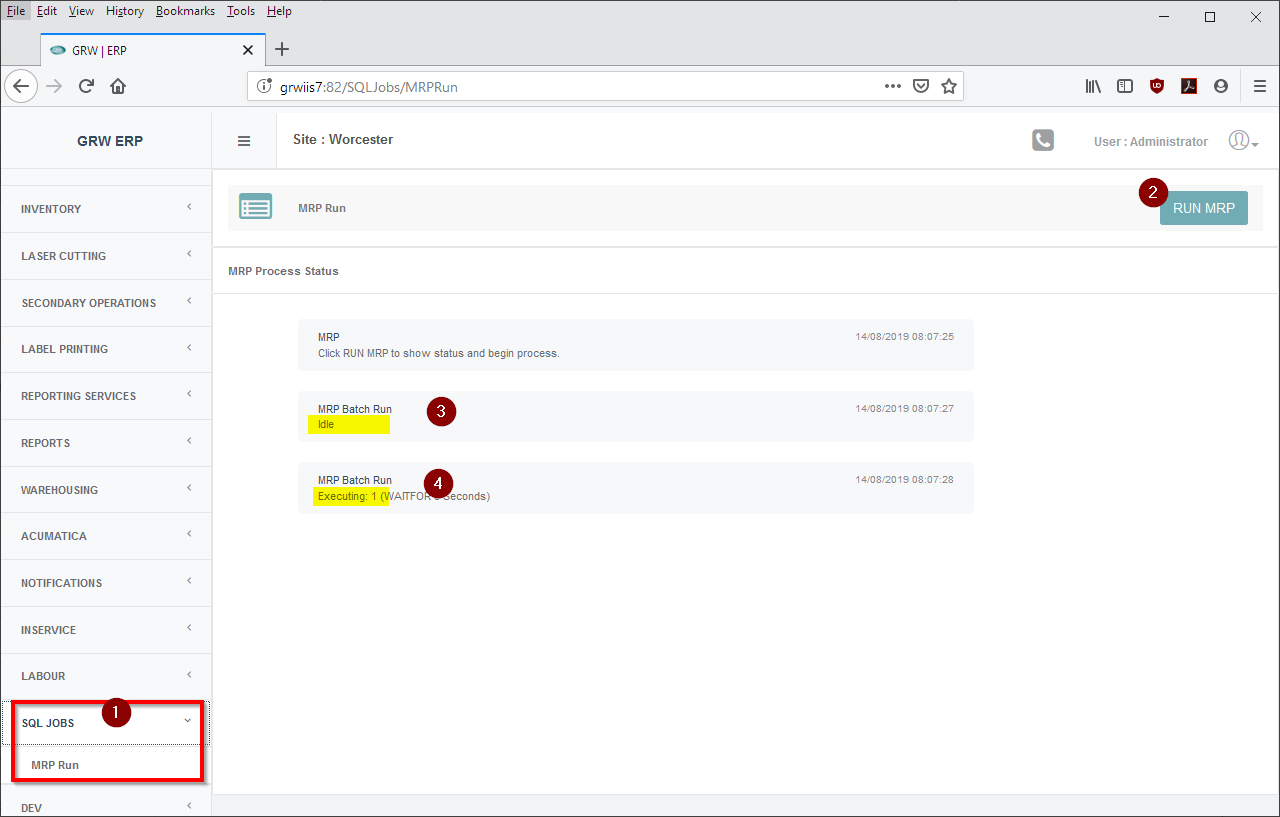
- Navigate to menu 'SQL JOBS -> MRP Run'
- Start the MRP job by clicking on 'RUN MRP'
- If the returned status is "Idle", it means the MRP job was idle and started successfully.
- If the MRP job is currently running and another MRP run is started, the returned message will read "Executing...". Only one MRP job can be executing at one time.
Currently this screen will not notify the user when a MRP job is complete.
Created with the Personal Edition of HelpNDoc: Effortlessly bring your documentation online with HelpNDoc