How to complete activities on a job
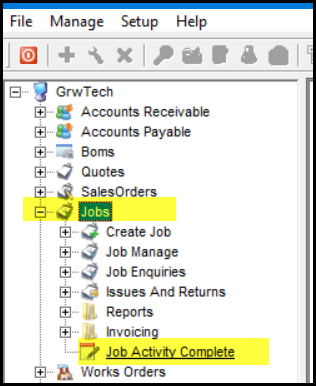
1. Go to Jobs>Job Activity Complete
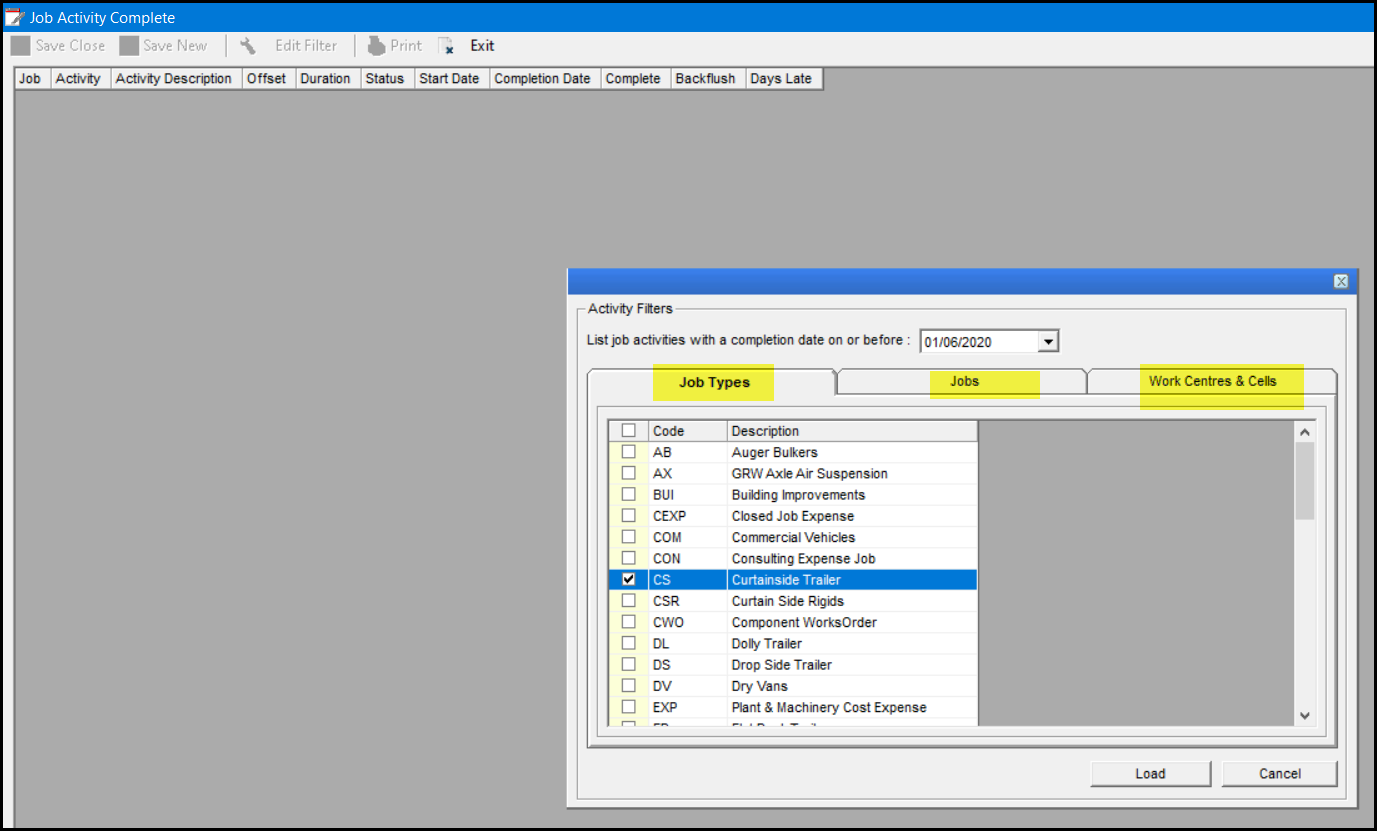
2. In the pop-up select your job types under 'Job Types', also in the 'Jobs' tab and 'Work centres & Cells'.
Click on 'Load'.
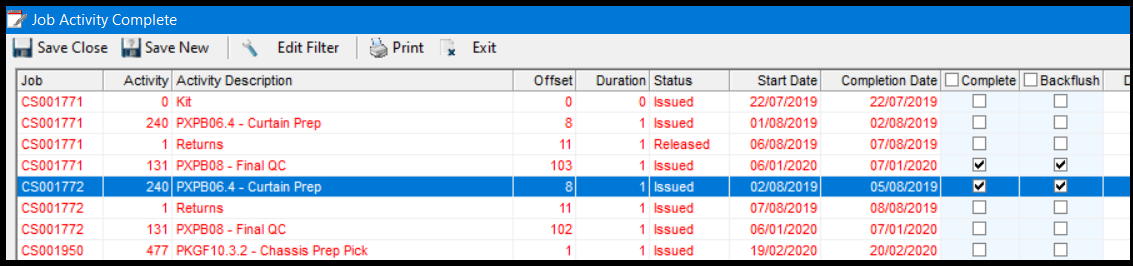
3. This view will display all jobs according your selections. Go to the specific job and activity. Select the complete box, the back flush tick will automatically be ticked. You may select more than one job or activities.
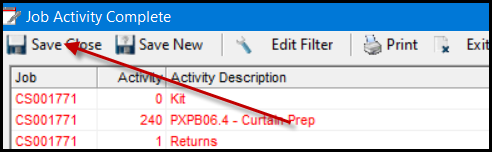
4. When done with your selection, click on Save Close.
Created with the Personal Edition of HelpNDoc: Bring your WinHelp HLP help files into the present with HelpNDoc's easy CHM conversion