Create jobs from Acumatica sales order
Automate the process of creating a job from a quote in wisERP by using Acumatica numbering sequences and linking it to an Acumatica sales order line. This will create a production order in Acumatica and create a job in wisERP with the same number.
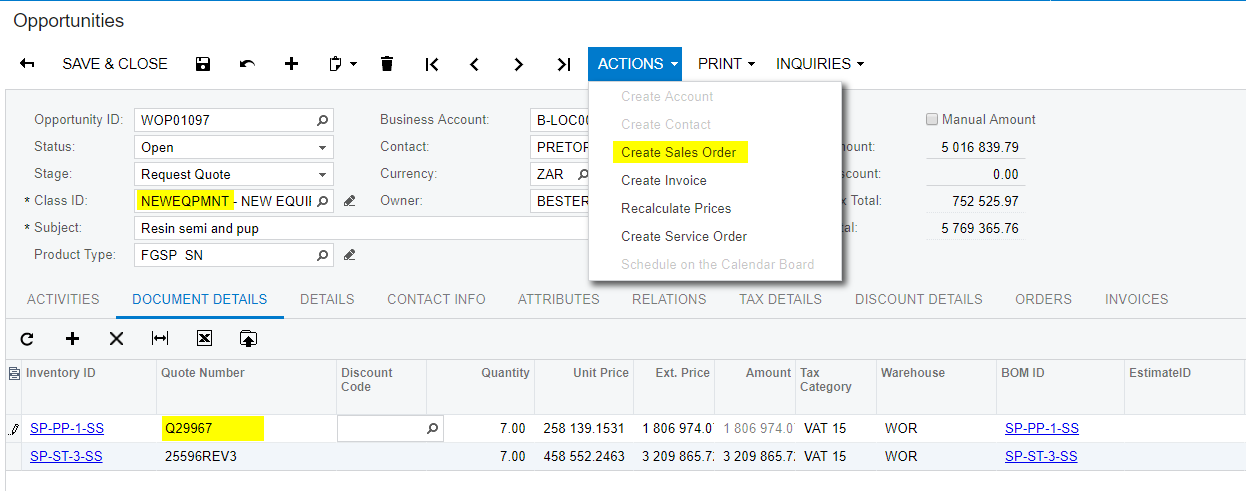
- Acumatica Opportunity :
Quotes are read from the wisERP database. The quote cost will write to the 'Unit Price' field when selected.
Link valid quote number and create sales order by selecting actions > Create Sales Order.
Make sure to click save on the sales order screen
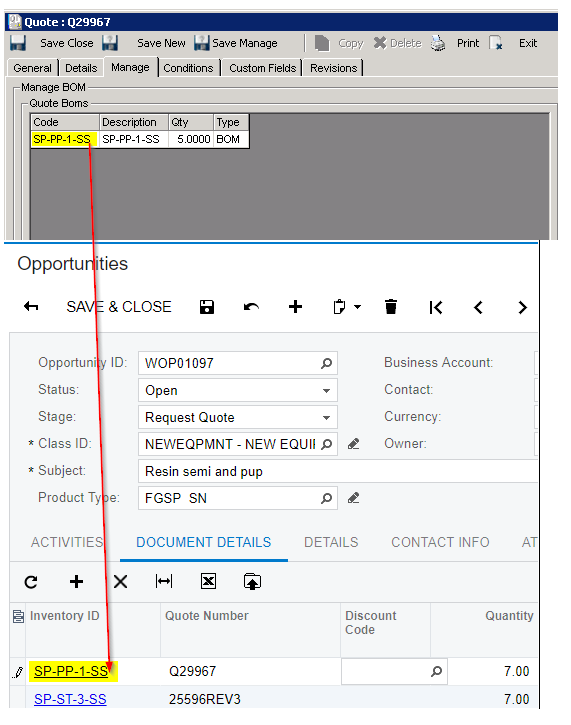
- Inventory ID on an Opportunity must match a BOM code on the linked wisERP quote :
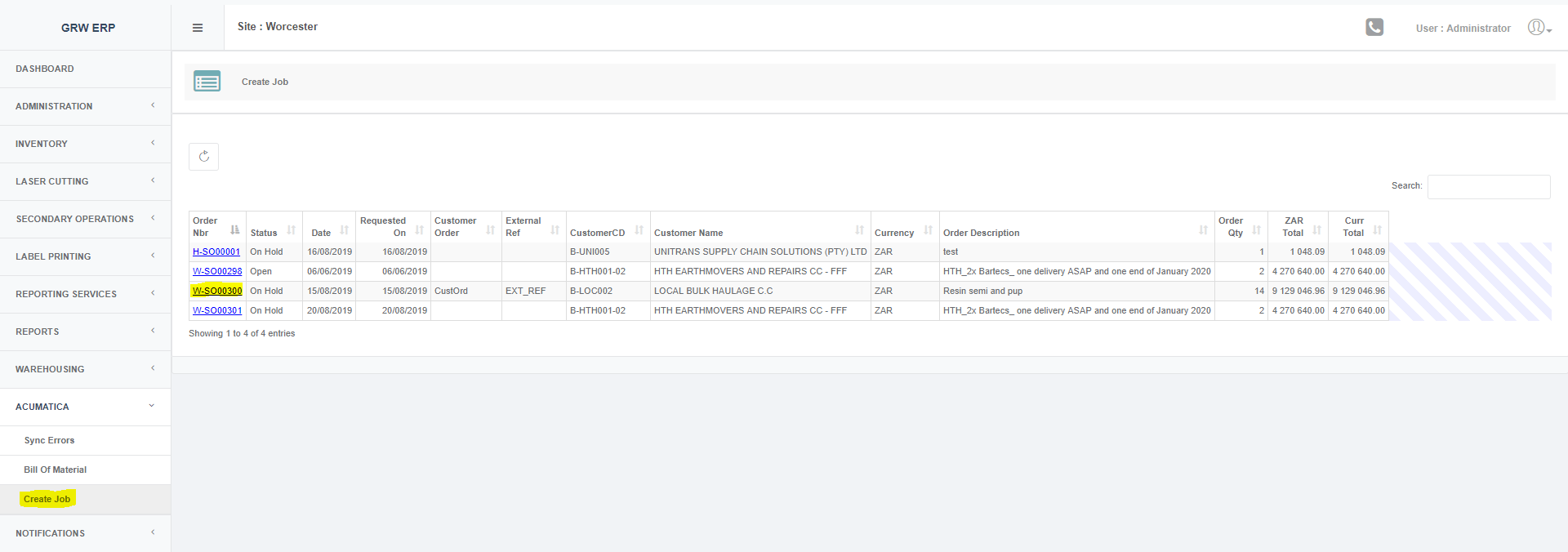
- Under the menu: Acumatica->Create Job, only sales orders linked to NEWEQPMT opportunities not yet converted to a production order or wisERP jobs will be listed.
- Sales order detail screen.
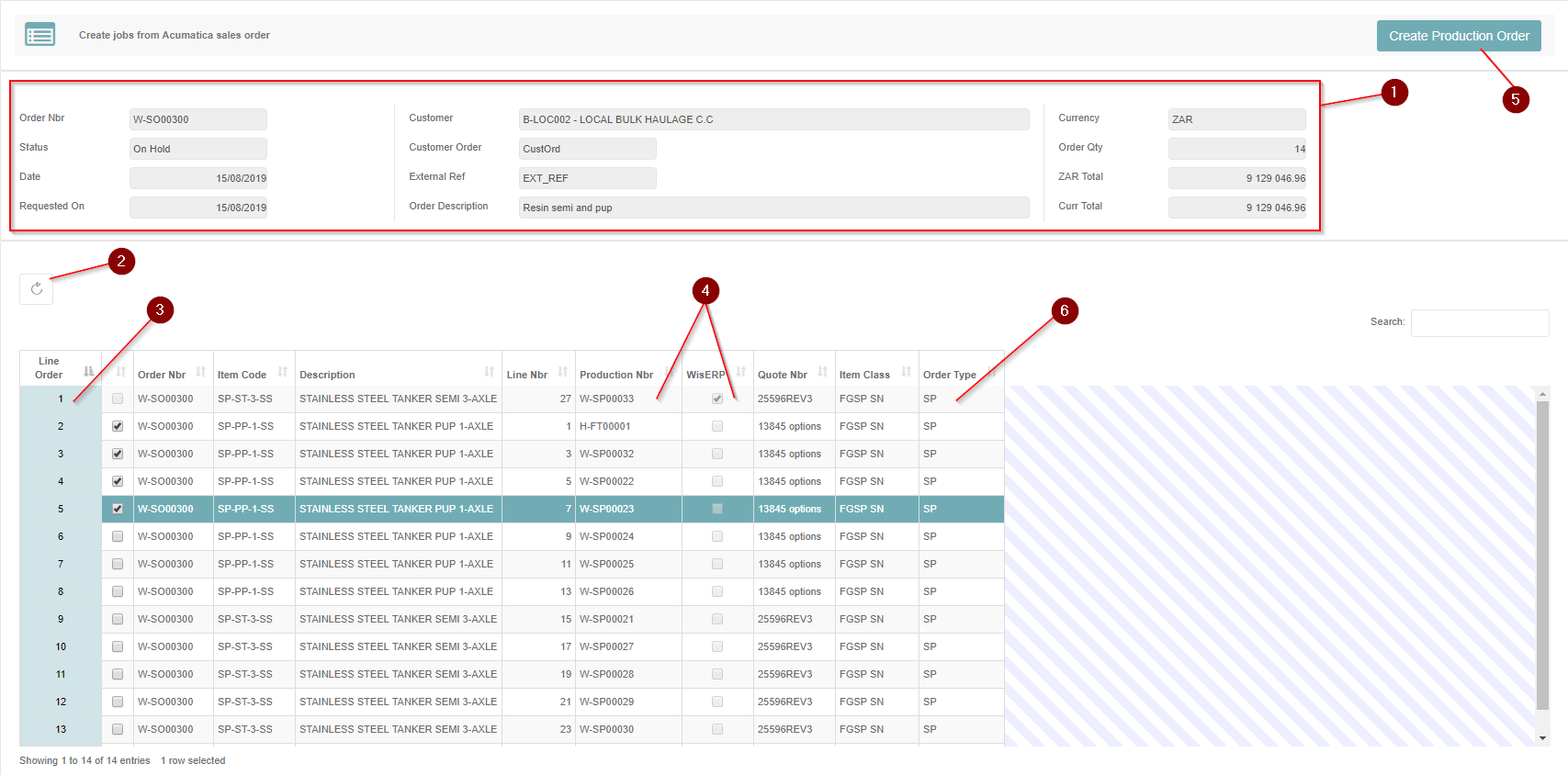
- Sales order header details:
Header information regarding the selected sales order - Refresh sales order lines grid:
Reloads the grid. This action happens after the "Create Production Order" action. - Reorder column (Line Order):
Drag and drop on this column to change the row order. This will automatically save the order sequence on Acumatica. The row order is important for job number generation (numbers are generated in ascending order according to the line order column).
Job numbers are generated with Acumatica numbering sequences. The numbering sequence that will be used depends on the production order type (see point 6). Production orders will be created in the ENGINWOR branch of Acumatica. - Production Nbr & wisERP:
After running the "Create Production Order" action, the Production Nbr field will show the production order number that was created on Acumatica.
The "wisERP" checkbox will indicate whether the job was created in wisERP. The create action can be ran again if either the production order or the job creation on wisERP hasn't completed successfully. If both processes completed successfully the selection checkbox will be disabled but reordering can still be done. - Create Production Order:
Action to create both the Production Order on Acumatica and wisERP job.
The process will automate the following wisERP tasks:
- Quote status change
- Quote accept (The sales order number will be the same as the job number prefixed with 'SO')
- Create job from sales order
- Order Type (Production Order Type):
This order type value comes from the "Product Type" field on the Opportunity screen on Acumatica.
As shown below, the 3rd & 4th character is selected out of the "Product Type" field: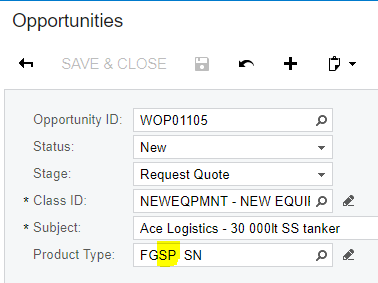
Created with the Personal Edition of HelpNDoc: Easy to use tool to create HTML Help files and Help web sites