Worcester link kanban location to a stock item
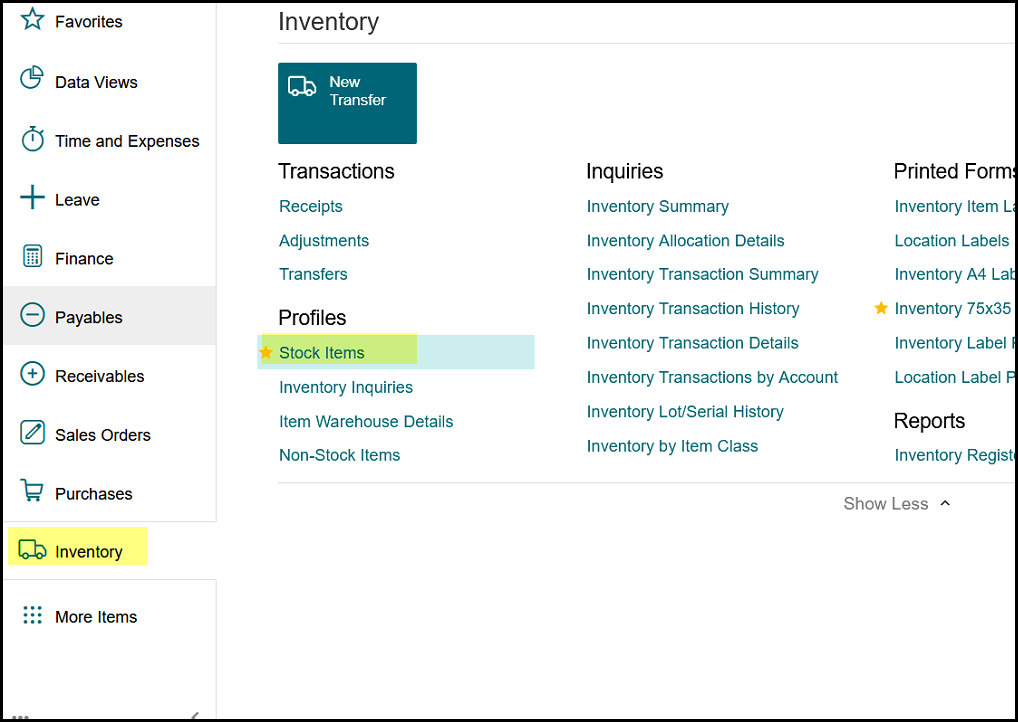
1. Go to stock items menu>stock items
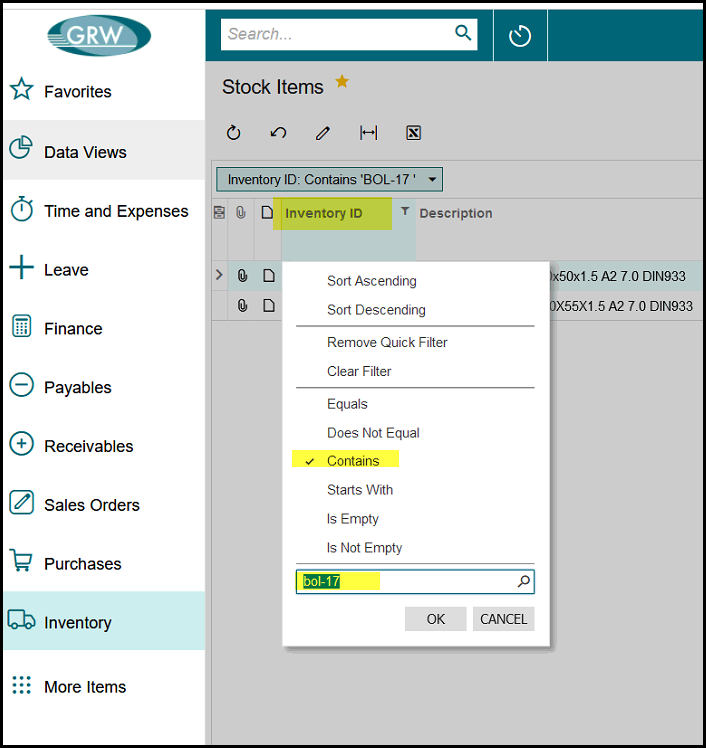
2. Click on the column to filter on a item.
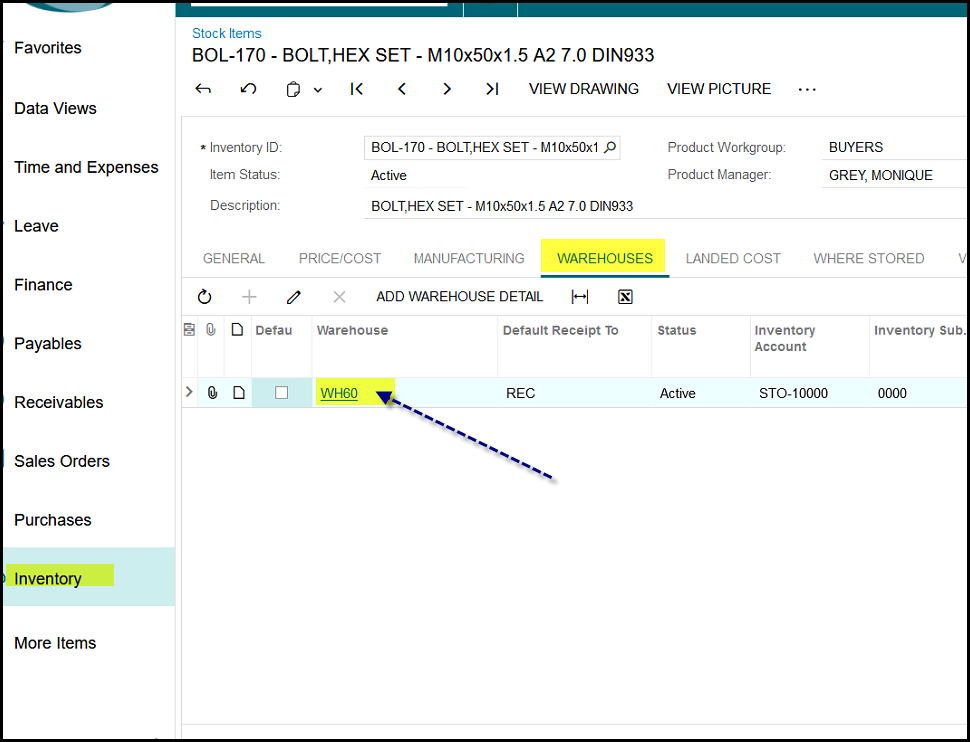
3. Click on the warehouse tab and on WH60 of the item, this opens the Item warehouse details screen.
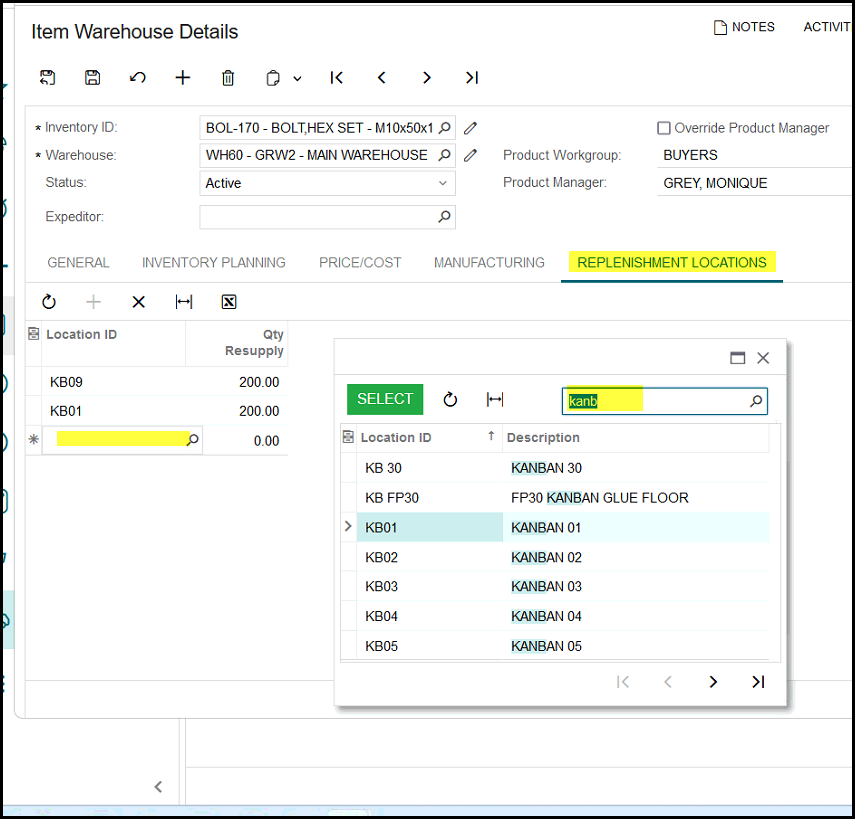
4. Click on the plus to add a new kanban location.
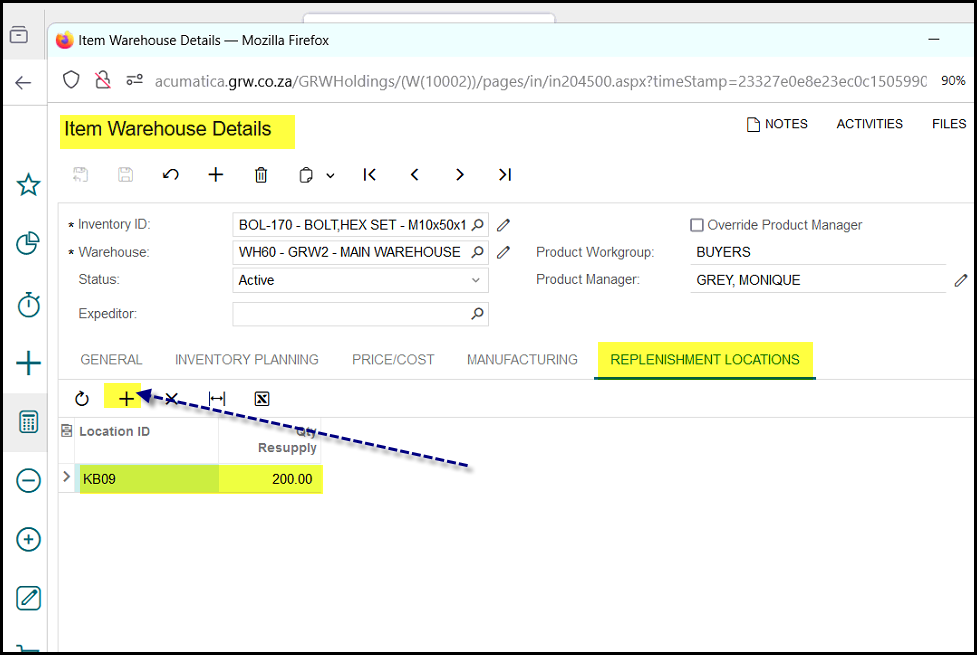
5. Click on the search and the words 'kanb' then all the kanban locations will pop-up. Select the location that you want to add.
Created with the Personal Edition of HelpNDoc: Free EPub producer