Tips on vendor pricing
1. To load prices of suppliers per item see document below
How to add price lists for suppliers
2. How to read prices -
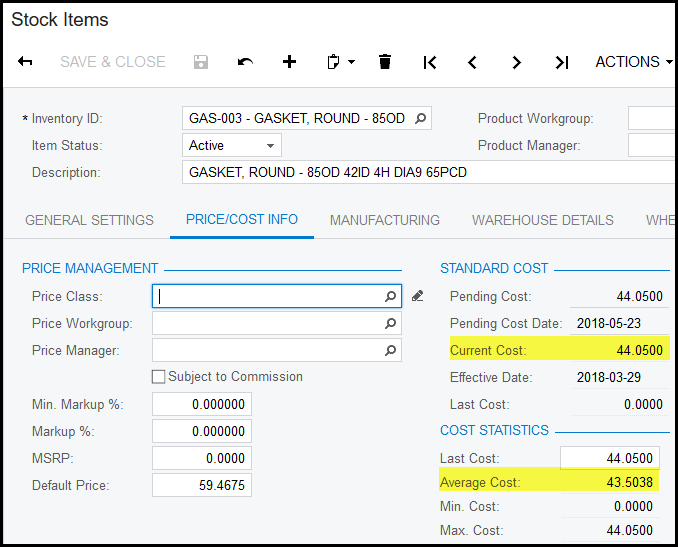
- The current cost or average cost will be used as purchase price if no price was loaded in a price worksheet.
- If a price worksheet is loaded for this item, this price will be used as the purchase price if you place an order against the specific supplier that was loaded as a price in the worksheet.
- If you do a receipt against the purchase order the receipt price will be against the current cost or the average cost depending what the valuation method of the item is. The difference between the item price and order price will write as a purchase price variance.
- Also under the item code you can view the tab vendor details - this tab will show the suppliers that the item has been purchased from and the last purchased price from that vendor.
- You can also tick - default - to show that supplier as the default supplier so that you always buy from this supplier.
- When you do the purchase order you will not see if this is the preferred supplier, you have to view it from here.
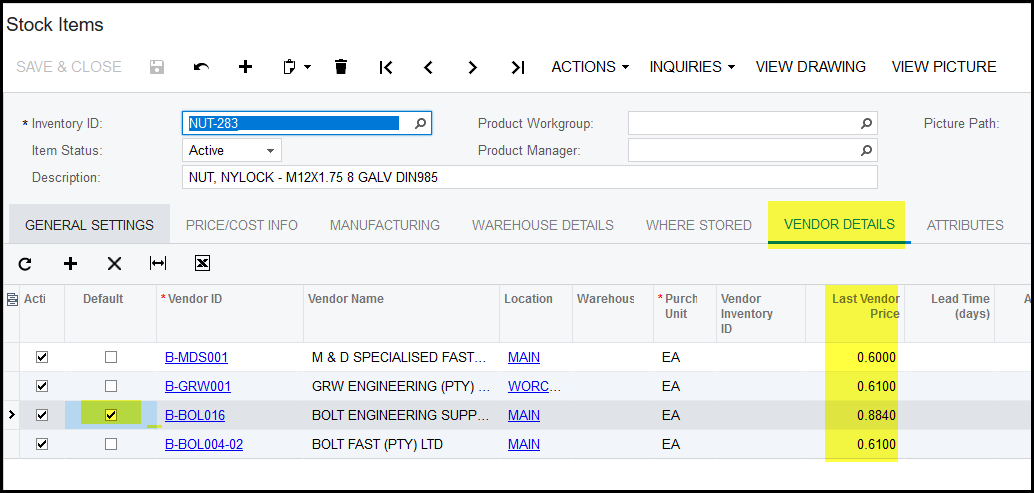
- You cannot view the worksheet's price here, this you have to view under the price worksheet itself.
- We will do development later that will show the worksheet's price under the item code as an extra tab.
Created with the Personal Edition of HelpNDoc: Upgrade Your Documentation Process with a Help Authoring Tool