Tips on notifications for sales orders
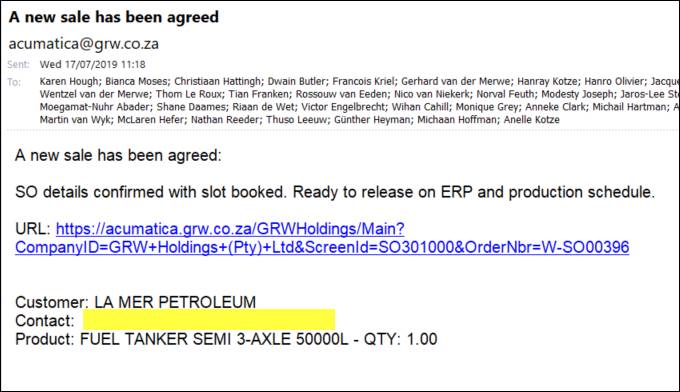
1. Please take note of the changes to the notification email for SO – ‘Subject: A new sale has been agreed’
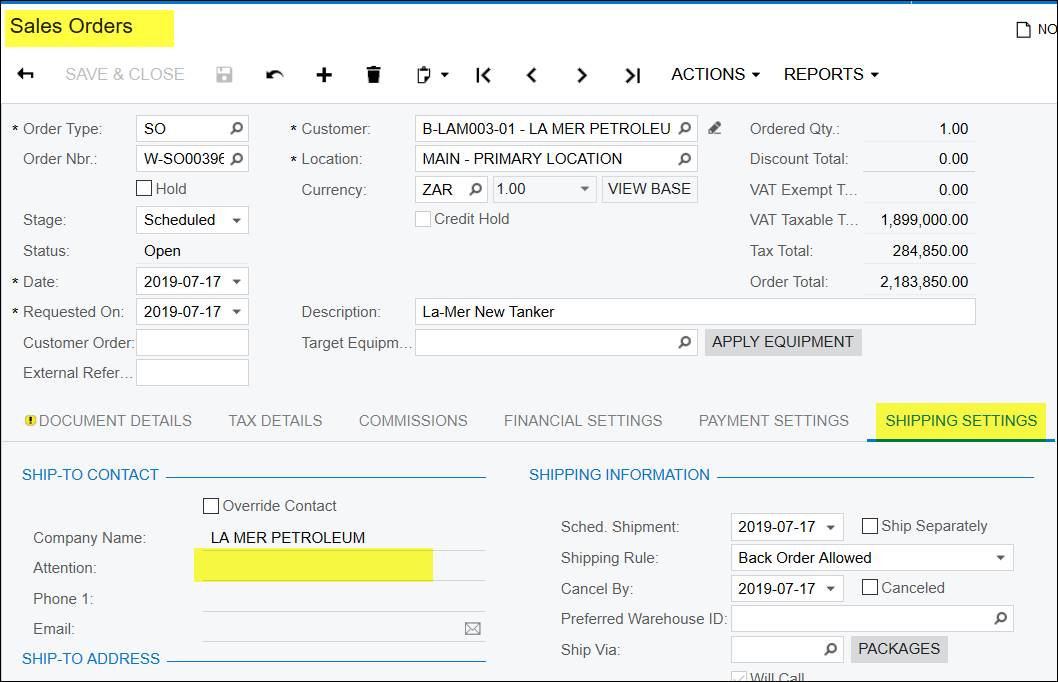
- This contact field below comes from the ‘attention’ field in the SO. (previously it was the main contact of the customer)
- It does not pull through from the opportunity contact, this will be corrected in the new version later this year. After the version update, when you convert an opportunity to a sales order the contact info will update from the opportunity to the SO.
- For now please complete the ‘attention’ field under the shipping settings tab on the SO.(published 17/7/2019) This change when on version R1 2019
2. What trigger a notification email for SO - New Equipment - with SO nr start with W-SO.......
A new sales order needs confirmation
- The SO must be a SO type
- The SO must be 'on hold'
- The SO nr must start with W-SO
Created with the Personal Edition of HelpNDoc: Bring your WinHelp HLP help files into the present with HelpNDoc's easy CHM conversion