Stock Takes on Call outs - Notes
1. The stock of all service orders that are open should be count in when doing your calculations.
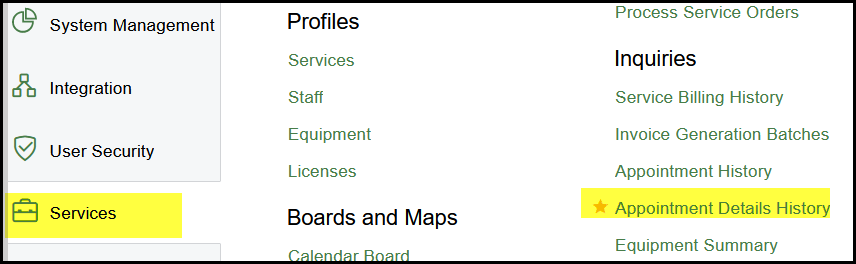
2. Go to Service>Inquiries>Appointment Details History
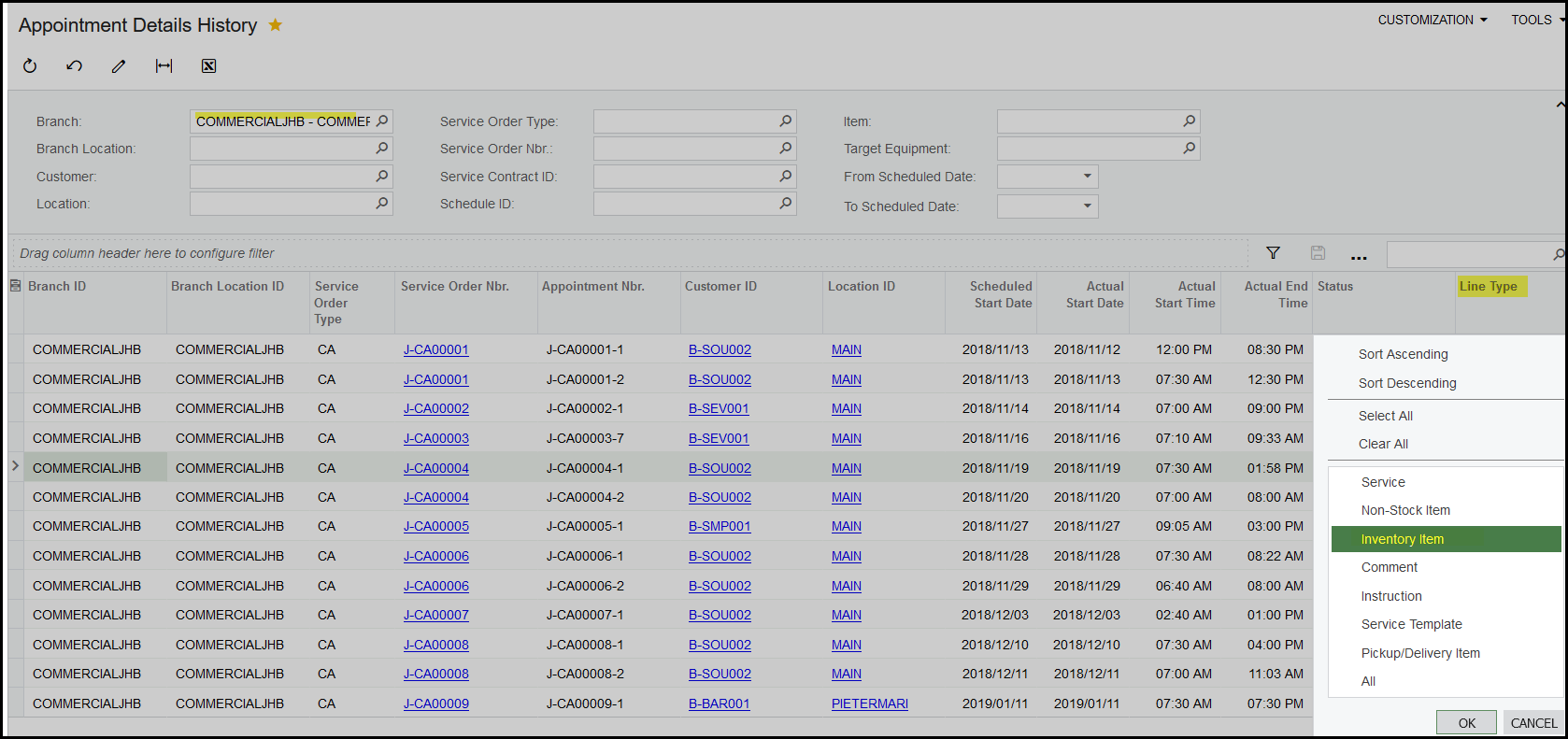
3. Before you export it to excel make sure to select only 'inventory item' the will make the selection smaller. Export to excel
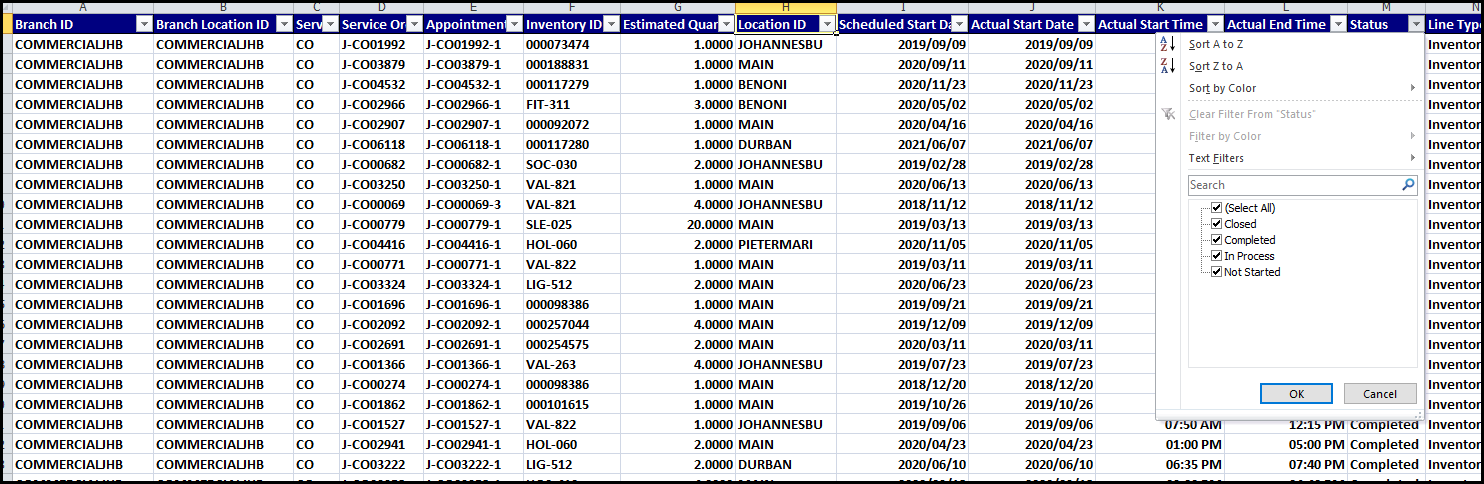
4. Add filters to your report.
5. Delete all Billed and Canceled Service orders.
6. Add these stock quantities to your stock count.
Created with the Personal Edition of HelpNDoc: Full-featured EPub generator