Stock General Info
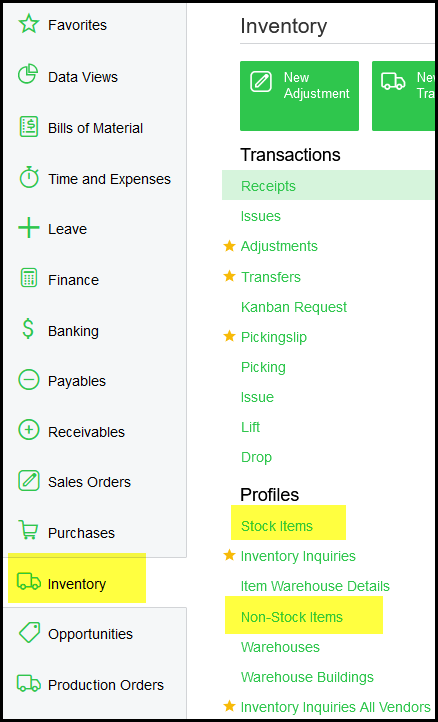
1. Go to Inventory>Profiles
You have Stock items and Non-stock items.
2. A stock item is linked to a class.
Mapper Categories/Classes with new Acumatica Classes.
A - SI-A
S - SI-S
T - CO-T
T - CO-F
3.
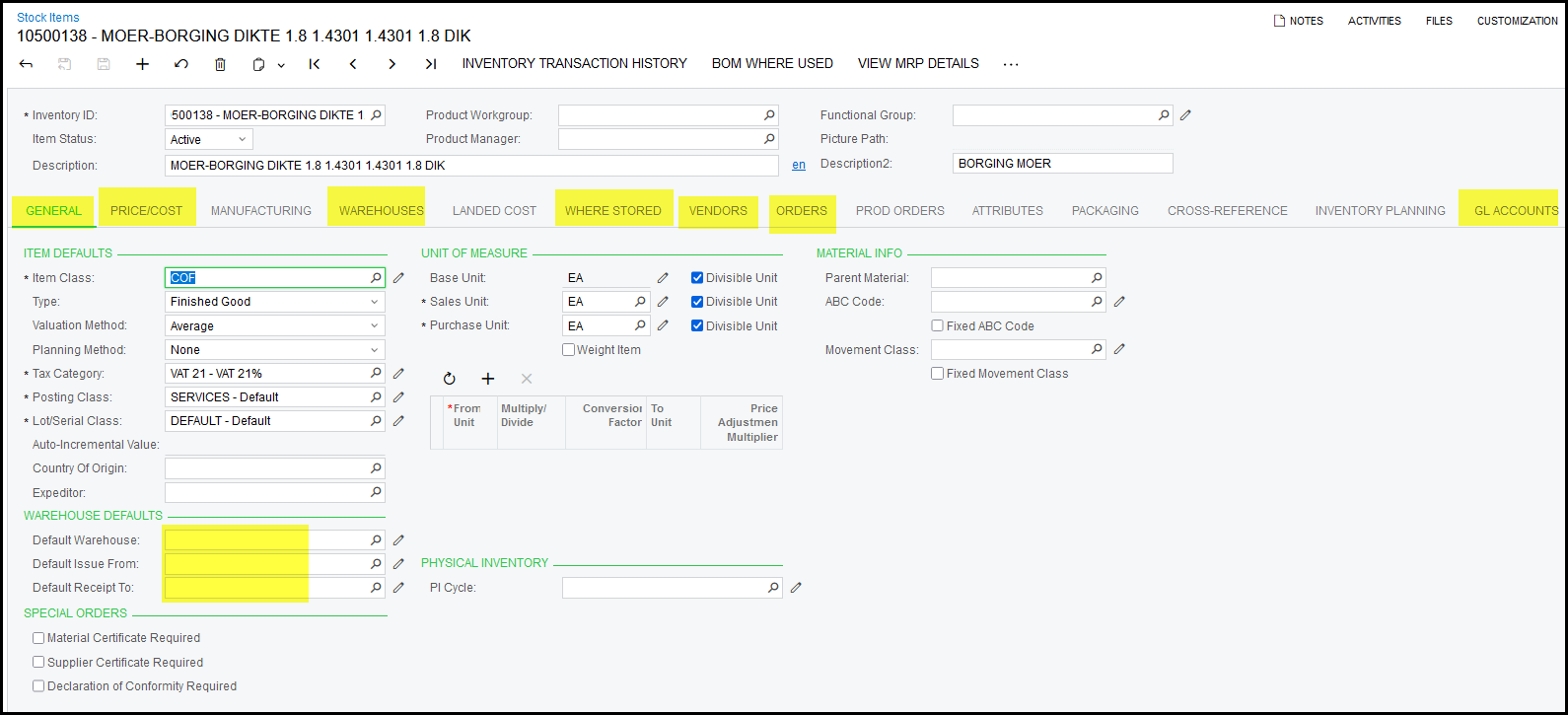
4.
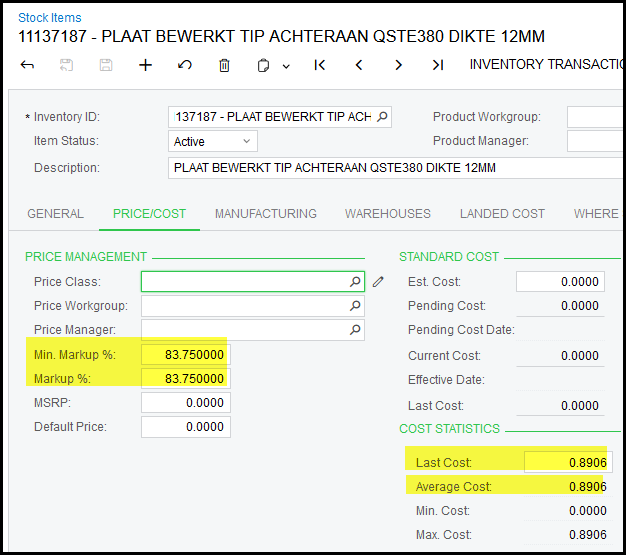
On the Price/Cost screen
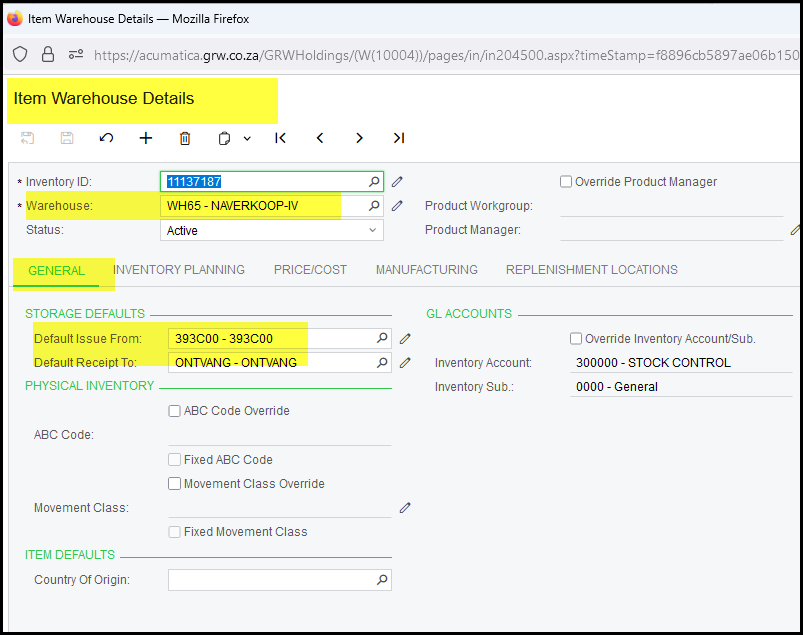
5. On the Warehouse screen
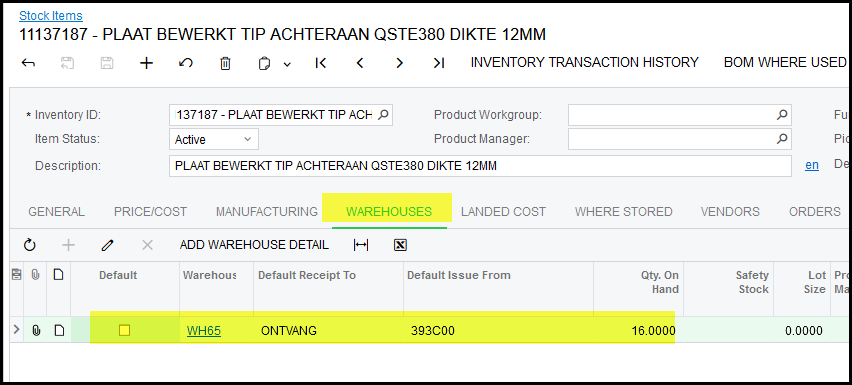
Click on the warehouse hyperlink - this open the Item Warehouse Details Screen
General Tab
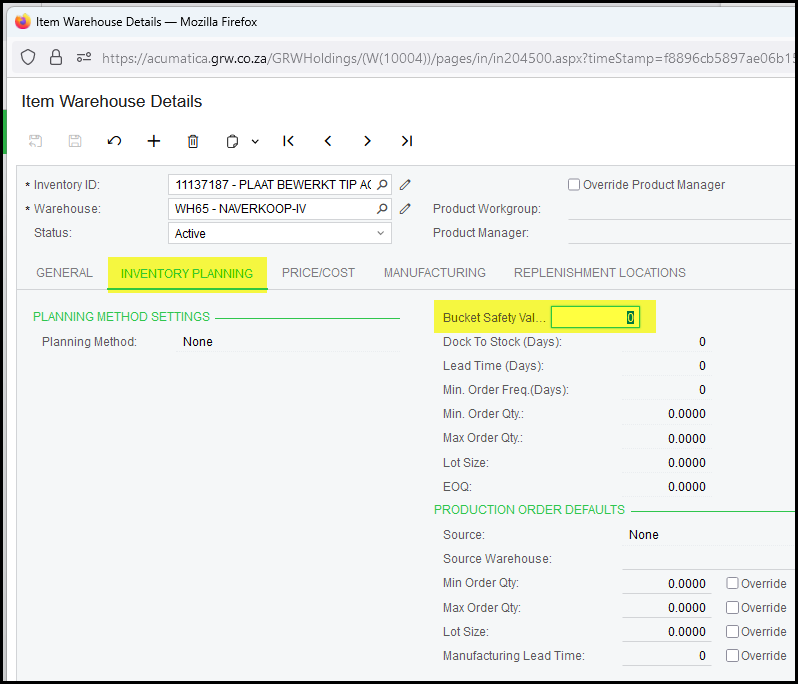
Inventory Planning Tab
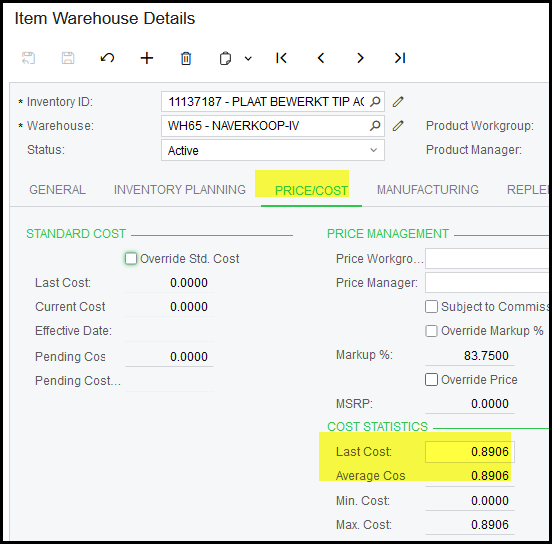
Price/Cost Tab
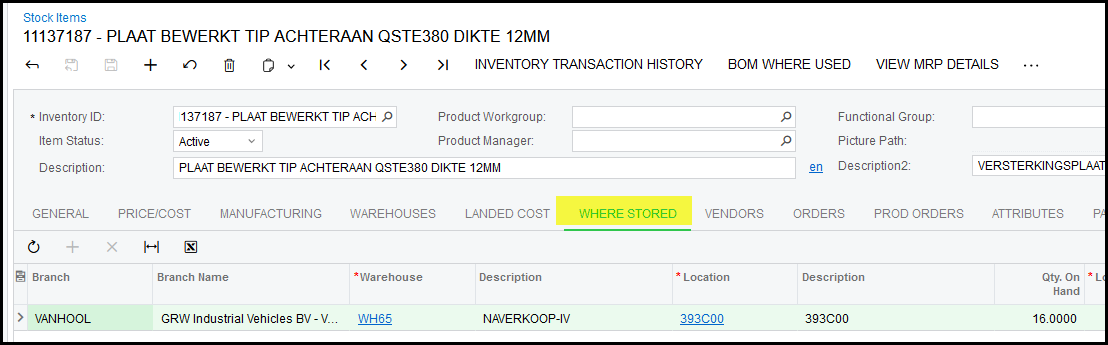
6. Where Stored
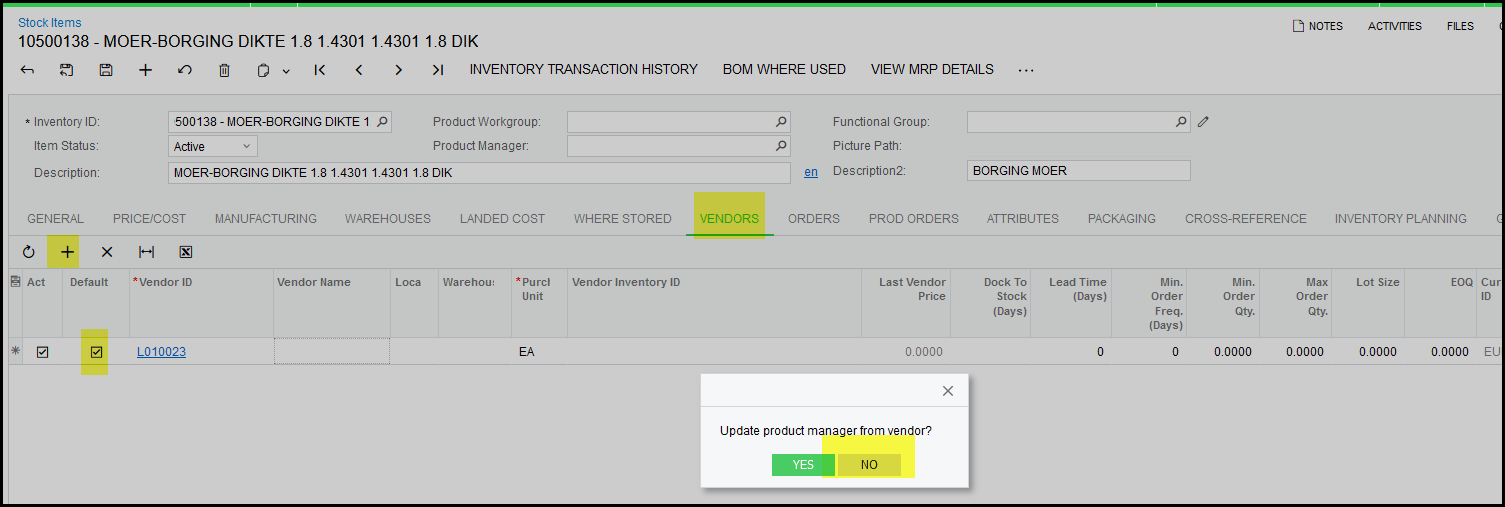
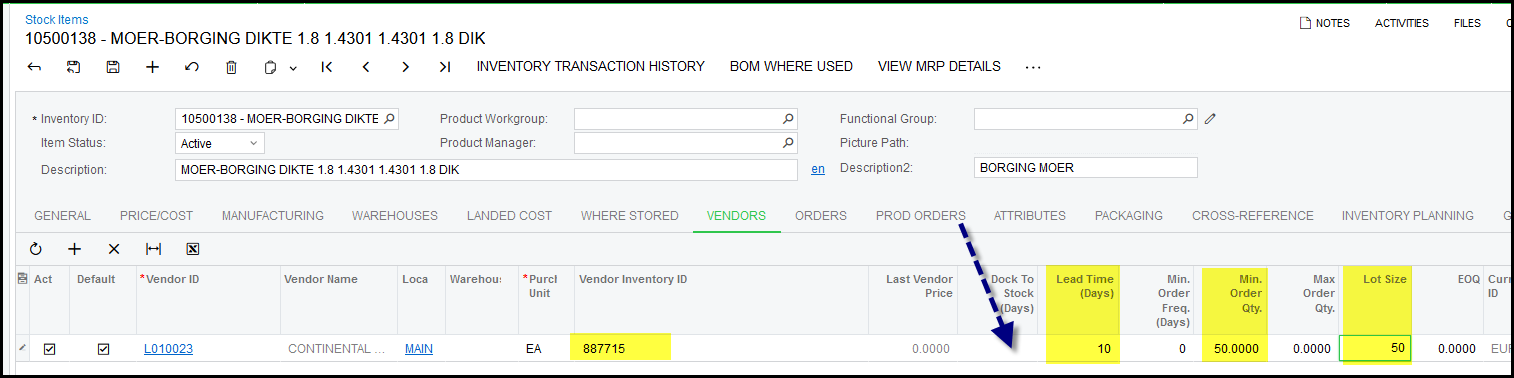
7. Vendors
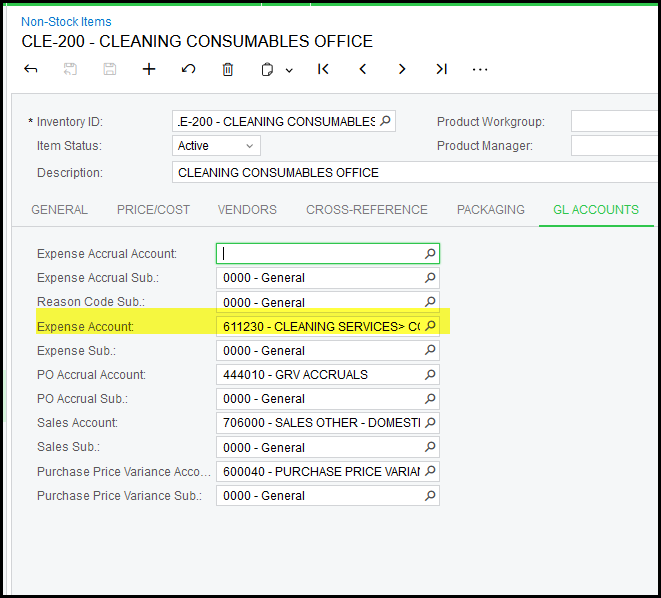
8. Non-stock
We use for requisitions (will explain). A requisition is followed by a purchase order.
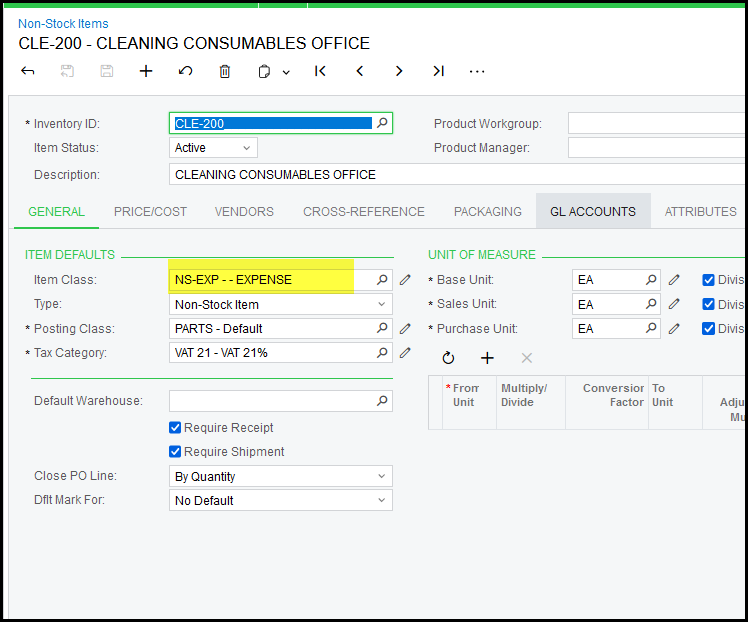
Non-stock expense is allocated directly to an expense.
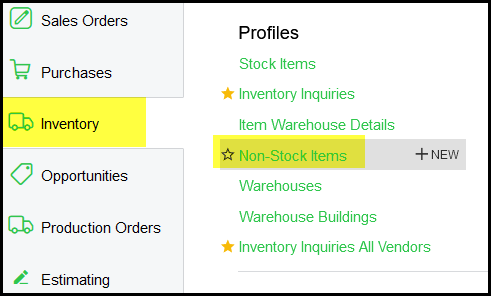
Go to Inventory>non-stock items
Created with the Personal Edition of HelpNDoc: Transform Your Documentation Process with HelpNDoc's Project Analyzer