How to see details of general ledger
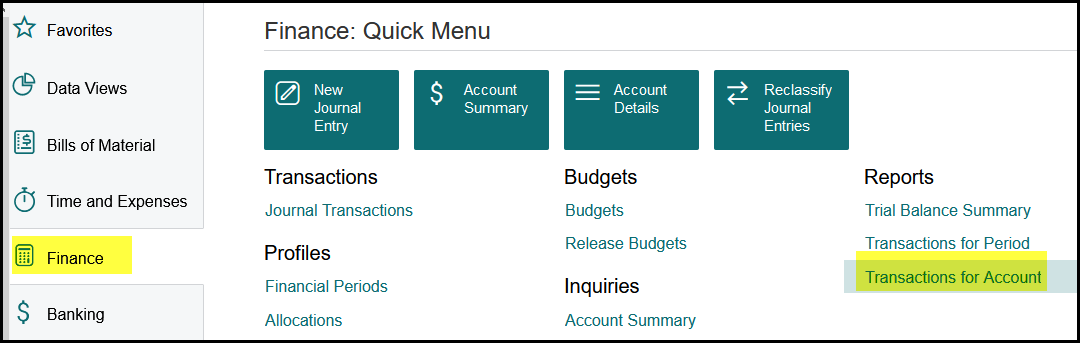
1. To view the details of a specific general ledger, for example to see the details on repairs and maintenance for a specific period, click on Finance.
2. Go to Reports and click on Transactions for Account.
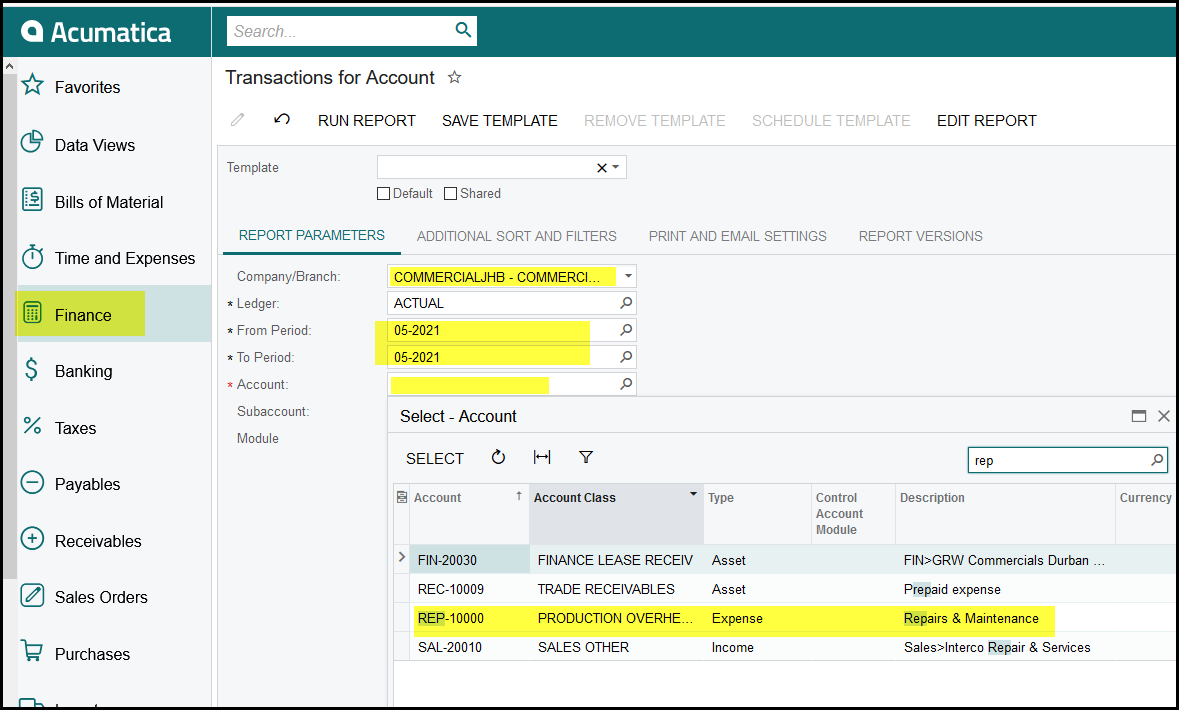
3. Select all the relevant fields and make sure about your period and account.
4. The report will print on the screen and show all details.
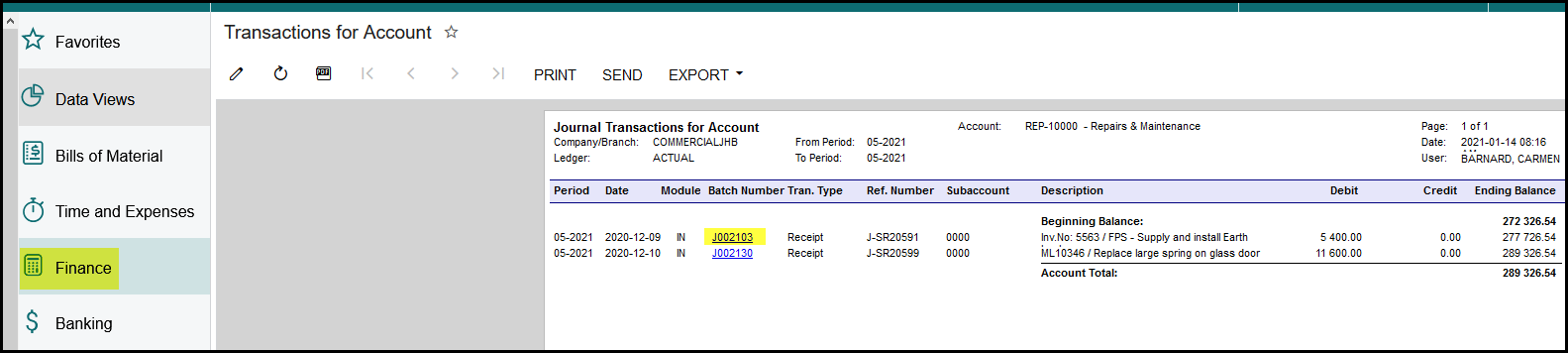
5. Click on the hyperlink if you want to view a specific transaction.
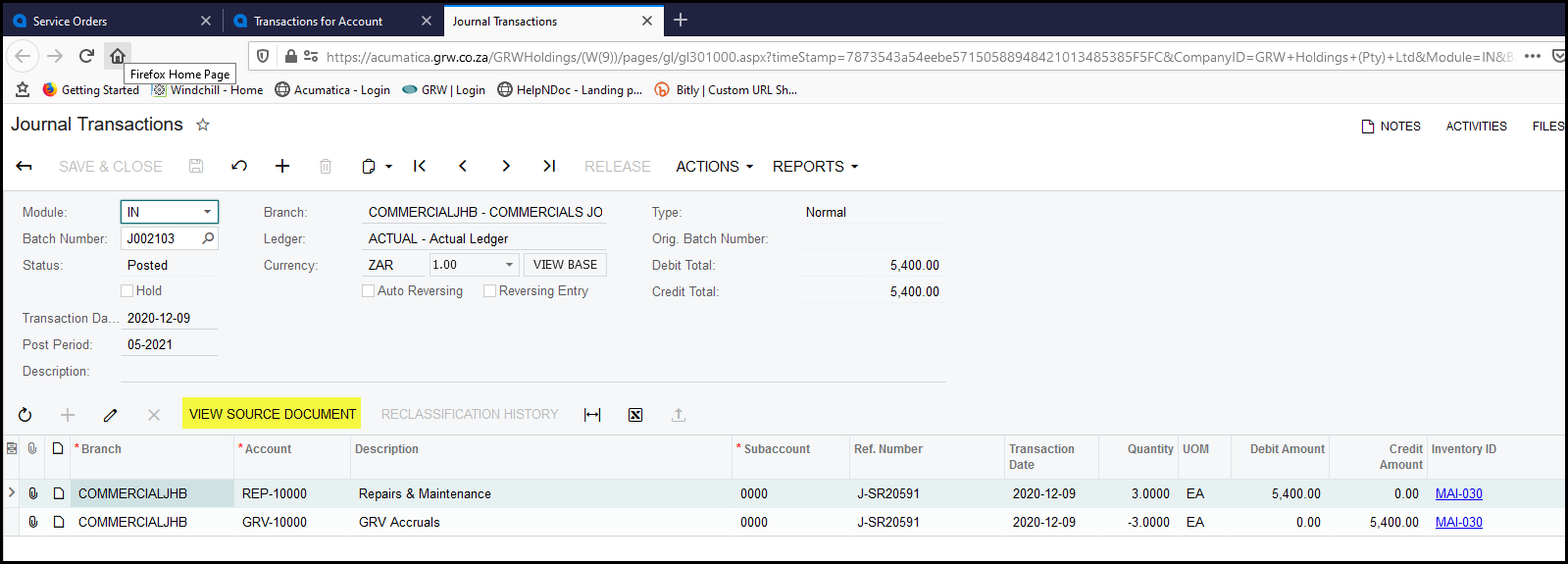
6. This will take you to the journal, click on view source document, to see where the entry originated from.
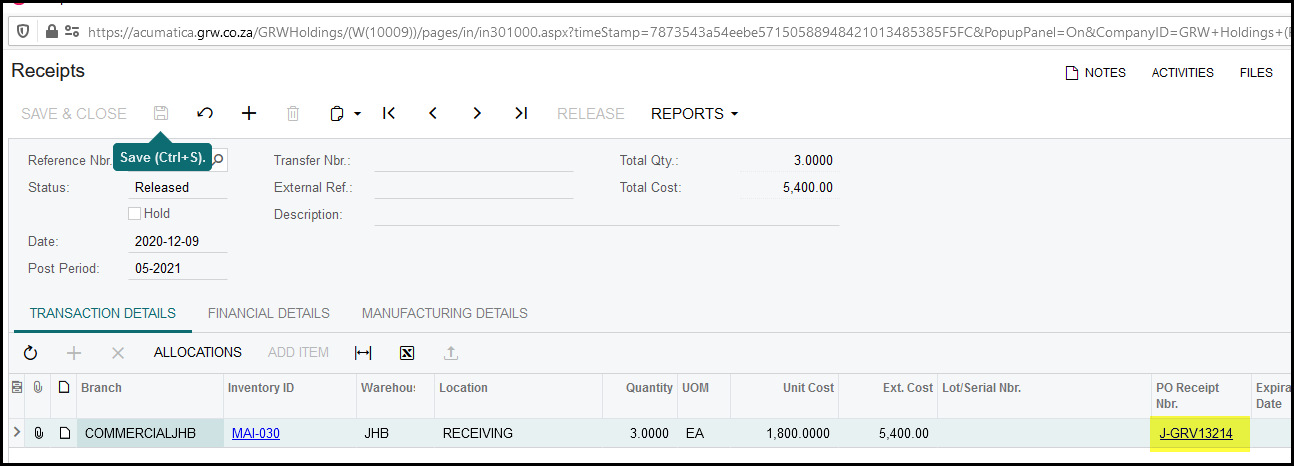
7. In this case it was a receipt from a GRV. Click on the GRV to get to the PO.
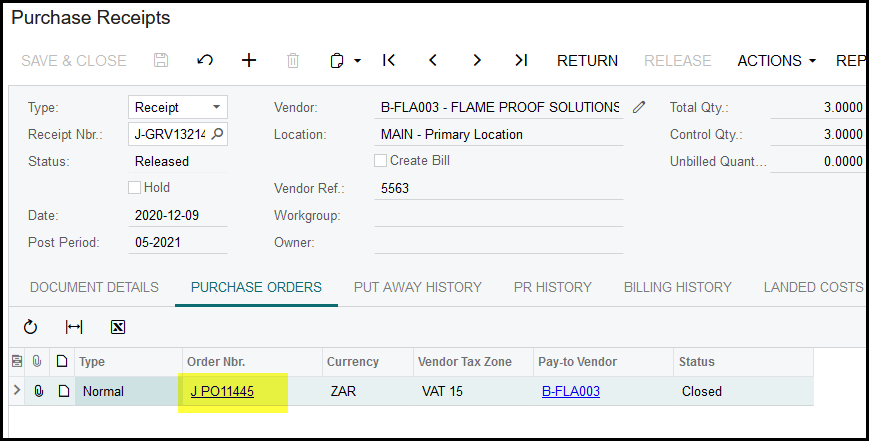
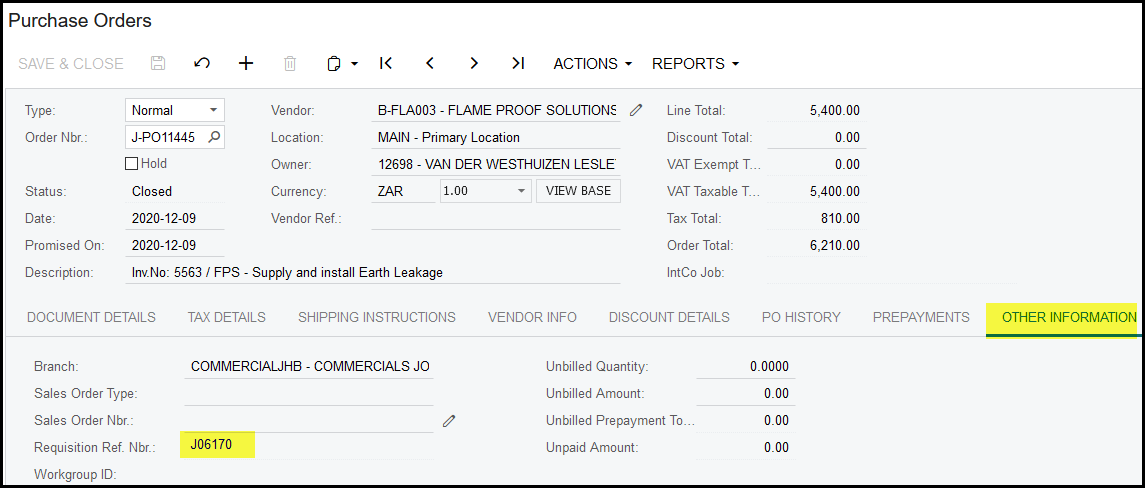
8. Click on other information in the PO and then go to the requisition to see the details.
Created with the Personal Edition of HelpNDoc: Converting Word Documents to eBooks: A Step-by-Step Guide with HelpNDoc