How to return a receipt
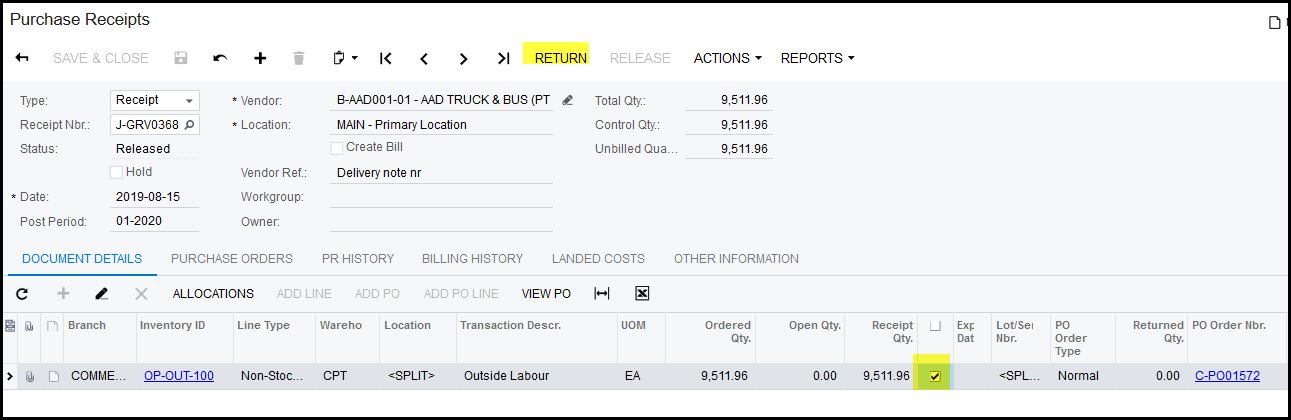
1. Go the the receipt you want to return.
2. Tick the box for the specific line you want to return.
3. Click on 'RETURN'
4. Your return screen will open.
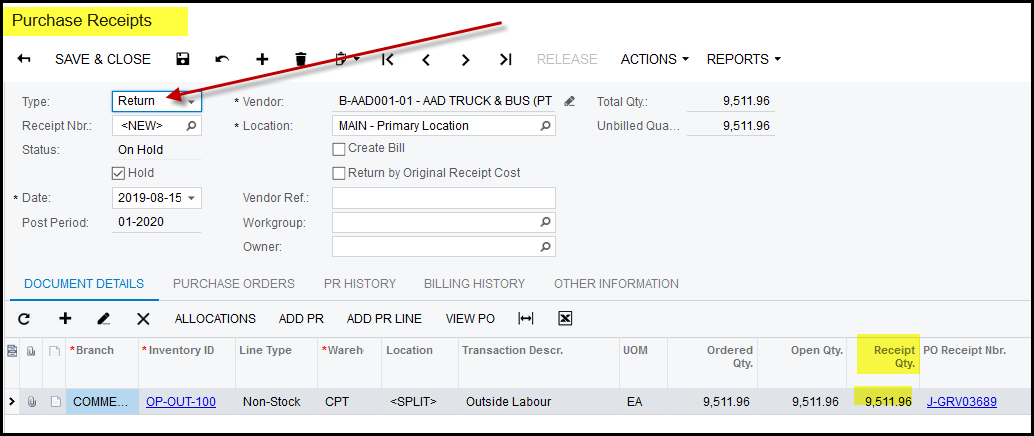
5. Do not get confused because the document shows 'Purchase Receipts'. Acumatica uses the same screen for different type of
transactions. The type of the document still shows 'Return'.
6. In the specific line in 'receipt qty' fill in the quantity you want to return.
7. If you want close this order and not receive against it in future, untick 'Open PO Line' This system will default that it is ticked
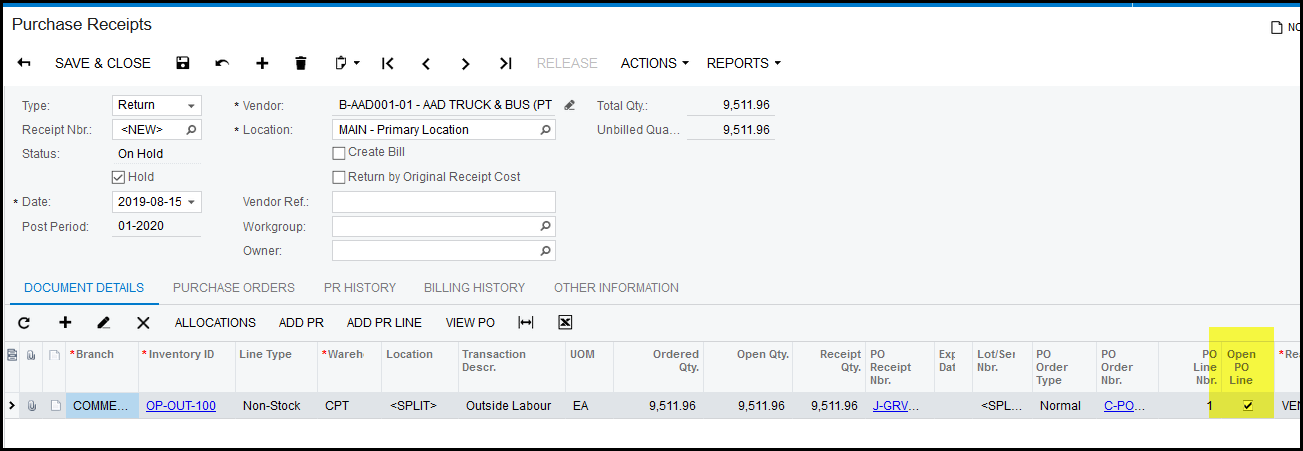
8. SAVE your return
9. Take of 'hold'
10. Release
11. The return status will show - 'Released'
Created with the Personal Edition of HelpNDoc: Upgrade Your Documentation Process with a Help Authoring Tool