How to re-classify an AP invoice to different expense
1. Go to bills and adjusments.
2. Open you bill
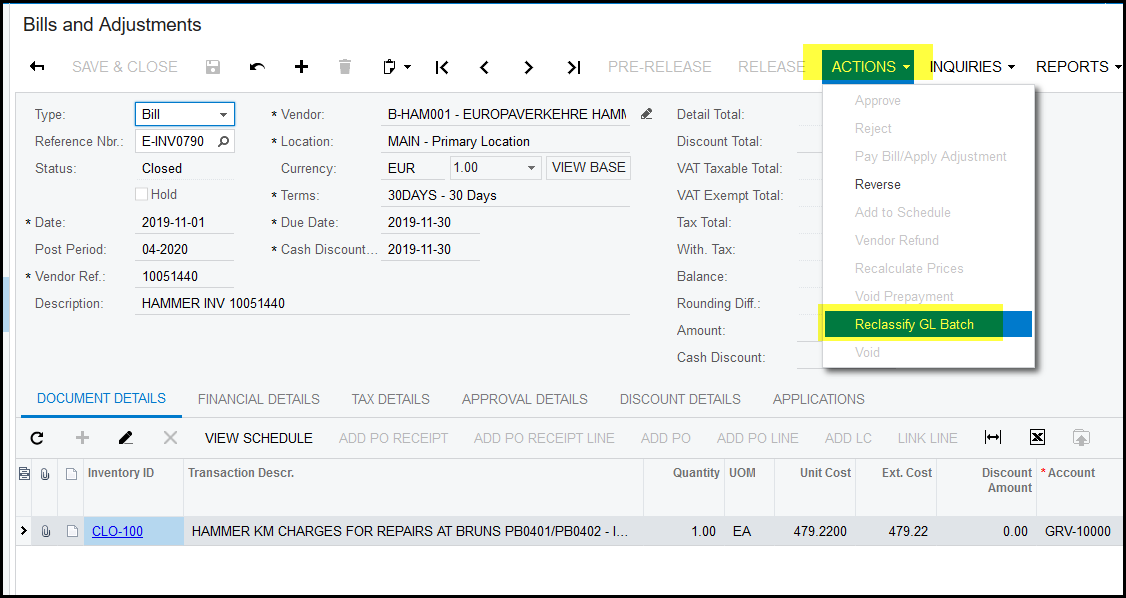
3. Click on Acitons>reclassify GL batch
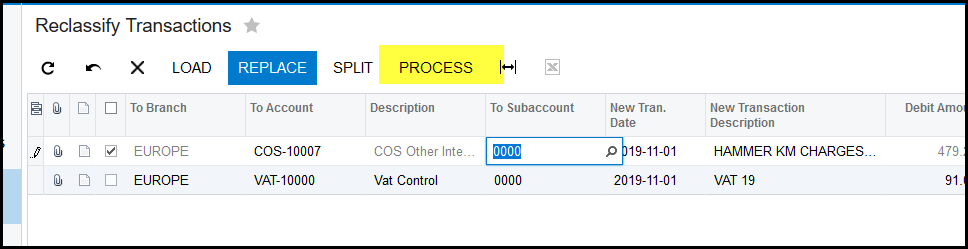
4. The reclassify transaction screen will open.

5. You can use 'LOAD' or replace if it is a few transactions or long list, but the best way is to click in the to account and change the general ledger code.
6. In this case we want to change GRV-10000 to COS-10007.
7. Once you have selected the correct general ledger code you can click on process.
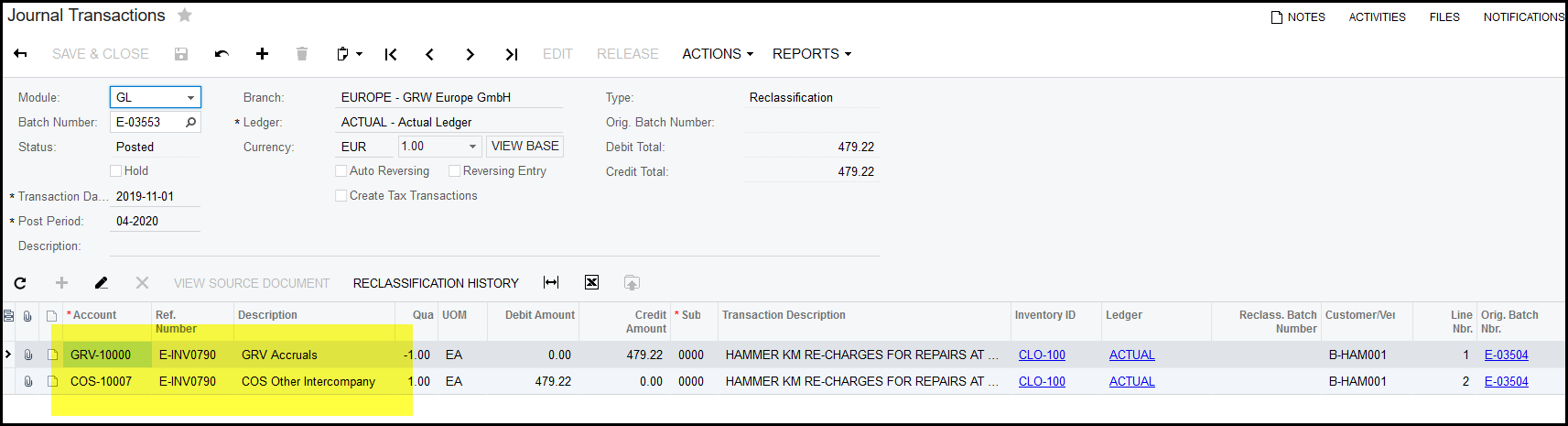
8. If the batch is successfully processed it will show a reclassification batch nr.

9. See below the general ledger entries if you click to drill down on the batch.
Created with the Personal Edition of HelpNDoc: Full-featured Kindle eBooks generator