How to process an AR invoice - Invoice
1. Go to Receivables>Transactions>Invoices and Memos
2. Click on the + for a new invoice
3. Choose a customer.
4. Complete the fields: Date, customer order, description, select your due date and make sure about the terms.
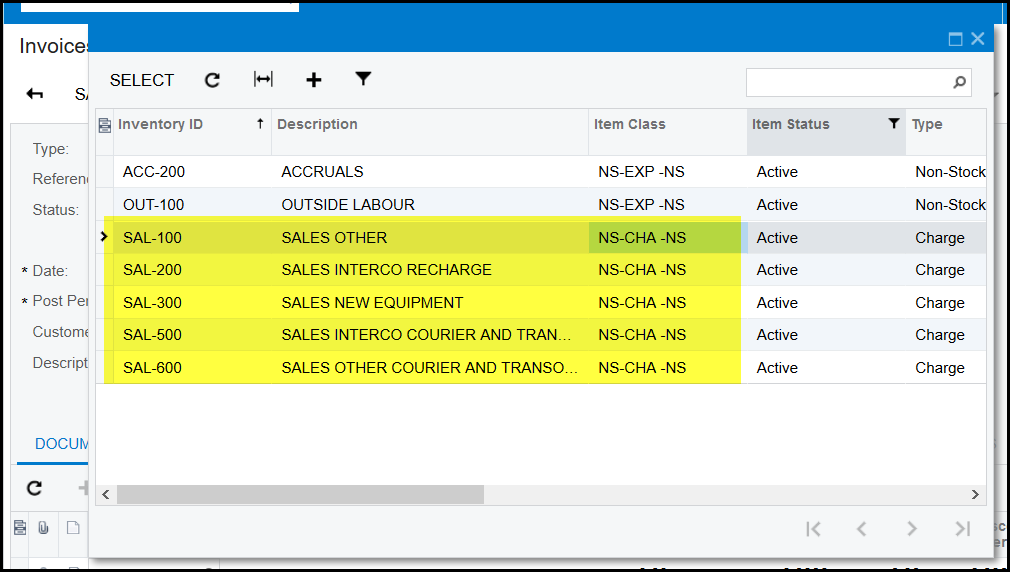
5. With AR Invoicing you can use Non-stock codes that is link to a sales ledger account or you can invoice directly to the specific general ledger account.
i) Non-stock codes that is link to a sales ledger account
Best is to use the inventory id that starts with SAL-....... (if unsure ask your accountant)
ii) Invoice directly to the specific general ledger account
Add row and enter transaction description, qty and amount.
The general account will show to the right.
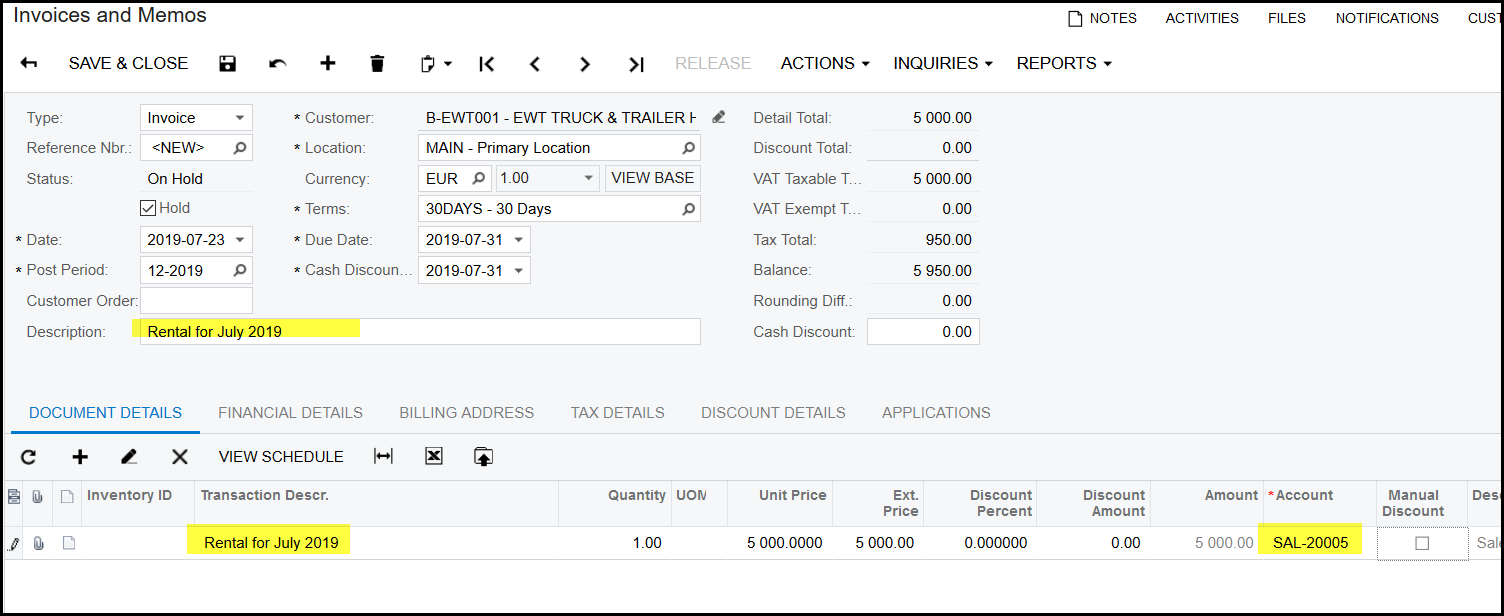
6. When all information is completed, make sure that your totals on the header of the invoice is correct.
7. Save, take of hold and release.
Created with the Personal Edition of HelpNDoc: Import and export Markdown documents