How to process VAT on discounts
1. Your supplier terms should be setup correct for discount to be taken into account.
2. When you process your payment the discount will automatically process.
3. In Acumatica there is not VAT calculated in the discount therefor we created a new transaction type to automatically process the VAT on discounts.
4. Once your payment with discount was done, Acumatica wil generate a VAT debit adjustment transaction. See below.
5. Payables>Processes>Generate VAT debit Adjustments
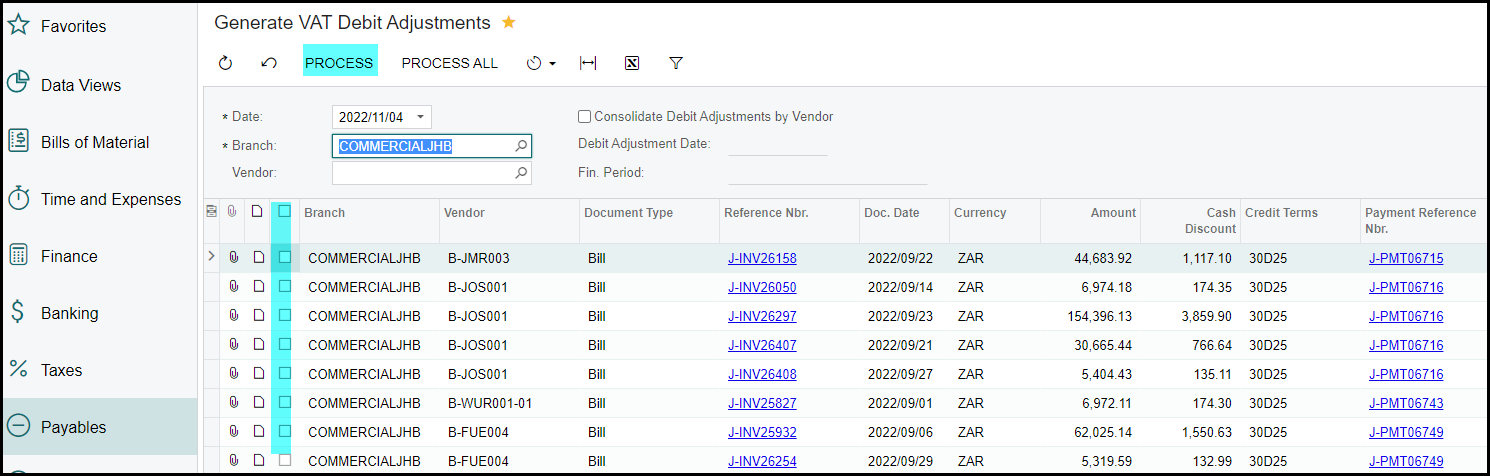
6. Tick these transactions and process them.
7. Your Vendor on your AP ledger will only apply and allocate when the VAT debit adjustments is processed.
Created with the Personal Edition of HelpNDoc: Revolutionize Your CHM Help File Output with HelpNDoc