How to open a production job
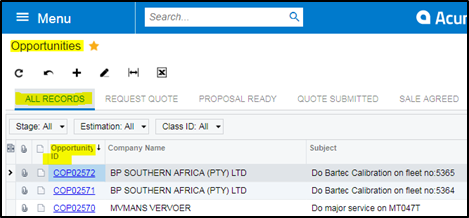
1. Go to Opportunity
2. All records
3. Opportunity ID filter using – Contains – Last 4 numbers of COP number – make sure you in CPT Warehouse
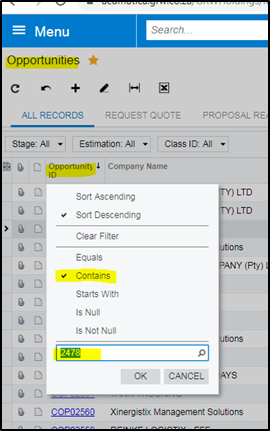
4. Open opportunity
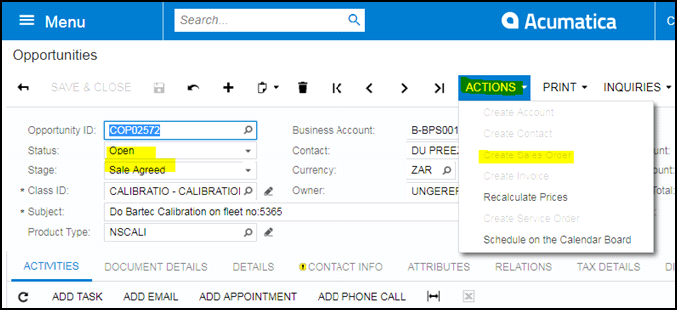
5. Status – Open
6. Stage Agreed
7. Actions – create sales order
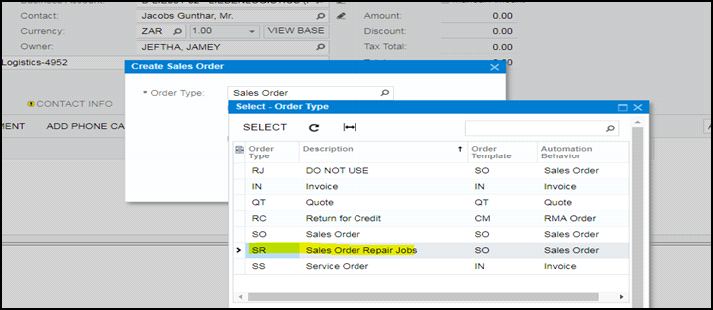
8. Select SR – okay
9. Save – SO (Sales order number would be created)
10. Sales order
11. Your sales order status would stay on Hold until you invoice your RJ job on completion
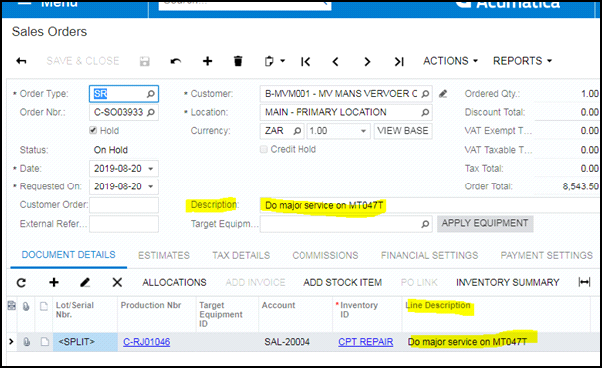
12. Always make sure your description matches with the line description if not copy and paste the description to your line description.
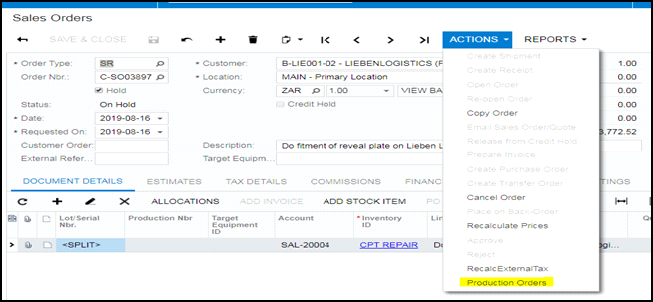
13. Sales order – Action -Production order – to create your RJ number
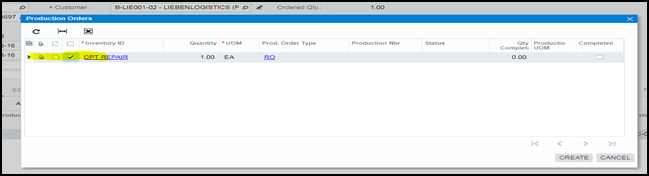
14. Sales orders – Production orders – Pop up screen – mark √ the box – Create
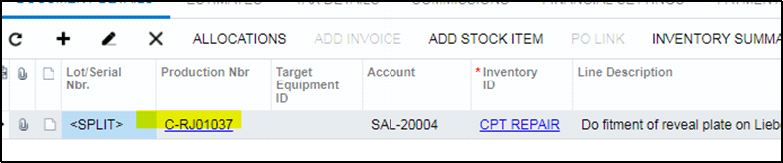
15. Production RJ number is now generated –select the RJ number – this would take you to Production order maintenance on the system (it’s a link)
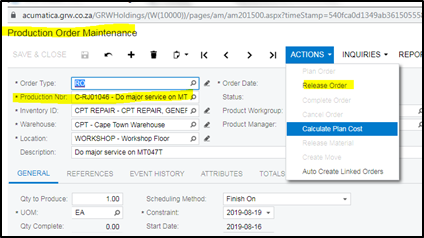
16. Production order maintenance
17. Production NBR – Make sure you have the correct RJ number open
18. Actions
19. Release order
20. if RJ is not released no hours / 3rd party invoices or parts can be booked to job
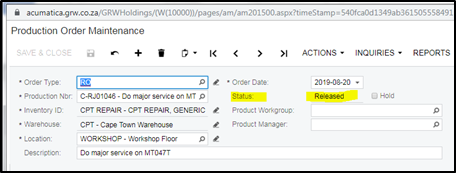
21. Once you have released the RJ the status would change to released (if not released the status will show planned)
22. Status of job will change to Progress once the labour and materials is issued to the job.
Created with the Personal Edition of HelpNDoc: Full-featured EBook editor