How to issue parts against a job
1. Job should be in status released, if in 'planned' state - actions>release order.
Status will change to Released. If the job is in process then it is also fine.
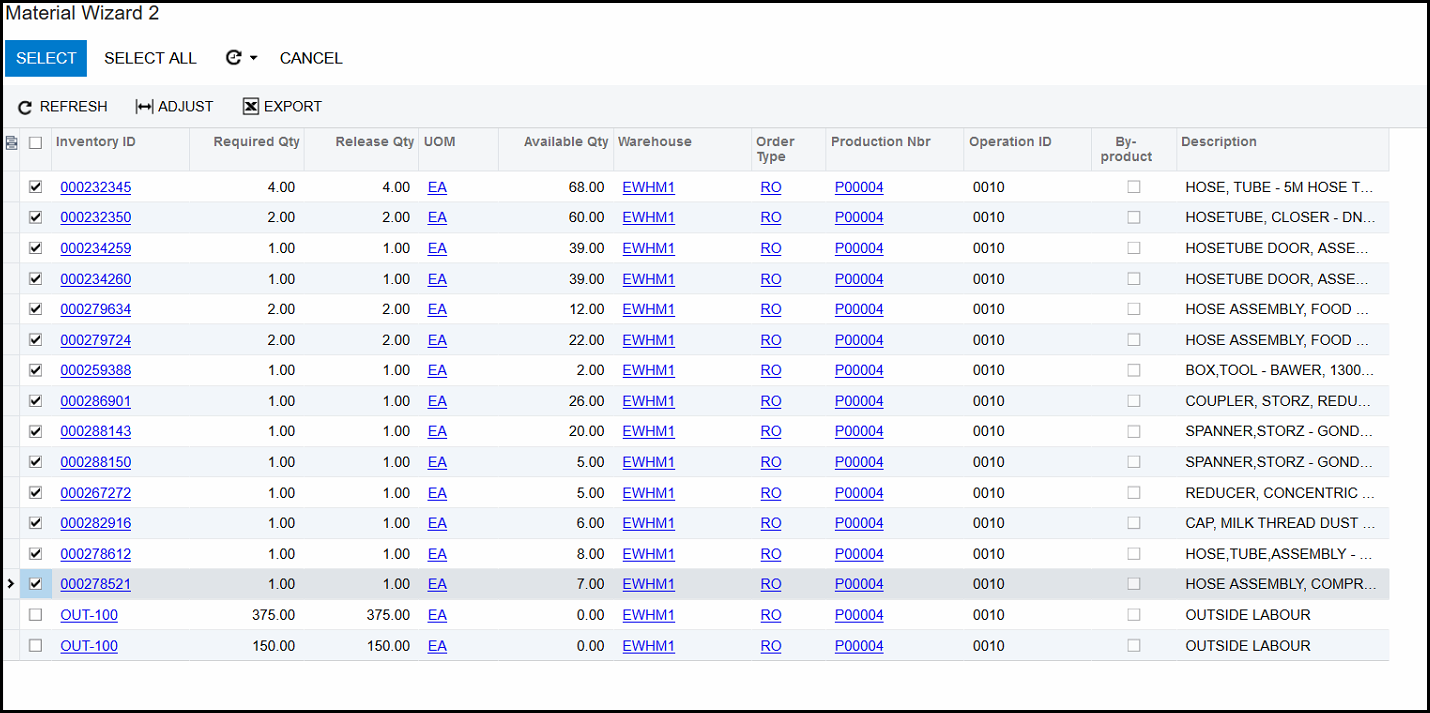
2. Go to production order maintenance>actions>release material. (if you cannot release then maybe the job is on hold)
3. Material wizard screen will open.
4. Tick only all the parts not operation codes.
5. Click on the 'SELECT'
6. Material issue screen opens.
7. Type in proper description
8. Take of hold, status will change to balanced.
9. Ensure that all item have a unit cost.
10. Release.
Created with the Personal Edition of HelpNDoc: Full-featured Documentation generator