How to do an average cost adjustment
1. Print an inventory valuation report only for your item your want to adjust.
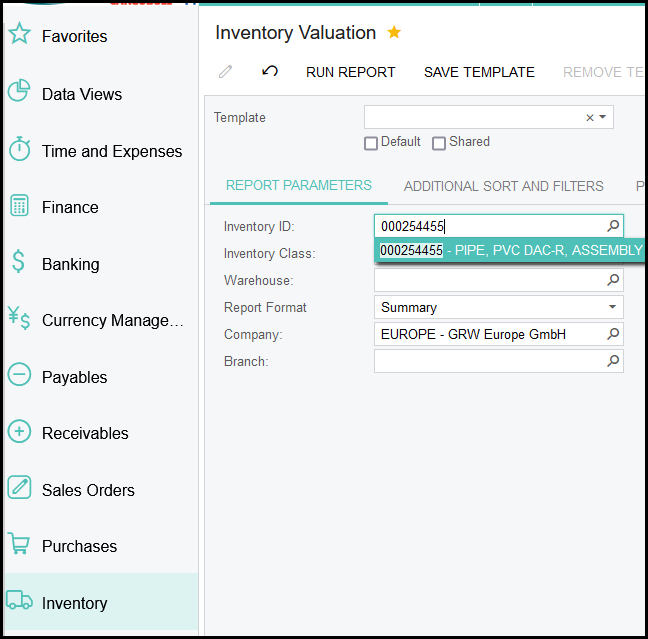
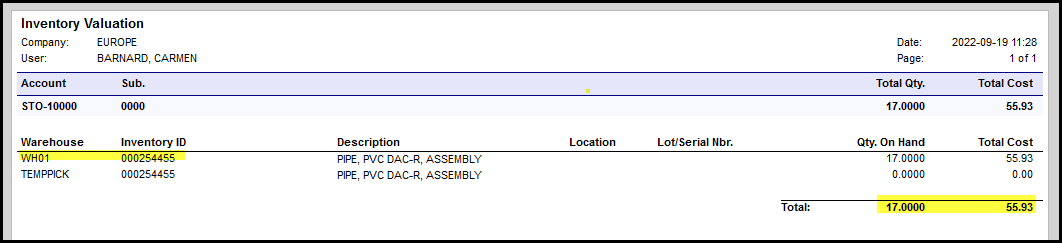
2. In the example above you have 17 items against a total cost or 55.93, which is 3.29 per item. Say you want to adjustment the average cost to 4.00 per item. Then you will do it as follow. In Acumatica if you want to adjust the average
of an item you will only insert the total new cost for the total of the items. So the new total cost will be 17 x 4 = 68.
3. Do not fill anything in the Qty column and ignore teh unit Cost column. Only enter you new total cost.
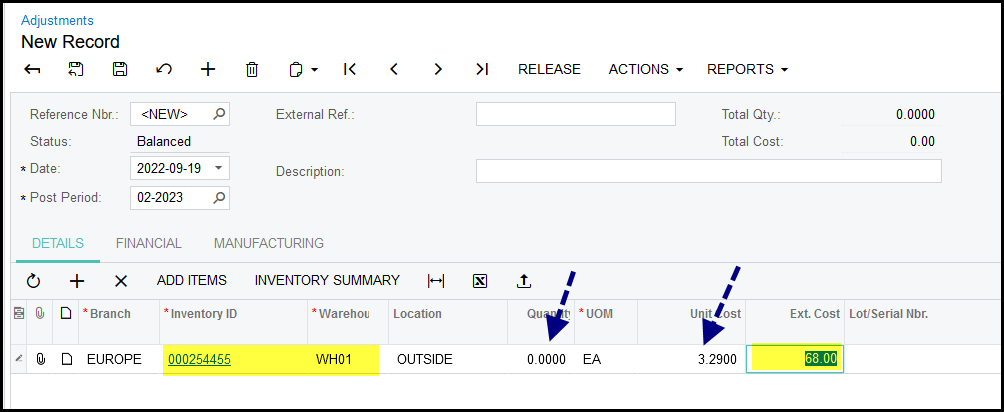
4. Save and release
5. Remember if you have items in different warehouses then you have to do the average cost adjustment for each warehouse.
6. After you adjustment always print your stock valuation again to see if you item has been updated correctly.
Created with the Personal Edition of HelpNDoc: Revolutionize your documentation process with HelpNDoc's online capabilities