How to credit your sales order
1. Go to Sales Orders and open the Sales order you want to credit.
If you only want to correct your selling prices and not affect your stock.
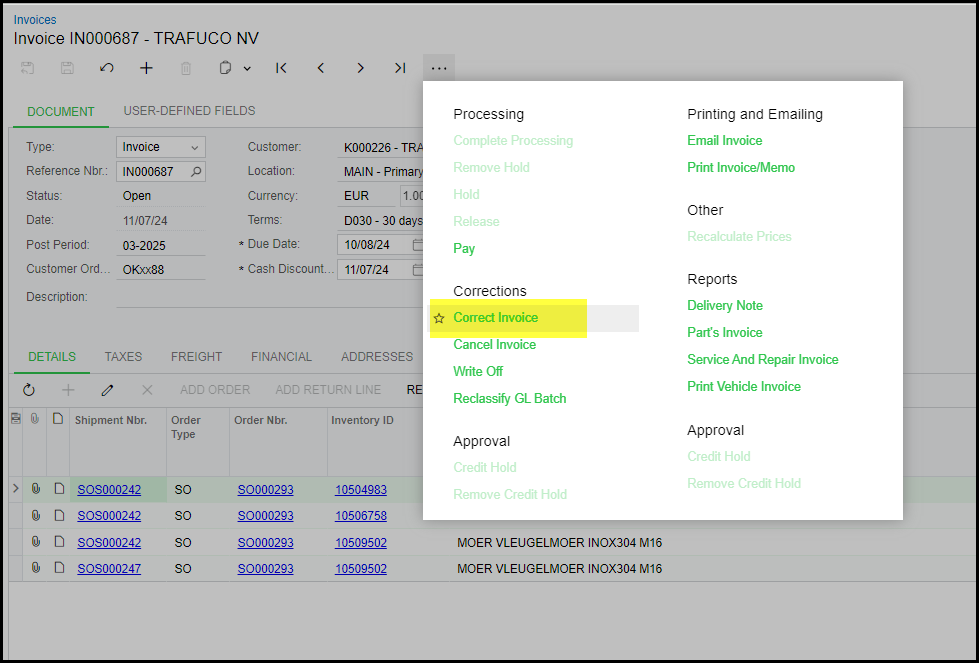
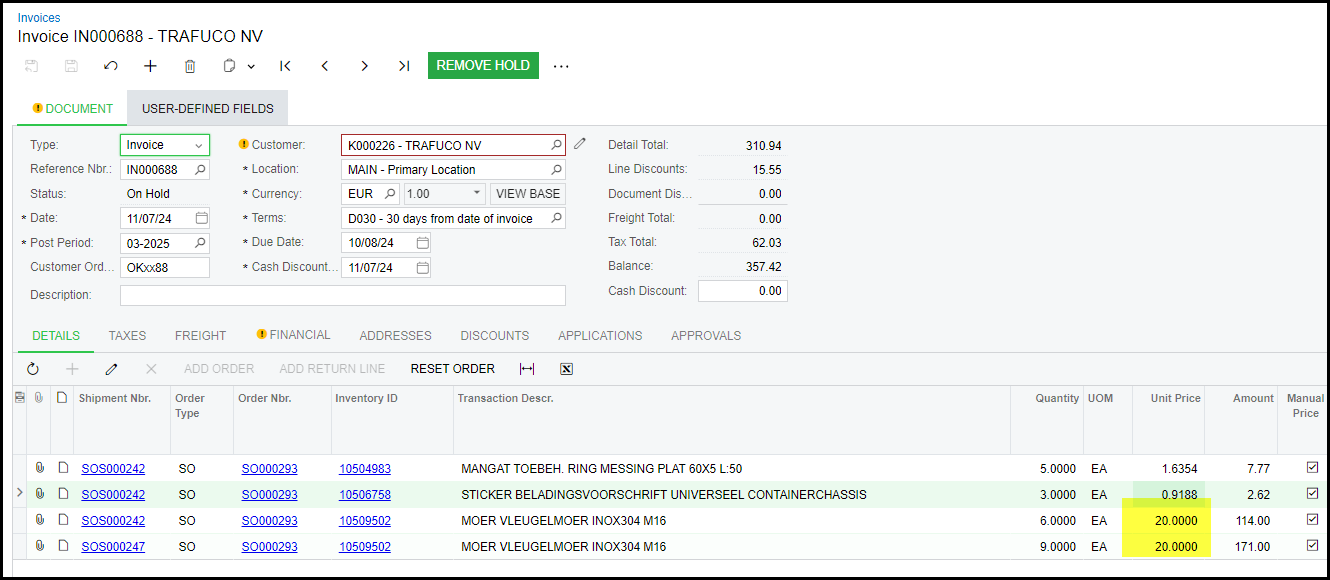
Click on correct Invoice and remove hold.
Edit your amounts.
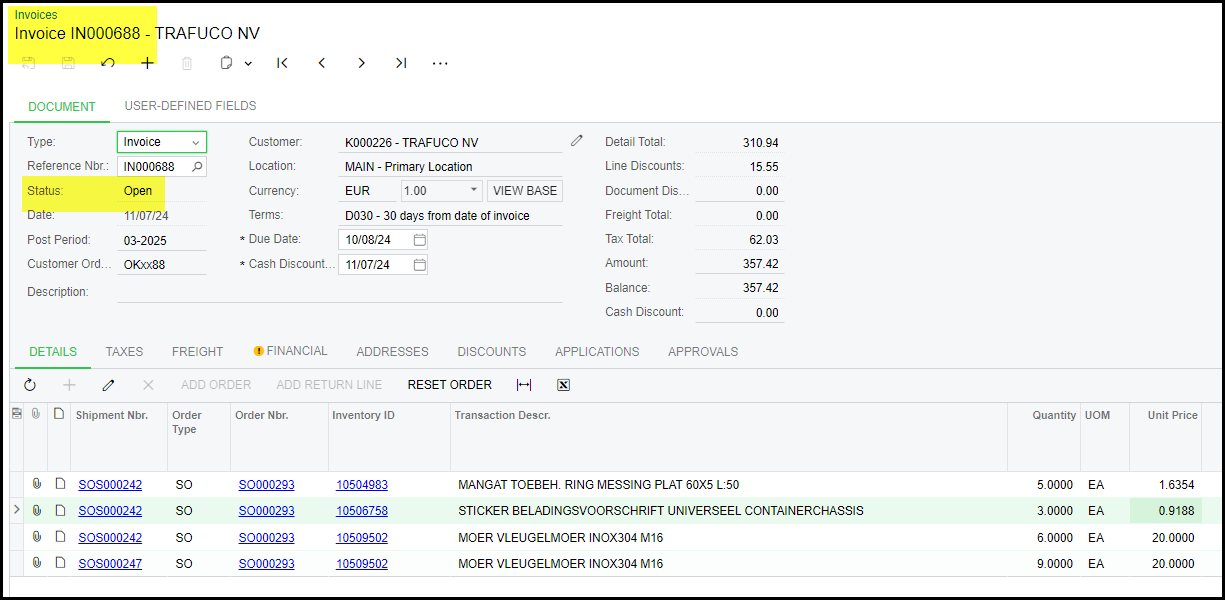
Release your invoice.
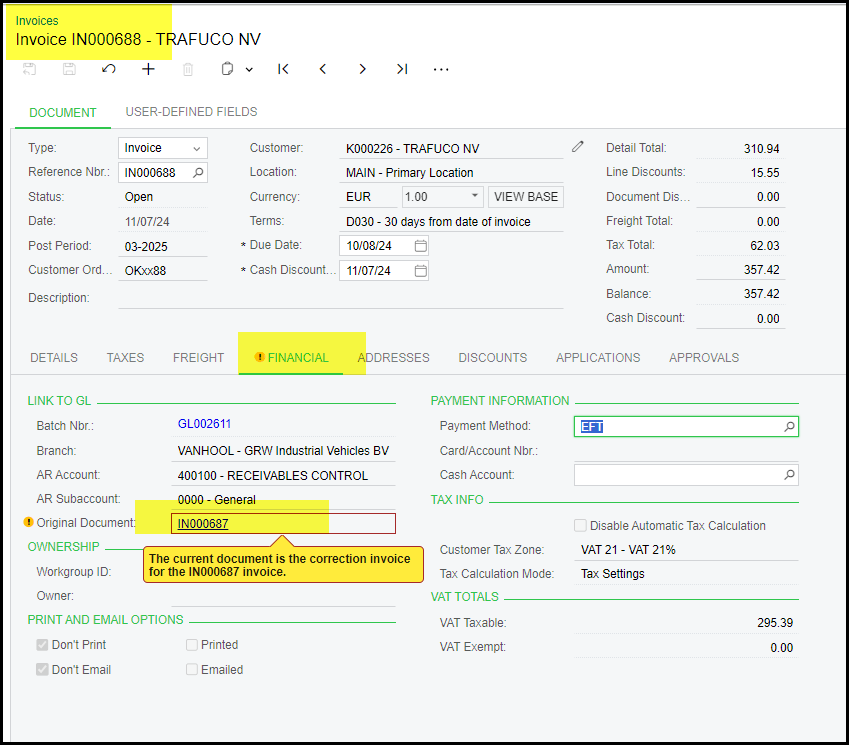
2. On the financial tab or your new invoice you will see for reference to original invoice number.
3. To do a credit where stock is put back into stock/stock is reversed as well.
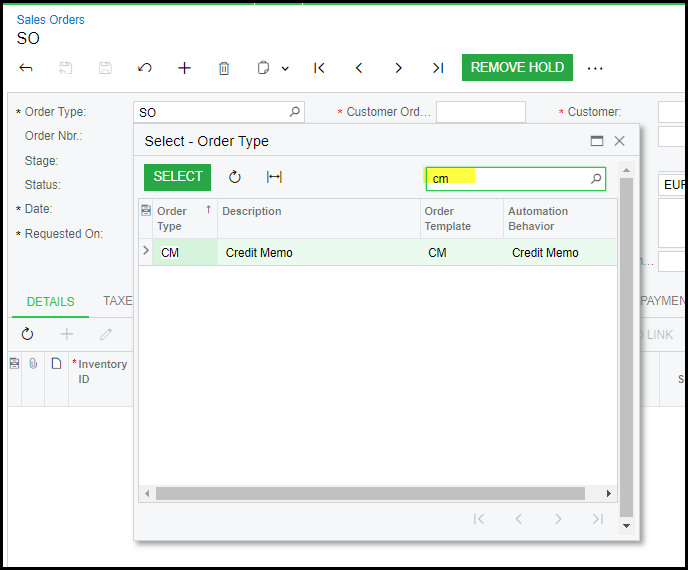
Go to Sales orders.
Select CM - Credit Memo.
Select your customer
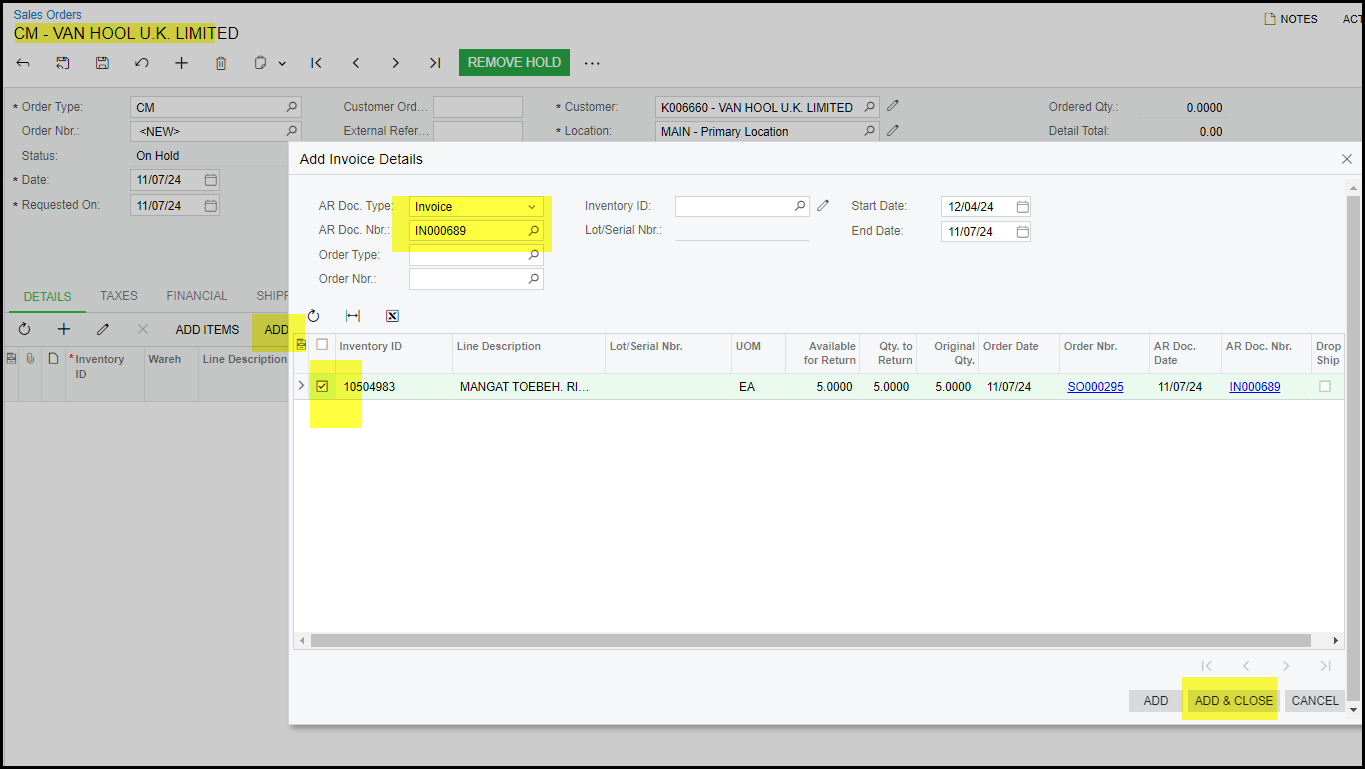
4. Click on ADD INVOICE
In the pop-up search your invoice select and add and close.
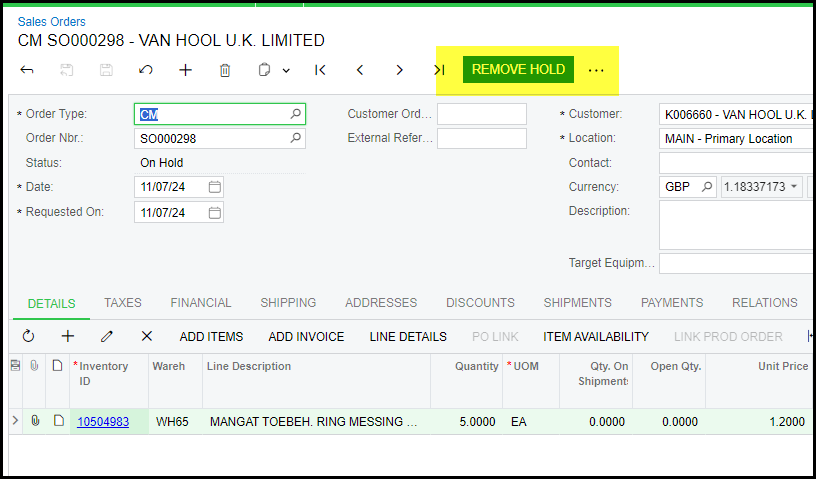
5. View the details and Remove Hold
6. Prepare Invoice (the reversal of the shipment is automatically)
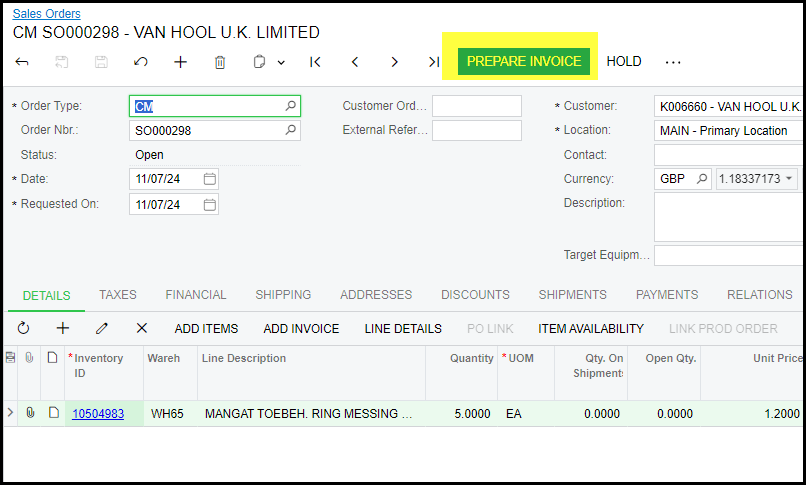
7. Release Invoice
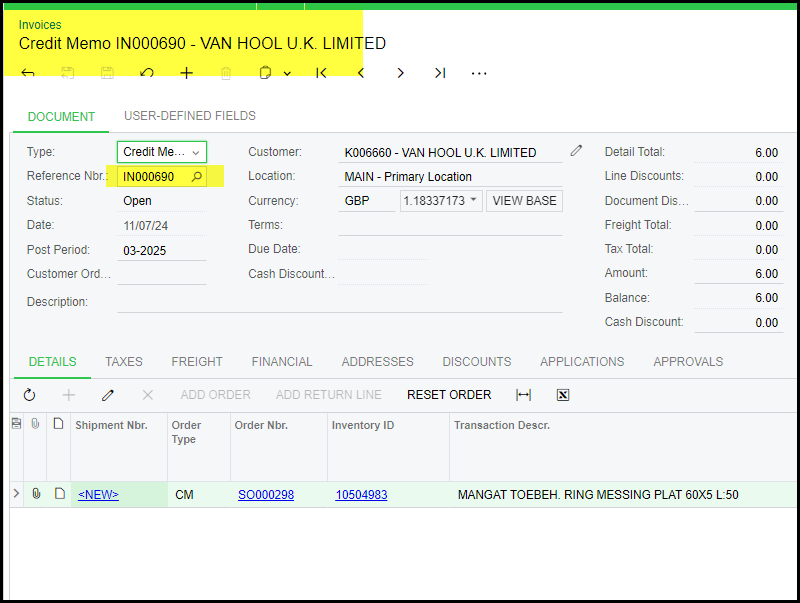
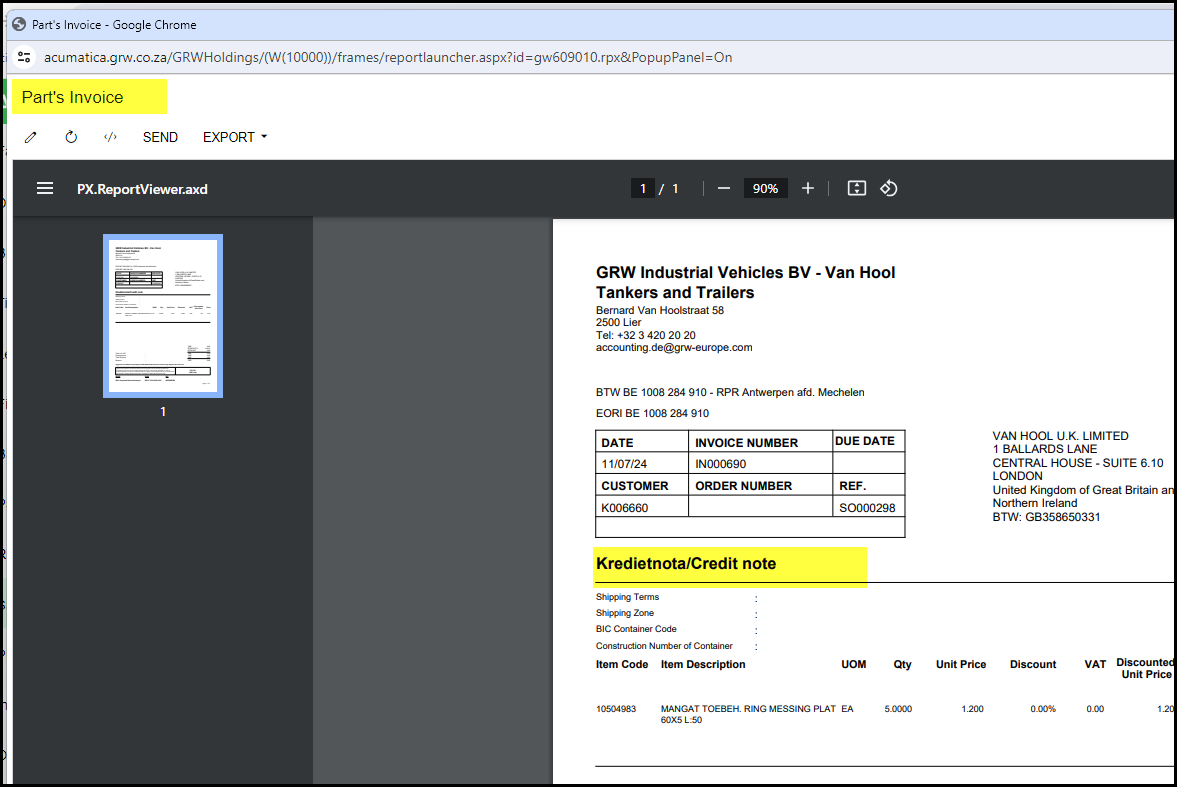
8. Print your credit note - Print Part's Invoice
Created with the Personal Edition of HelpNDoc: Streamline your documentation process with HelpNDoc's HTML5 template