How to credit a sales for production job
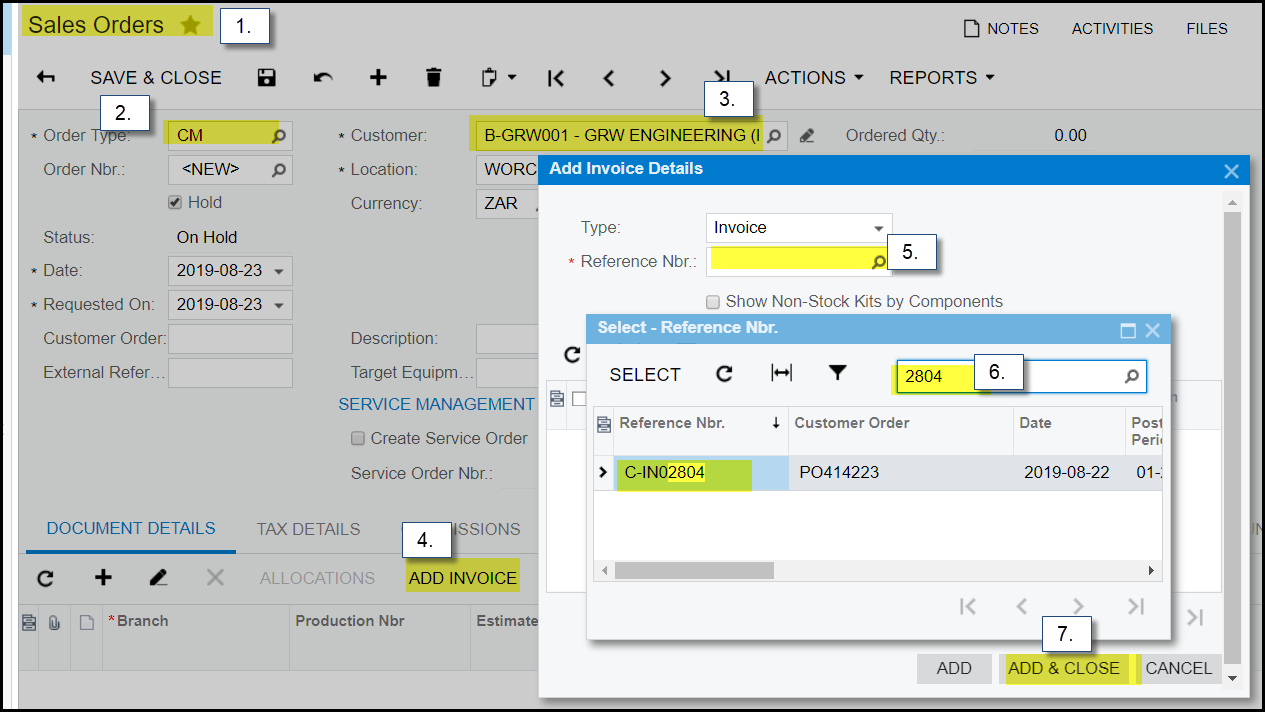
1. Go to Sales orders>Transactions - Sales orders, '+' for new sales orders.
2. Make sure to select 'CM' as order type.
3. Choose customer.
4. click on 'add invoice'.
5. Search the original invoice number that you want to credit.
6. Select invoice.
7. Add & Close
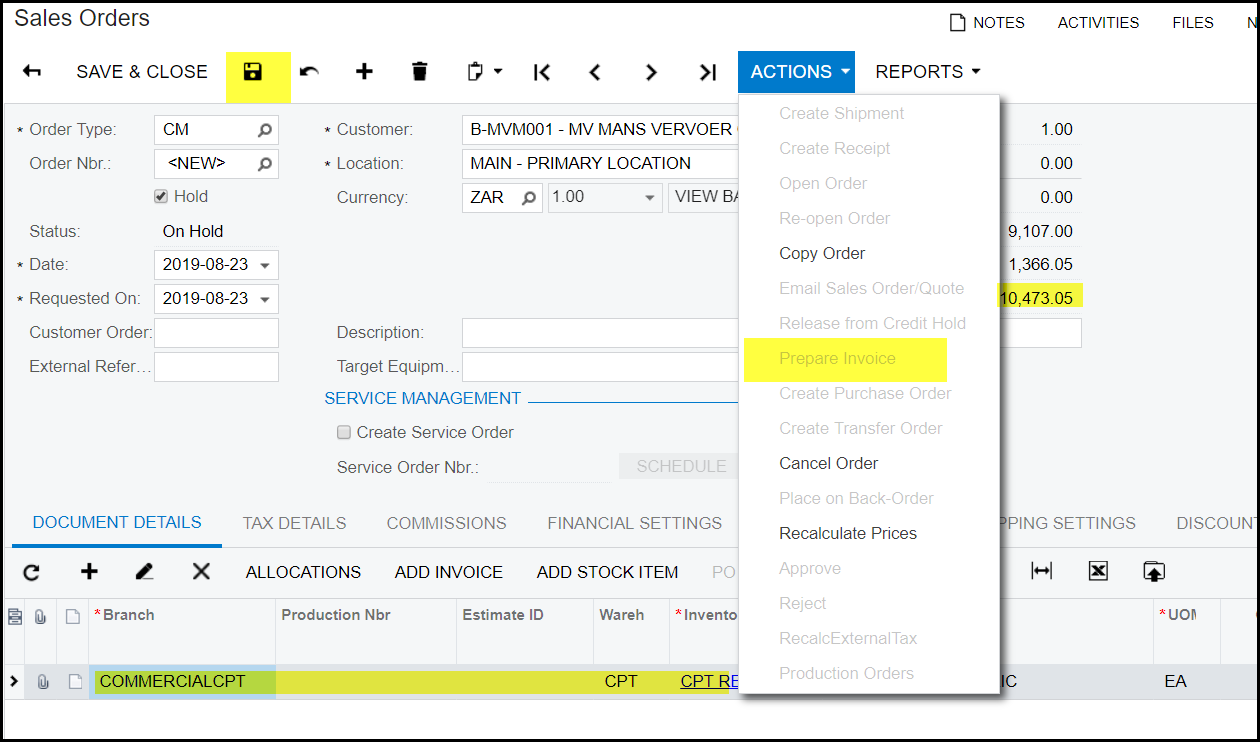
8. The invoice details will show on the document details, check your amounts and SAVE.
9. Take your invoice off hold and go to actions> prepare invoice.
10. This will open your invoice screen.
11. Go to actions on your invoice and release.
Created with the Personal Edition of HelpNDoc: Easily create Web Help sites