How to create repair opportunity and estimate
1. Go to opportunities> opportunities
Click on the + to create a new opportunity
The process is ' opportunity>estimate>sales order> production job
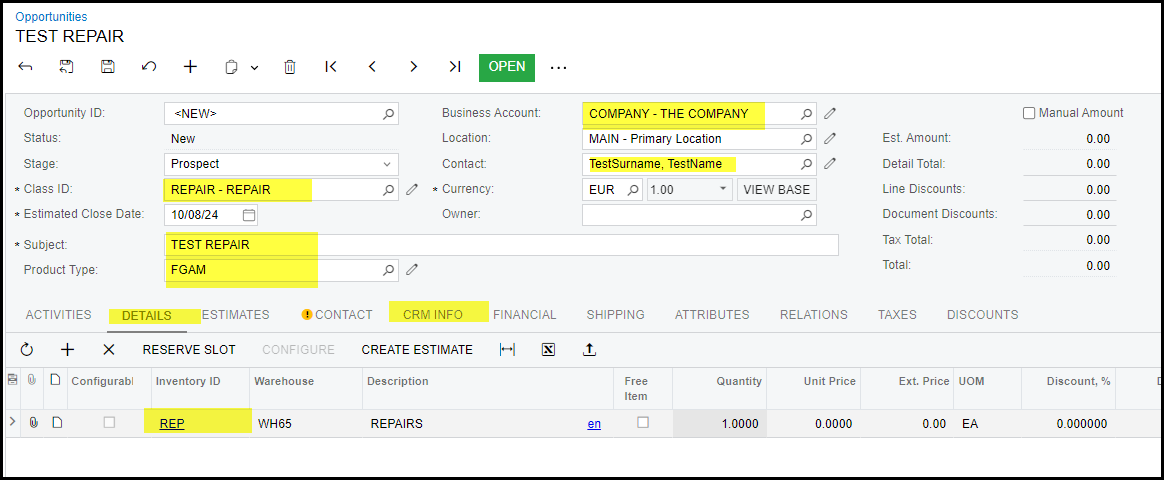
Complete all the highlighted fields in the header of the opportunity
Go to the details tab click on the + to add new line - select the inventory Id - REP, qty = 1
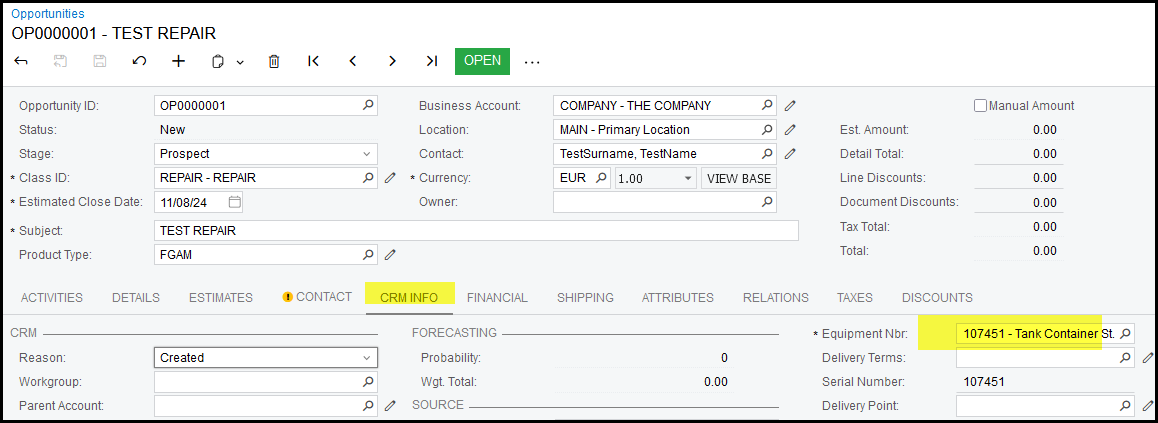
Add the equipment of the repair - this is linked to the customer.
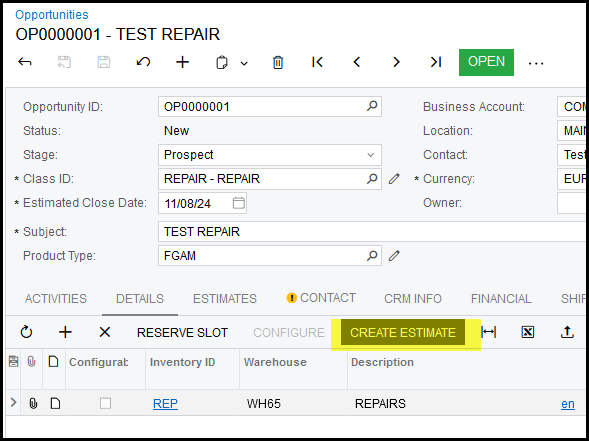
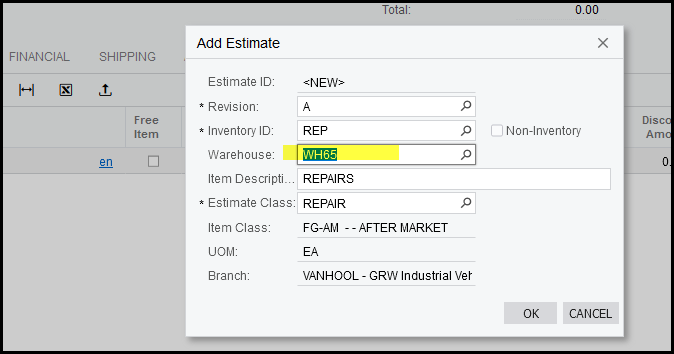
2. Create estimate
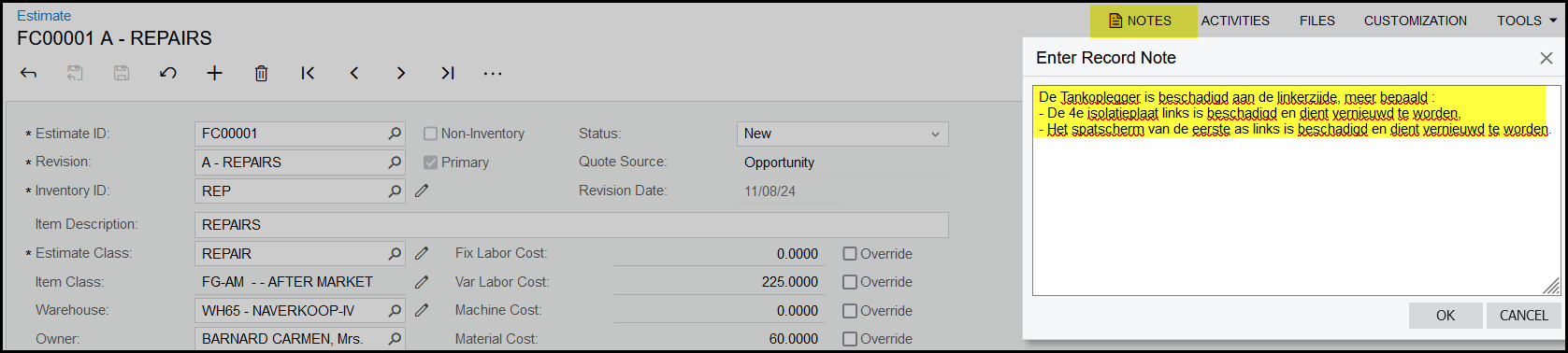
3. Add the 'Aard der schade' details to the Note field
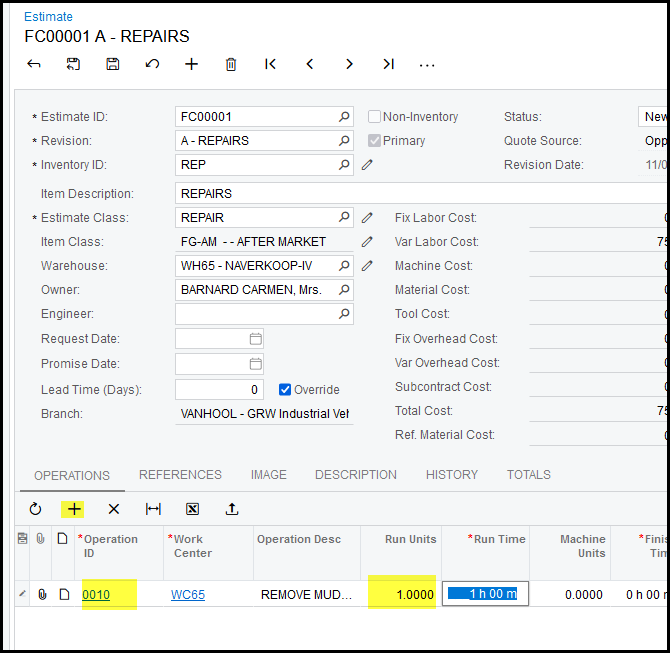
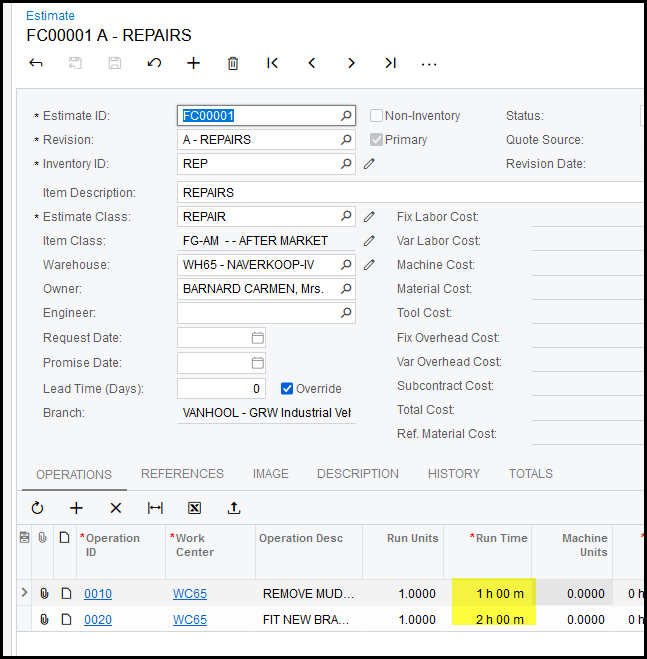
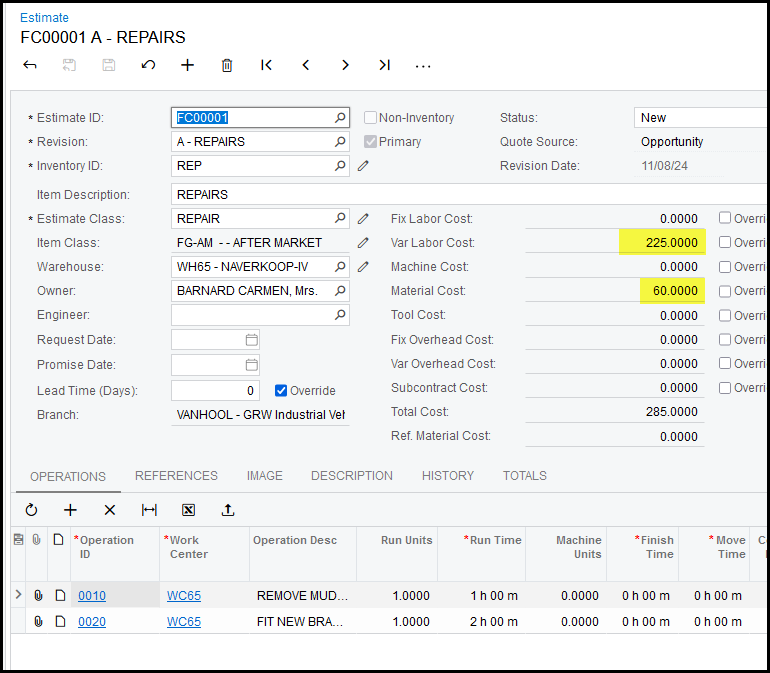
On the estimate click on the + to add operations staring with 0010, 0020, 0030, 0040....
Each operation is the work that needs to be performed on the job.
In the operation description add the details.
Run units is always - 1
Run Time - is the estimate time in hours to perform the operation
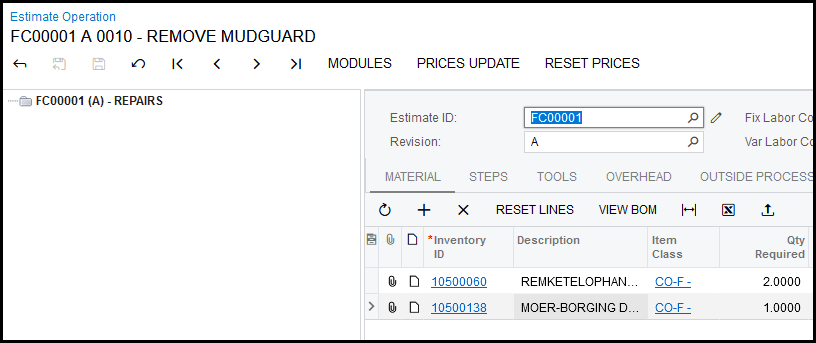
4. Add the stock to each operation - click on the hyperlink 0010
This open the estimate operation in a new tab.
Add your stock and qty
5. Go back to the estimate, refresh.
This will update the stock to the header.
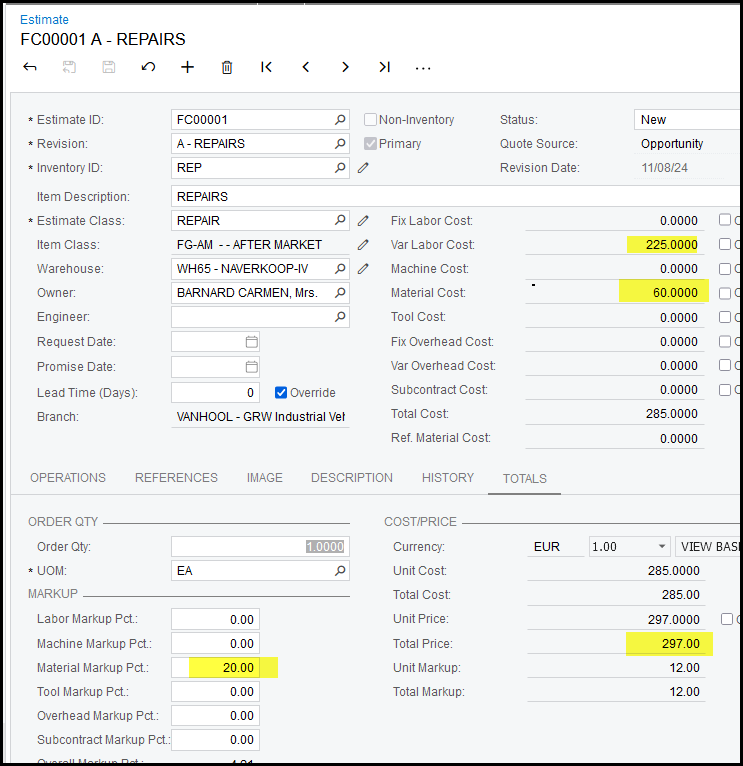
Go to the 'Totals' tab to add your markup % for your stock.
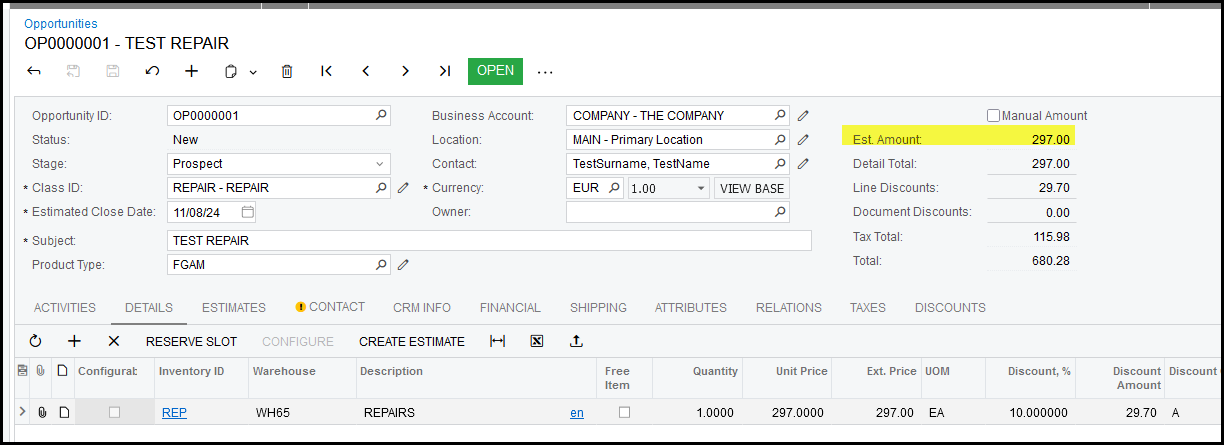
6. Go back to your oppportunit, refresh your screen.
The quoted amount will show.
Created with the Personal Edition of HelpNDoc: Keep Your Sensitive PDFs Safe with These Easy Security Measures