How to create a Manufacturer
1. See below where the manufacturer is used. You also need to create a model equipment to enable you to use the manufacturer.
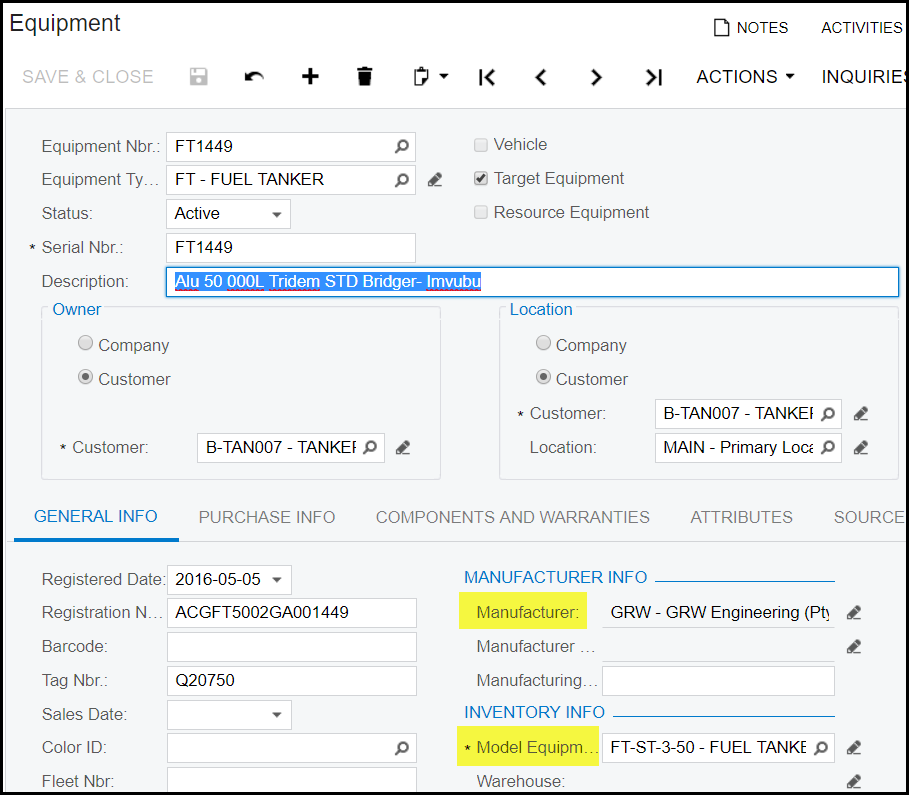
2. Create the manufacturer first. Go to equipment>manufacturer
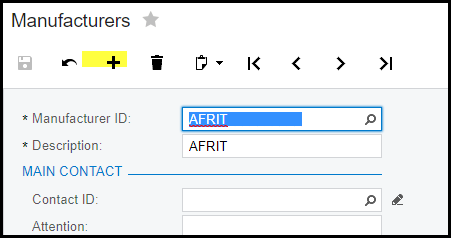
3. Click on the '+'
4. Complete the manufacturer ID and Description
5. Save
6. At least one equipment model should be link to a manufacturer. So for any new manufacturer create at least one new module
equipment.
7. Go to stock items
8. Add new - '+'
9. If not standard GRW models, we use for example Equipement Afrit - see below
10. Make sure to select the item class - FG-OTHR-SN
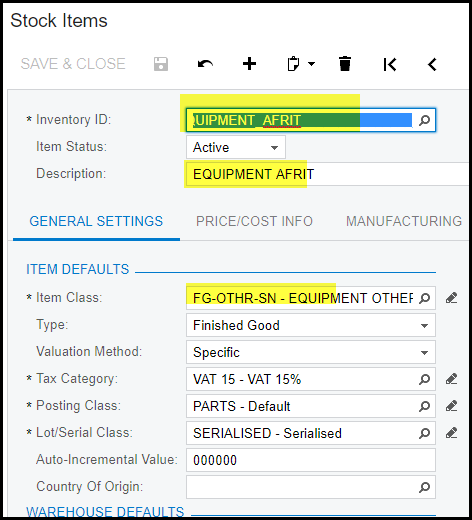
11. Go to service management on the item and select the manufacturer - see below - AFRIT
12. Save

Created with the Personal Edition of HelpNDoc: Single source CHM, PDF, DOC and HTML Help creation