How to correct Ext. Cost Calculation
1. In the example below the Ext. Cost is not correct. 2 X 19.67 = 39.34
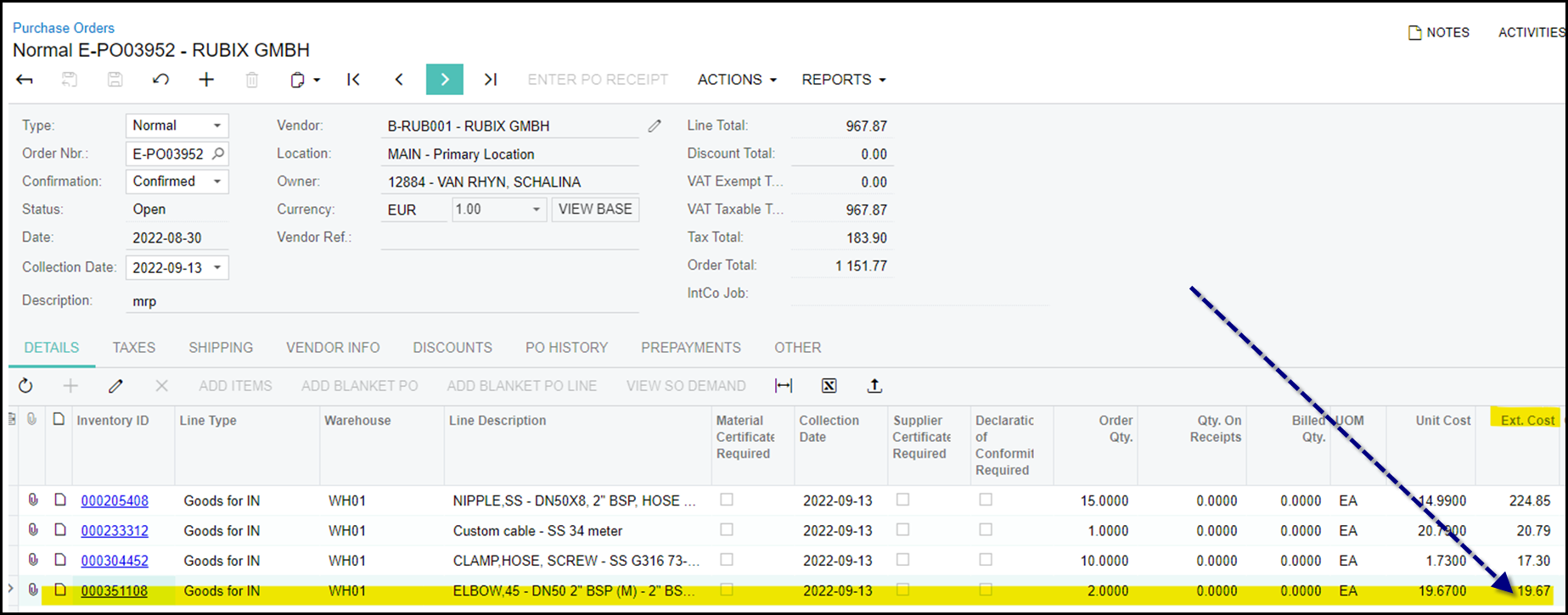
2. This is because the 'manual cost' was selected. Sometimes this column is hidden and you have to make it available first.
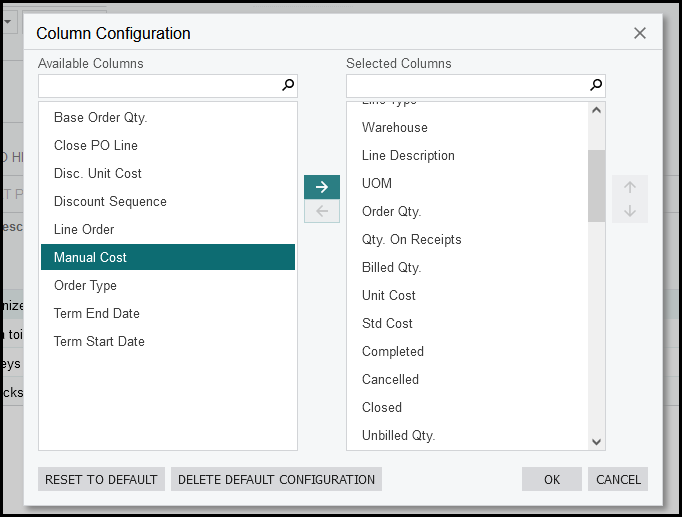
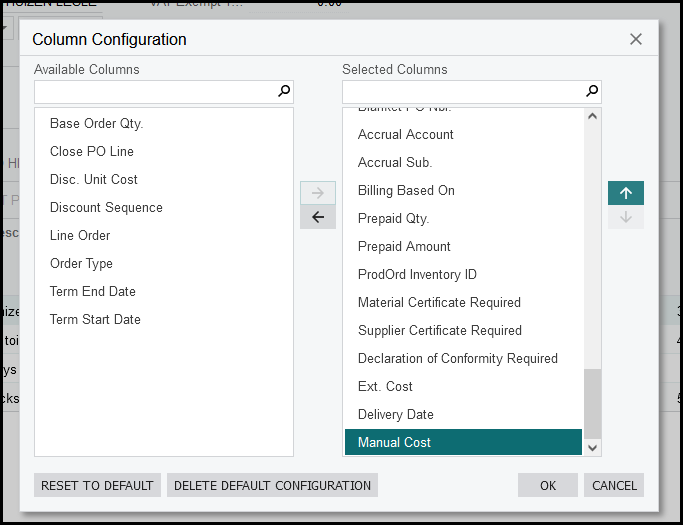
3. On the left available columns show. Click on the column that you want to move to selected columns and on the arrow between the two columns. Then move the column up in selected columns to the position you want it.
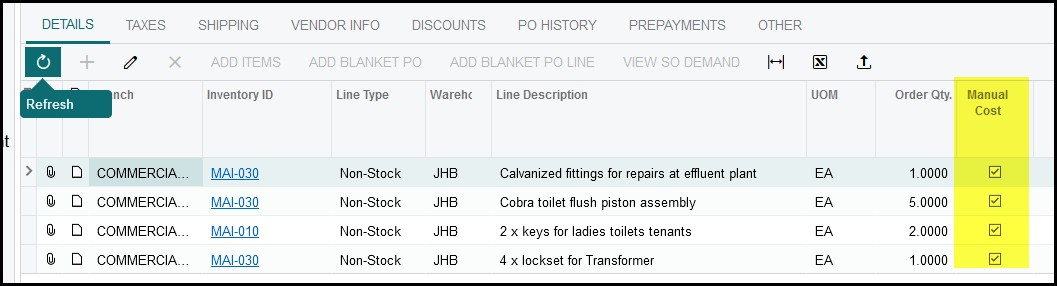
4. In the manual cost column you will see that is, is selected. Deselect the column, this will correct the ext. cost.
Created with the Personal Edition of HelpNDoc: Free Web Help generator