How to close or finalise a repair job
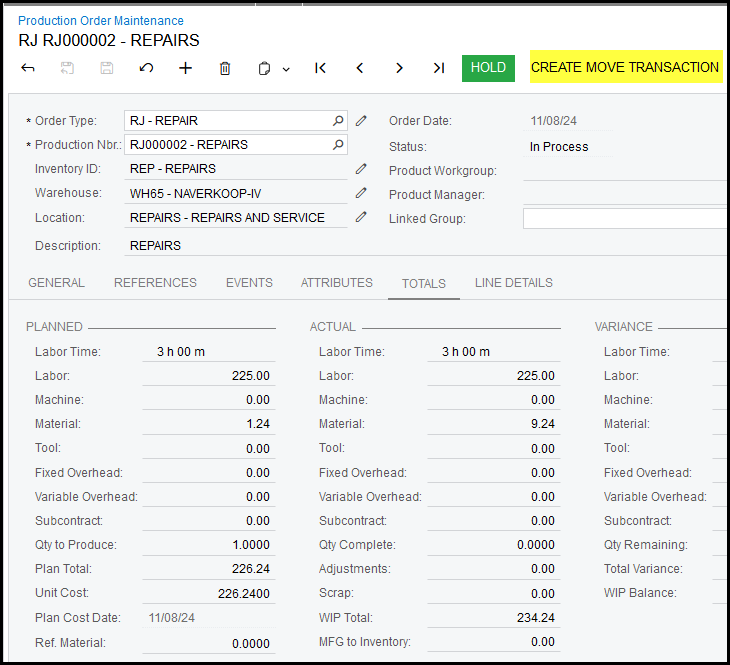
1. When the job is completed and you are satisfied with the cost, you can finalise the job by creating
a move transaction.
This moves the job from work in progress to finished goods(stock).
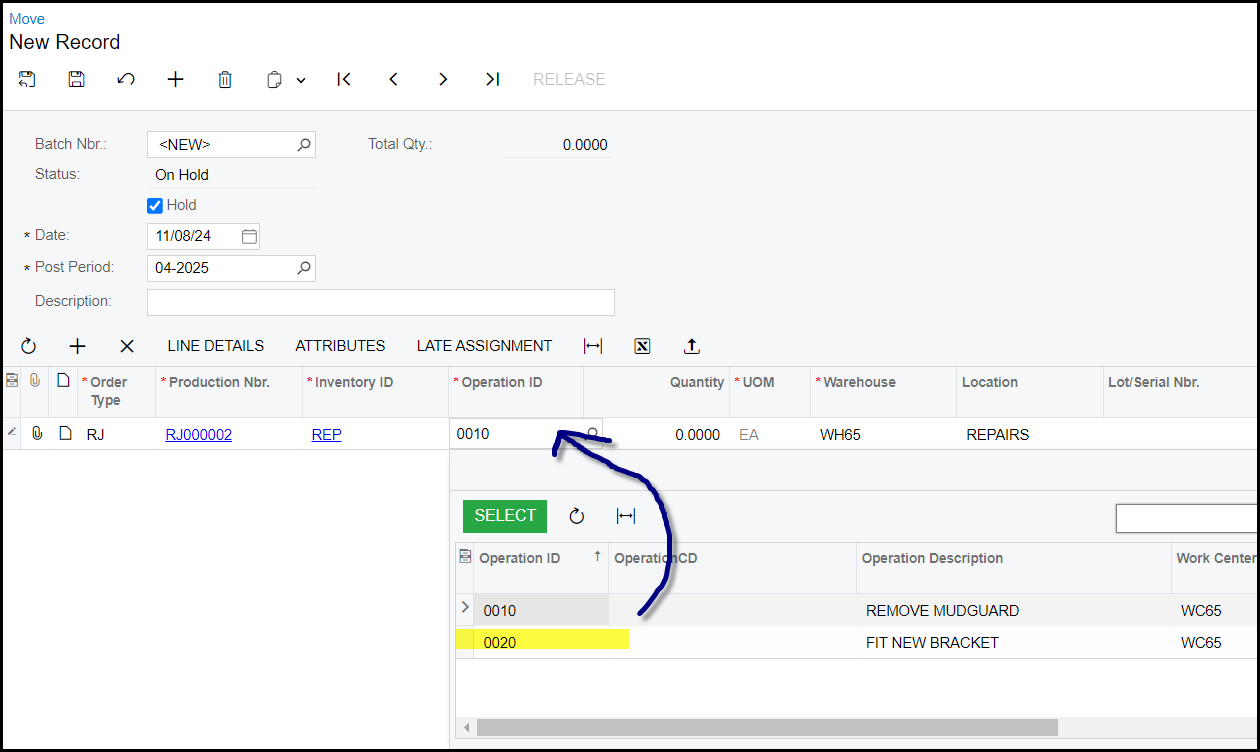
2. Always move the last operation, click in the operation field and select the last operation.
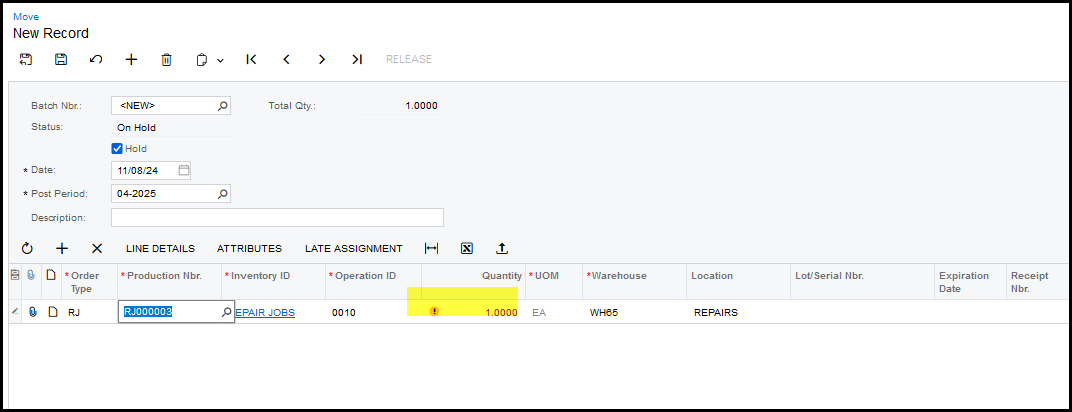
3. This is a warning that it is a serialized item.
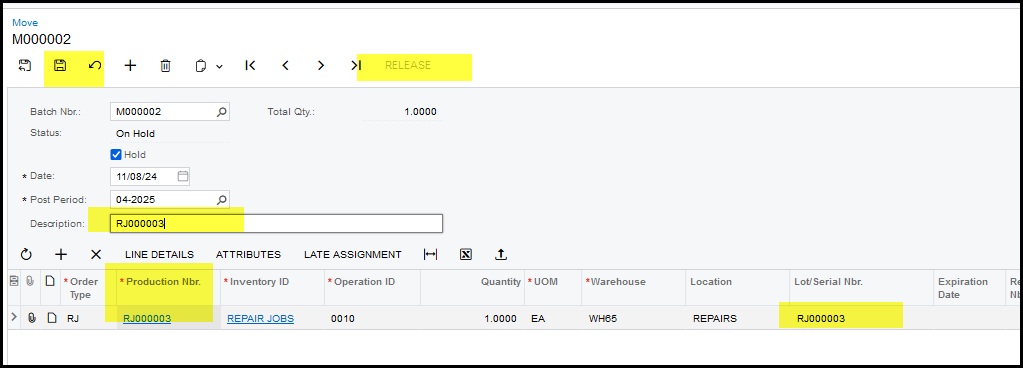
4. Copy the production order nr to 'Lot/serial number and the description. Save and Release.
5. When you go back to the production job you will see that the job status is completed.
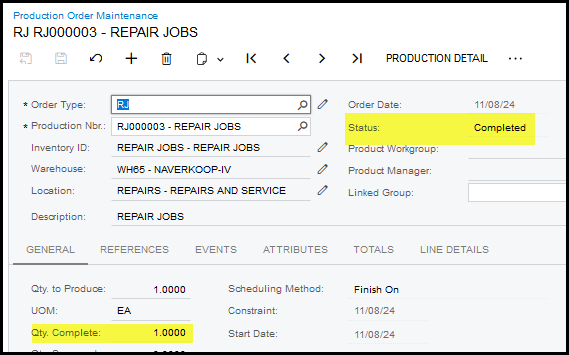
6. Your job is now ready for invoicing.
Created with the Personal Edition of HelpNDoc: Free EPub and documentation generator