How to add vendor info to a stock item
1. Go to inventory>open the item you want to edit click on the vendors tab.
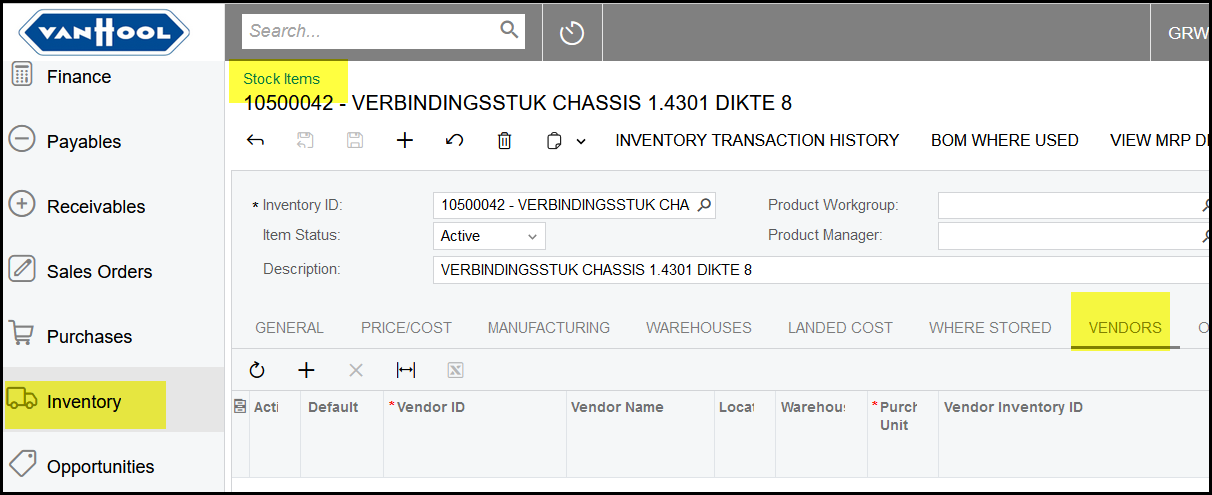
2. Click on the + to add a vendor.
Search for the Vendor name or VendorID.
When you select your vendor you will see the following pop-up message.
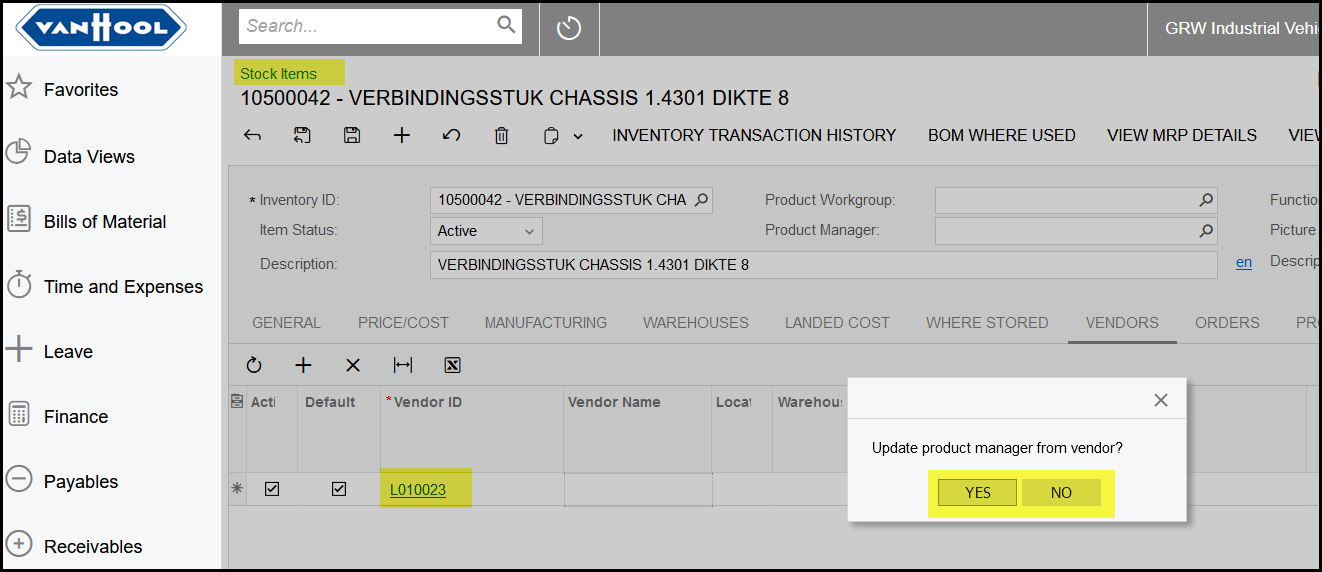
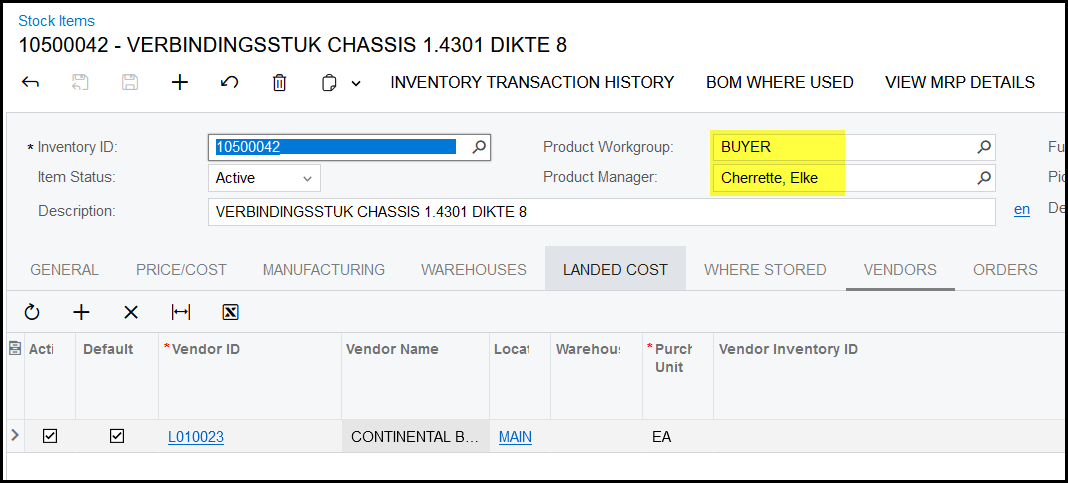
If you click yes, then the 'buyer' linked to the supplier will be filled in.
Created with the Personal Edition of HelpNDoc: Effortlessly Create High-Quality Documentation with a Help Authoring Tool