How to add freight landing charges to stock purchases
1. Freight landed costs must be setup in Acumatica via landed cost codes.
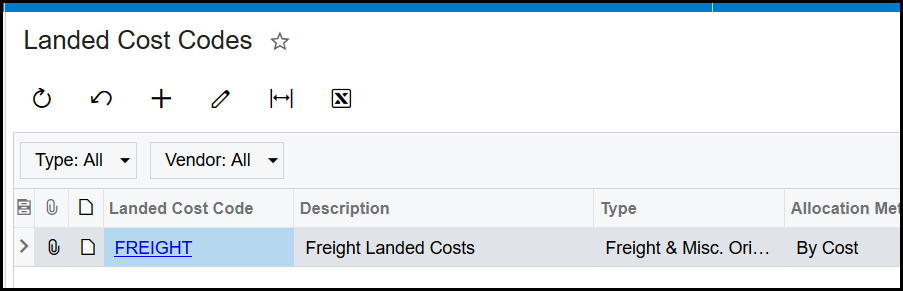
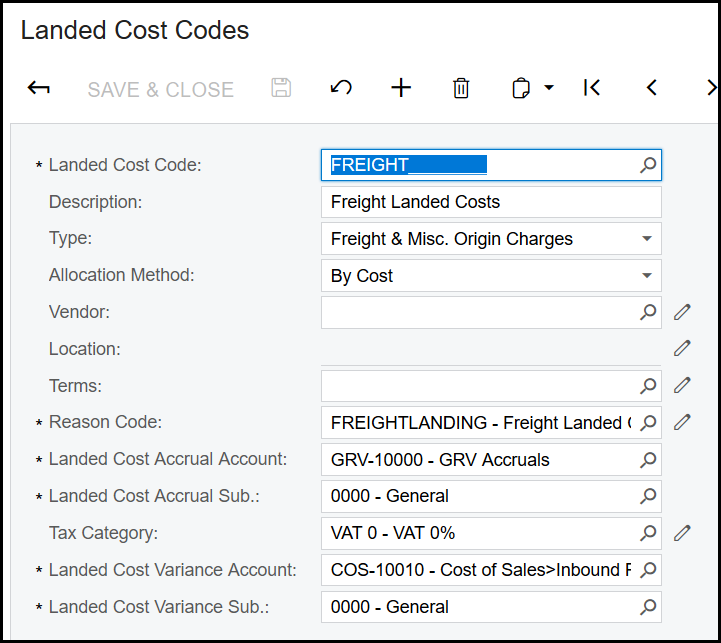
2. Create landed cost codes. This code can be used for all landed transactions if the settings is the same.
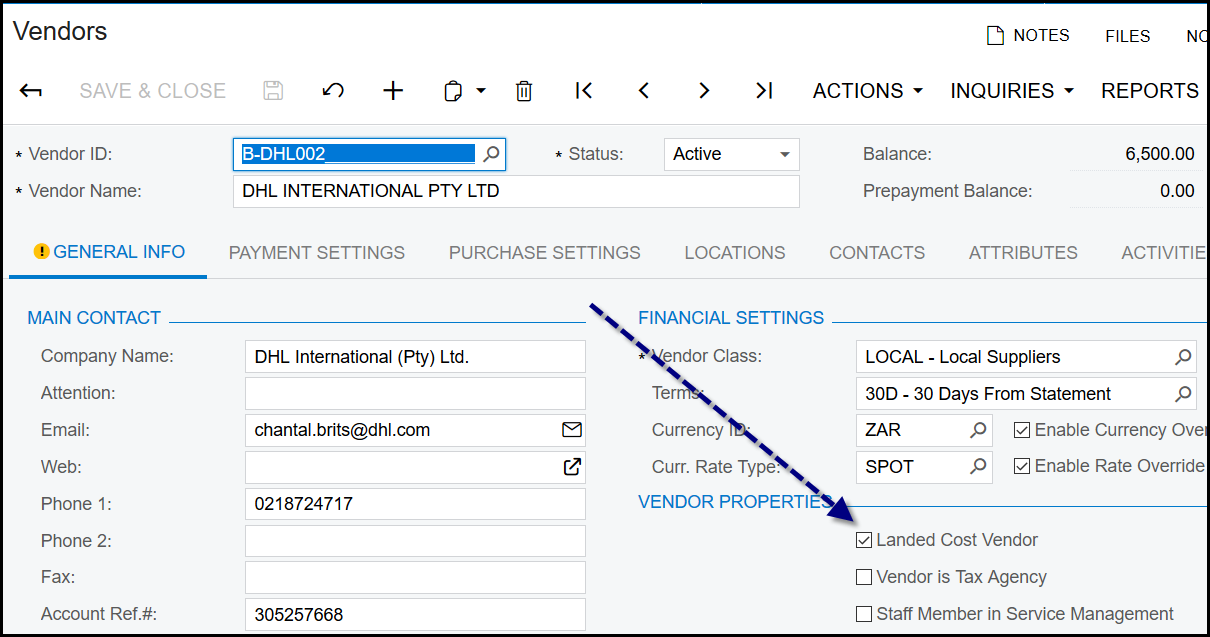
3. The supplier that does the transport or shipment should be set as a landed cost vendor.
4. The freight charges amount/invoice is loaded as 'n landed cost transaction. After you have done the purchase receipt, you will link the receipt to the landed
cost transaction.
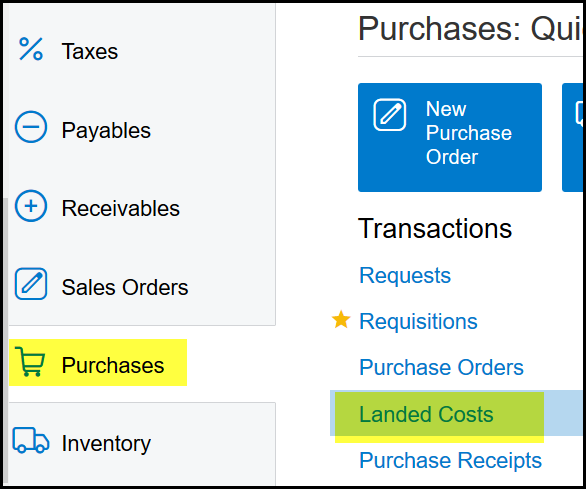
5. You get a quote for freight charges of R5 000.00. Go to landed cost transactions.
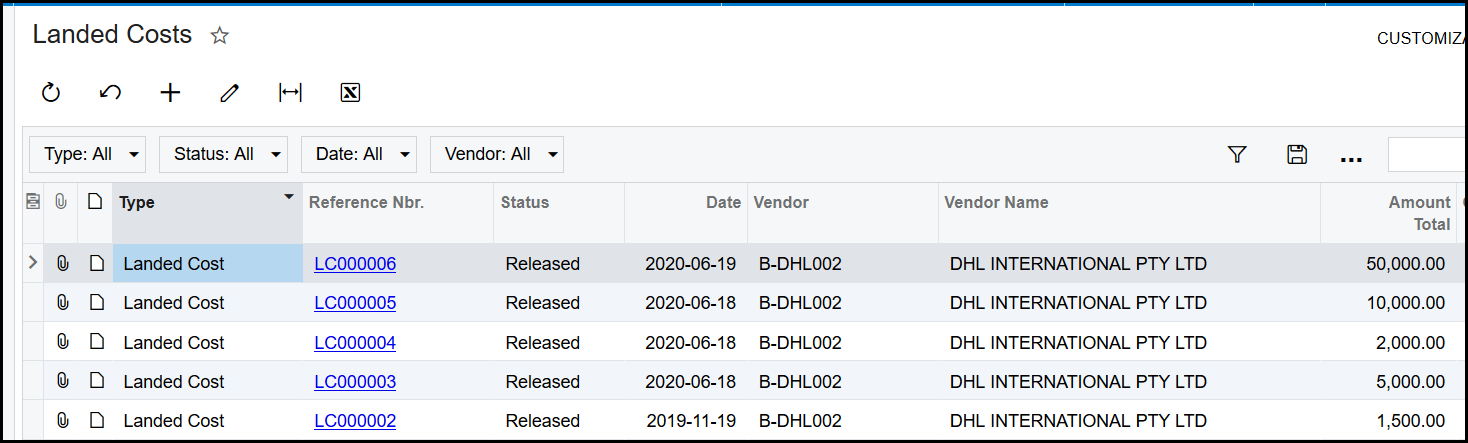
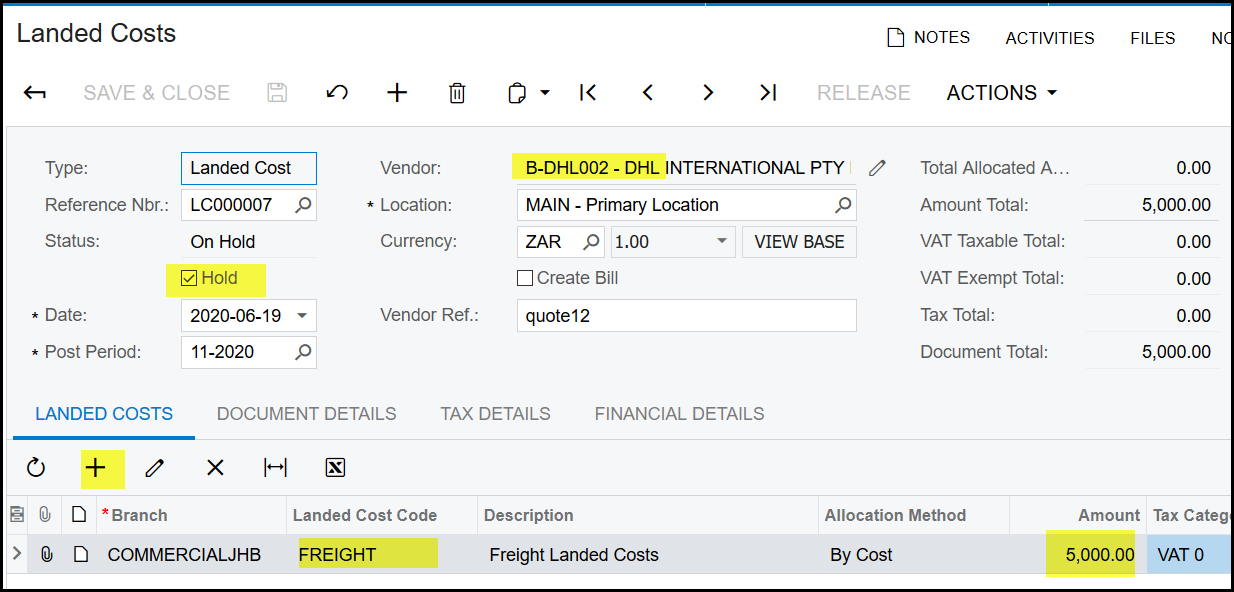
6. Create a new landed cost transaction. Select your vendor (only vendors that is marked as landed cost vendors will appear here), use the FREIGHT code to
add a line for R5 000.00. Keep the transaction on Hold.
7. Once your purchase receipt is released it can be linked to the landed cost transaction. Then release the landed cost transaction. This will add the landed cost
to the stock items.
8. Example below: Stock items: 000011666 - R60.00 - average cost
Stock items: 000019229 - R10.00 - average cost
9. Purchase order J-PO03291
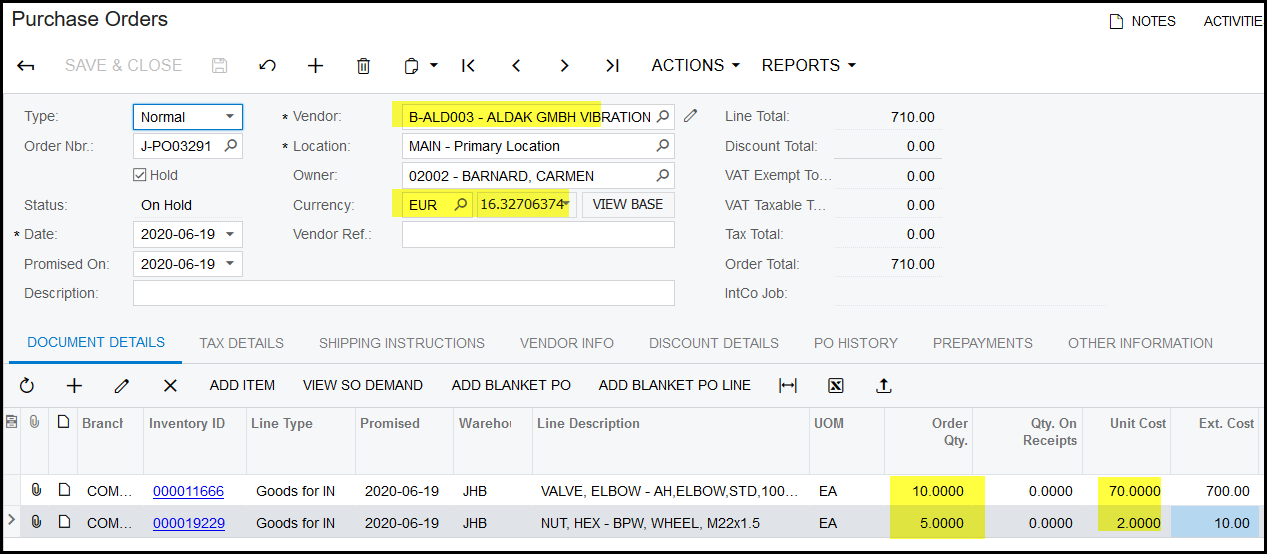
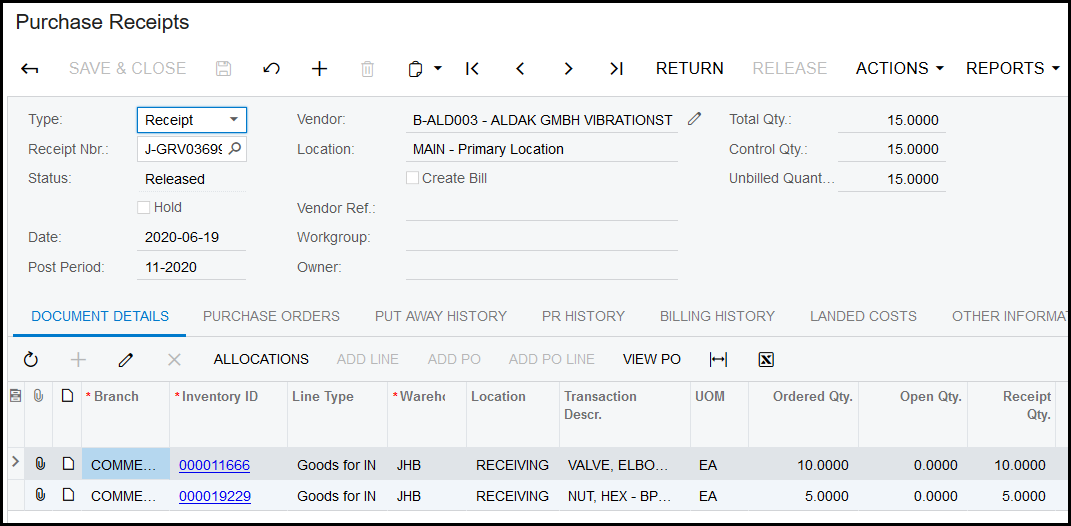
10. Purchase receipt for the full qty of the order
11. Journal for the receipt, remember this was a foreign supplier, so multiplied by the exchange rate of R16.32706

12. Stock valuation -


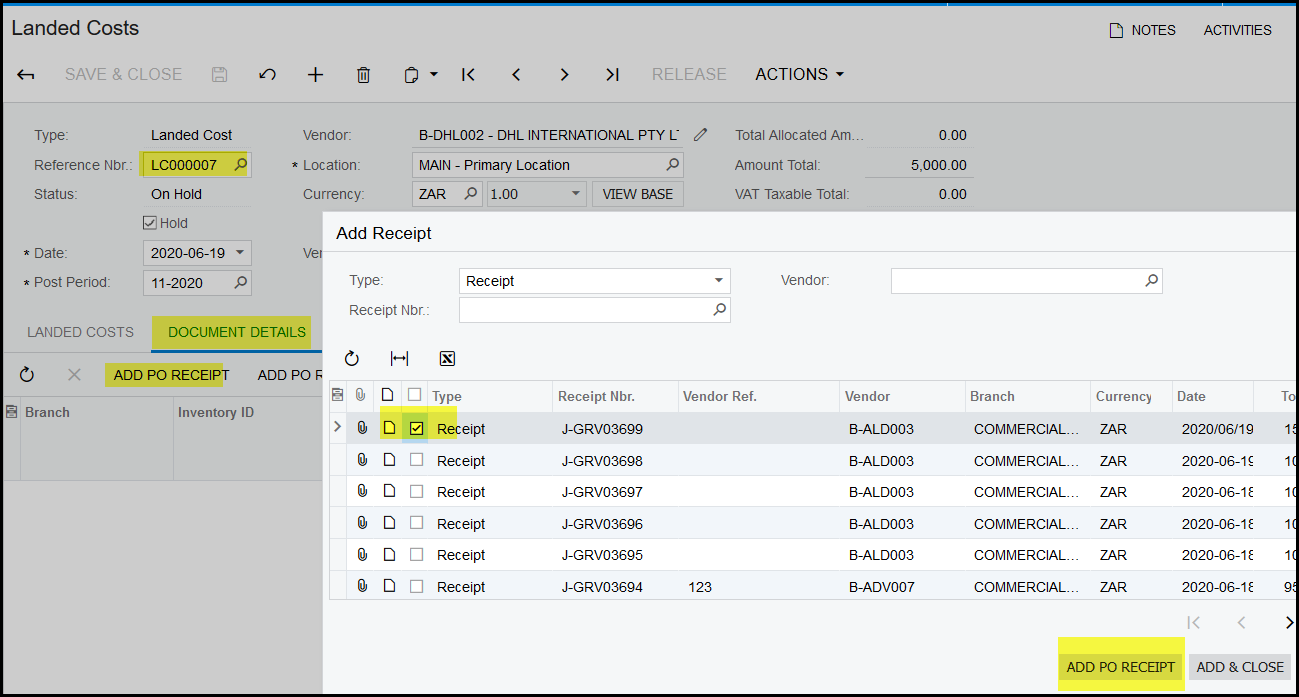
13. After the receipt is released go back to your landed cost transaction.
Click on document details and add po receipt.
Link your receipt to the landed cost transaction,
Release the landed cost transaction.
The landed cost is now allocated to the stock items of the receipt.
14. See stock valuation for the results.
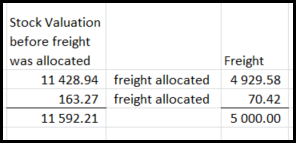
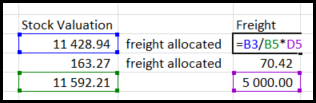 R163.27+R70.42 = R233.69


Created with the Personal Edition of HelpNDoc: Easily create Web Help sites